
Onboarding
Overview
Onboarding is a required process for any user with login access to the platform, whether they are a client or a provider.
| Provider | Both | Client |
|---|---|---|
| Plan Selection * | Name, Email & Phone | Birthdate & Location |
| Business Information * | Profile Photo |
|
| Service Selection * | Password & Terms Agreement |
|
| Source & Goals * |
|
|
These steps are not shown if the provider has been invited as part of a team.
The assumption is that they do not need to customize a business or select a plan because they will operate primarily as part of the team (at least at first).
Jump to
- Step 1: Name & Contact
- Step 2: Birthdate & Location
- Step 3: Profile Photo
- Step 4: Plan Selection
- Step 5: Business Information
- Step 6: Services
- Step 7: Password & Terms Agreement
- Step 8: Source & Goals
Steps Overview
Step 1: Name & Contact

- Name and email are required
- Phone number is validated and can support multiple countries
Step 2: Birthdate & Location

- All fields optional
- Birthdate cannot be partially entered
- Address will auto-complete
Step 3: Profile Photo

- This section is optional
- Can crop and zoom photo to center the face
Step 4: Plan Selection

- Frequency (Monthly vs Yearly)
- Available Plans
- Plan name
- HIPAA compliance status: indicates whether the plan is HIPAA-compliant
- Trial period, if any
- Price, or contact button
-
Help Button: opens more details about the corresponding plan
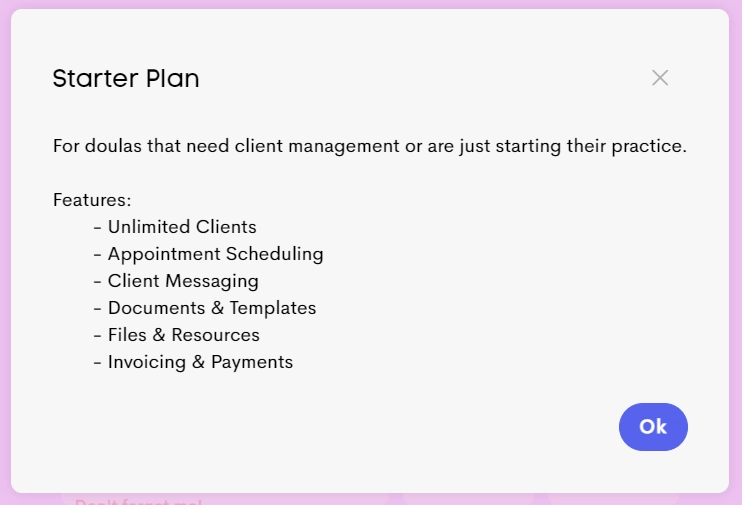
-
Discount Indicator: shows a tooltip with discount details for the corresponding plan if available
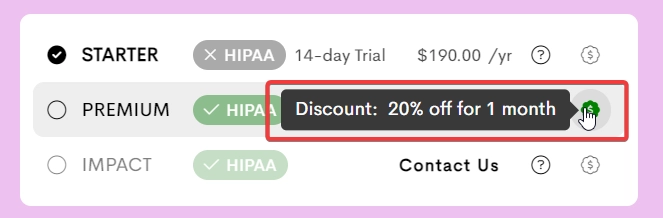
- Payment Card Details: should be valid
Step 5: Business Information

- Logo: Upload business logo
- Business Name: Enter the name clients will see (DBA)
- Currency: Select operating currency
- Team Setup: Select "I have a team and I need to invite others" if a multi-doula practice. This will automatically create a team for you once you finish onboarding.
This option depends on your plan selection in Step 4. If you select this but choose a plan without a Teams feature, you will be asked to upgrade.
Step 6: Services

- Allows selecting the services that the doula provides, during onboarding.
- At least one service should be selected, but these services can still be customized later.
- Controls what document templates are available, based on the labels that are copied.
Step 7: Password & Terms Agreement

- The passwords are required and must match and be a specific length
- Terms agreement is required
Step 8: Source & Goals

- “How did you find us?” field is shown if and only if not invited
- “What are your goals with this platform?” field is always shown
Once onboarded, you may want to: