Payment Processing
Payment Processing allows you to accept online payments through Stripe or record payments received outside of Doulado, such as cash or checks.
You can accept credit cards, debit cards, and bank (ACH) transfers, with the option to configure processing fees and surcharges based on your business preferences.
Table of Contents
Where to Find It
The sections below show where doulas and clients can manage payment methods, view payment history, and make payments.
Payment Methods
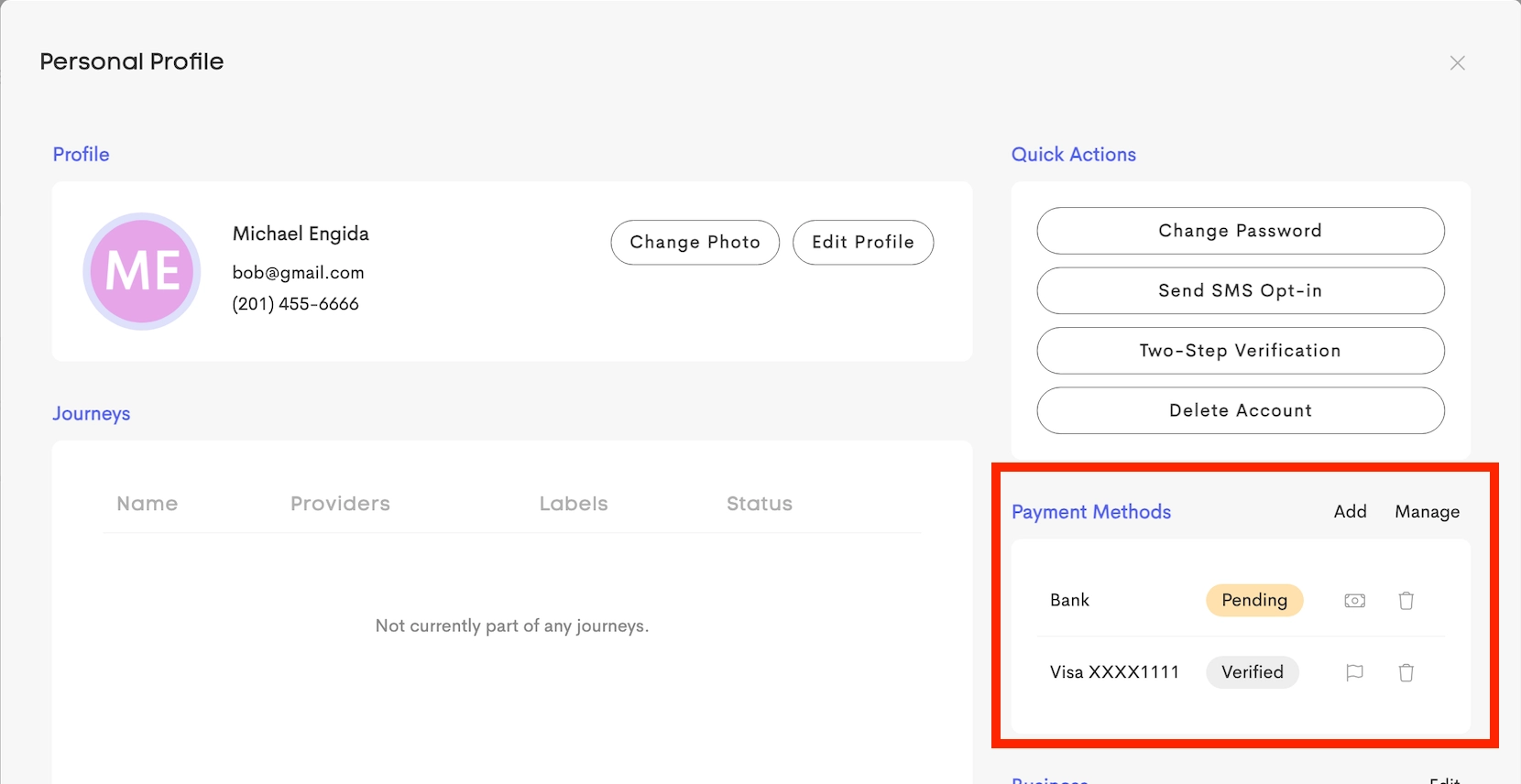
You can add and manage your saved payment methods by opening your Personal Profile and going to the Payment Methods section.
Here, you can add or update credit cards and bank accounts for future payments.
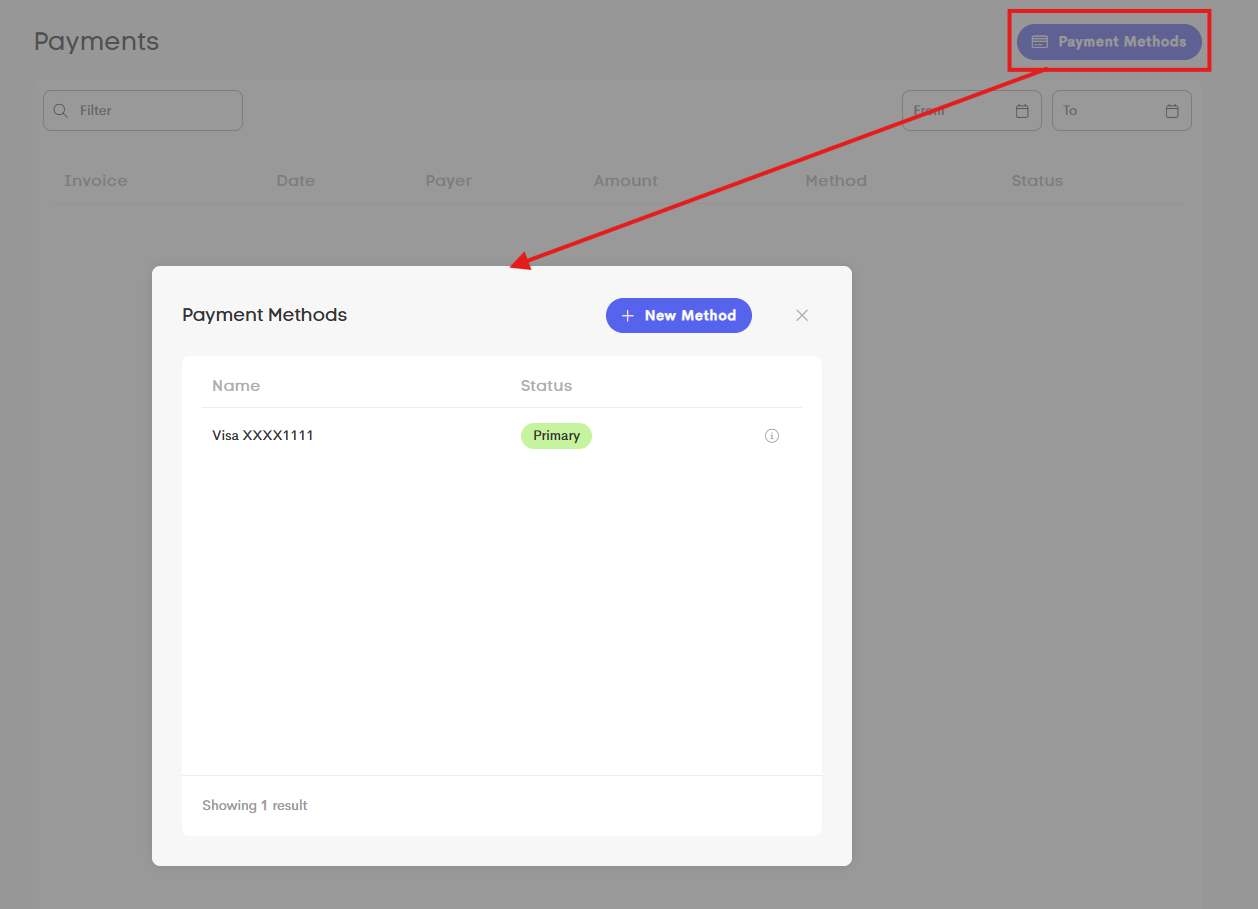
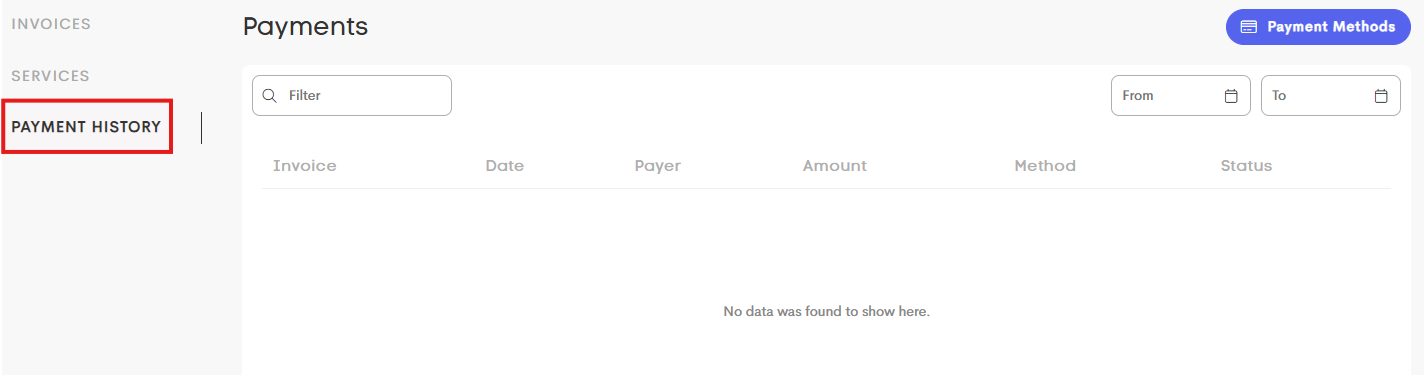
Your clients can also view their payment methods in Billing > Payment History. They can click on the Payment Methods button on the right corner.
Payment Records
To access payment records for all of your clients, you can go to the main Billing tab > Payments.
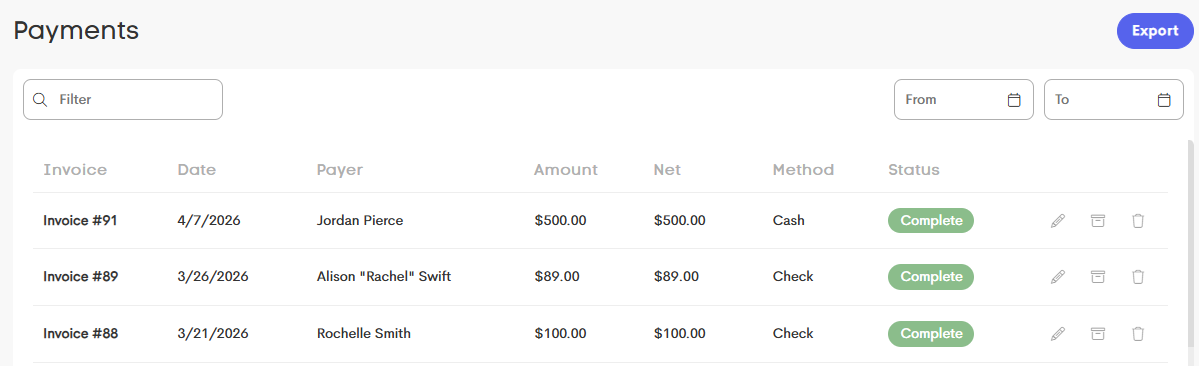
Your Clients can view their personal payment history by navigating to the main Billing tab > Payment History.
Making Payments
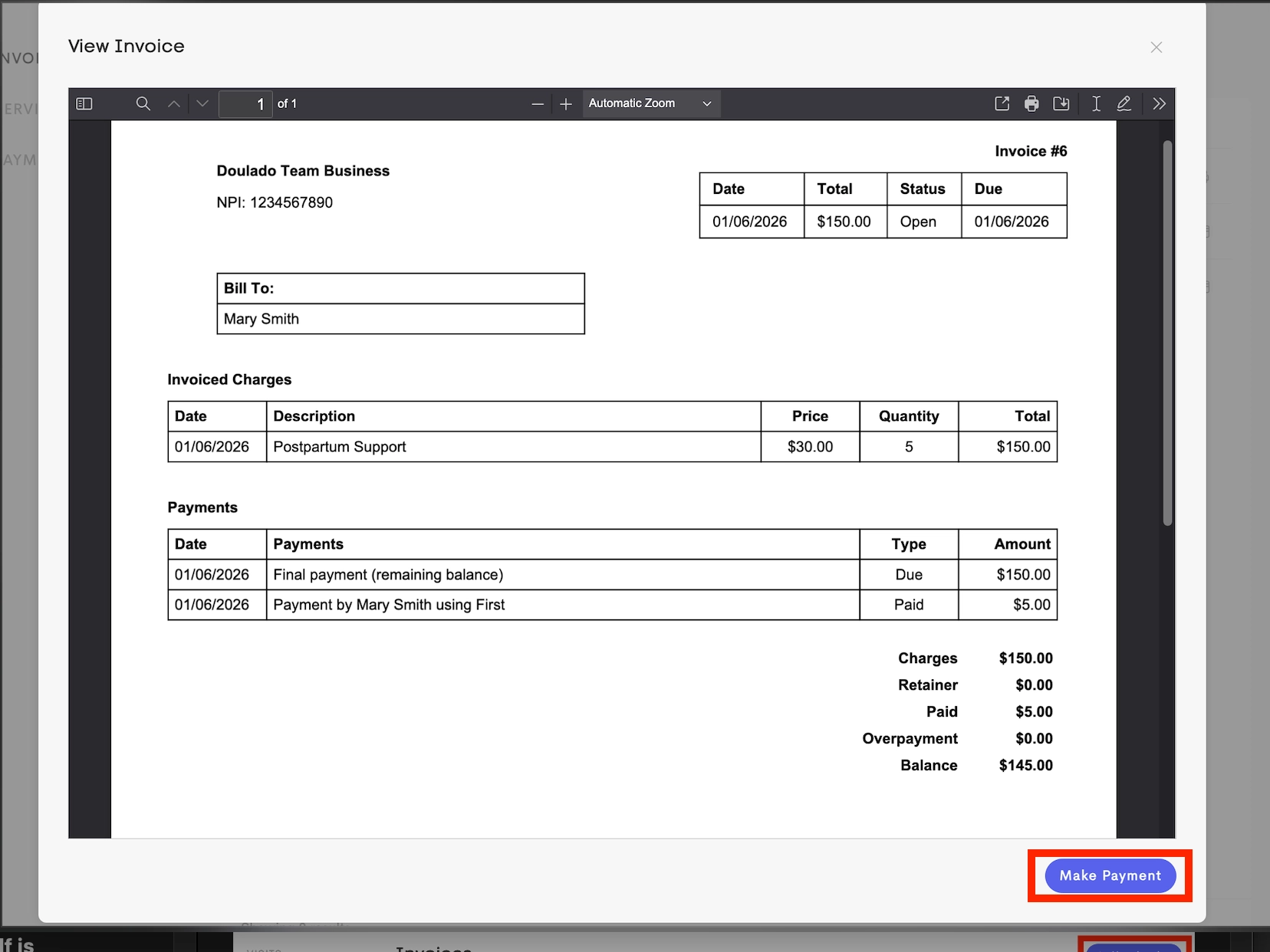
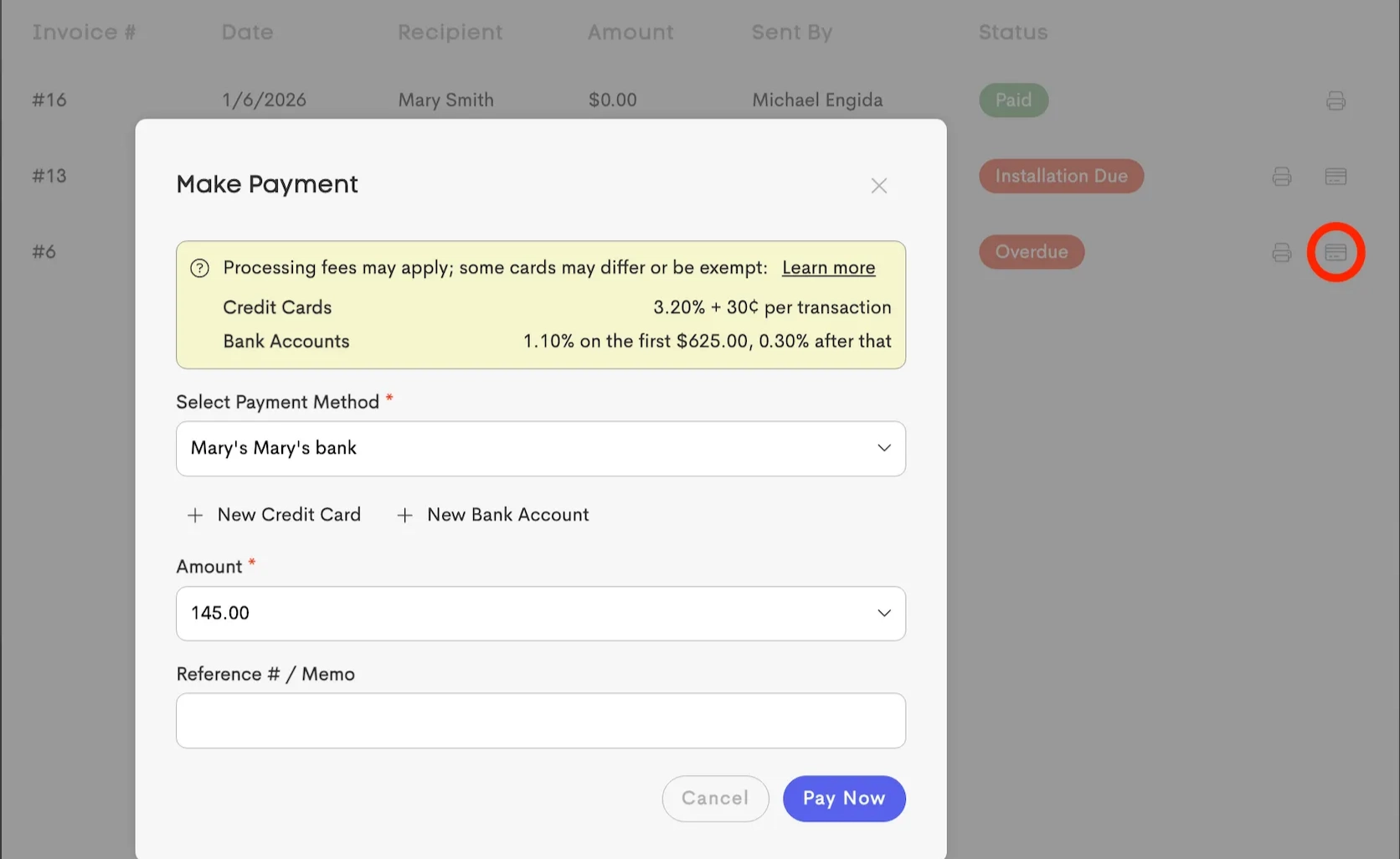
Doulas and clients can make payments in the Invoice Page via the Make Payment action button.
Clients can also make payments from the Invoice PDF file as well.