
Processing Fees & Surcharges
Surcharges
You can configure your business to pass eligible payment processing fees on to your clients.
Configure Surcharges
Customize how surcharges are applied to client payments.
To do this, go to the main Billing tab > Invoices. Click on Settings at the bottom of the list and go to the Surcharges section.
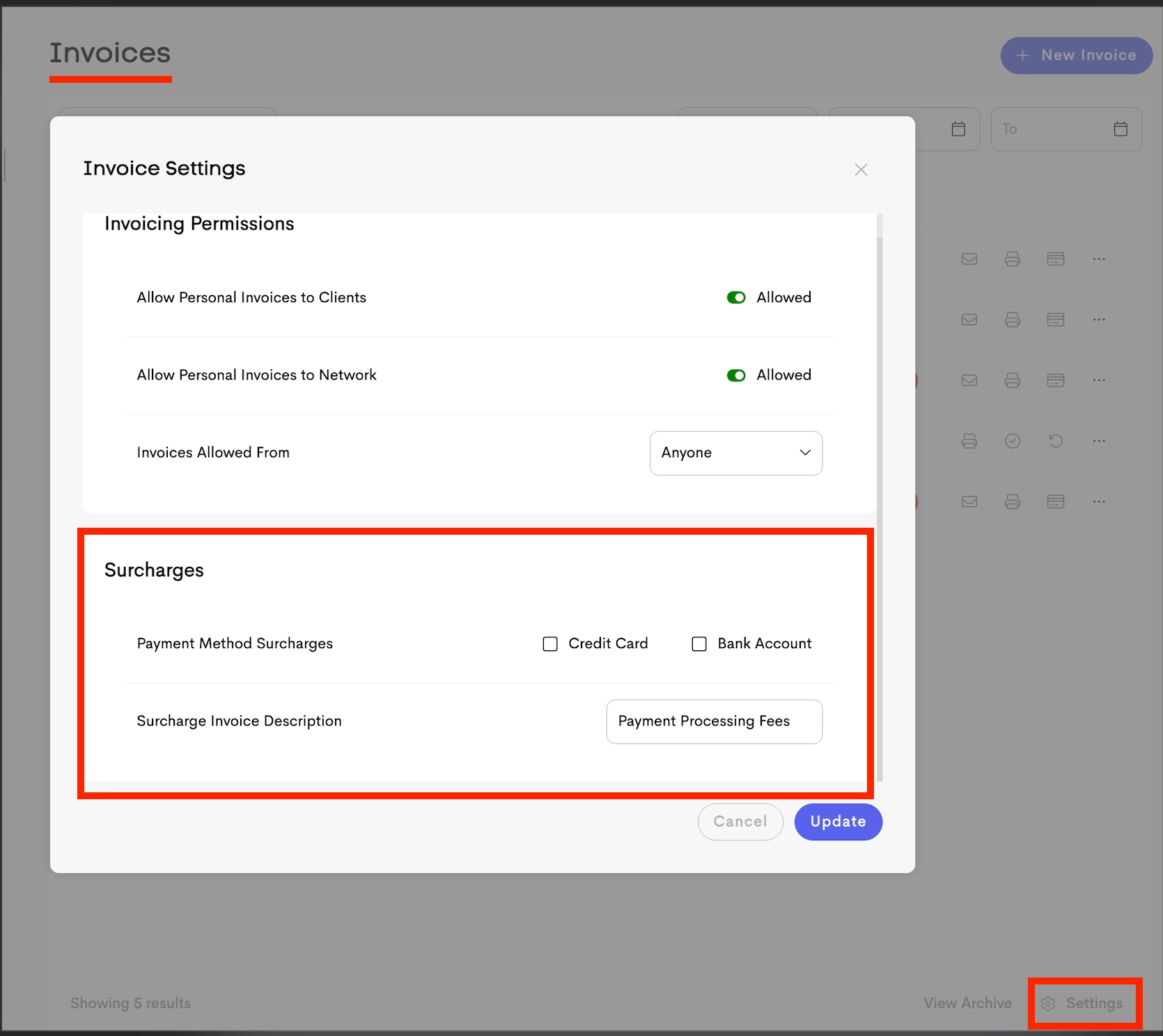
- Payment Method Surcharges: Choose whether to apply surcharges to credit/debit card and/or ACH (bank account) payments.
- Surcharge Label: Enter the description that will appear on invoices (for example, Processing Fee).
Fee Structure
When a surcharge applies, the total fee includes Stripe's standard processing fee plus the additional Fee configured in your selected plan (typically 0.3%).
| Payment Type | Rate | Per Transaction | Cap |
|---|---|---|---|
| Credit Card | 3.2 % | + $0.30 | No fixed limit |
| Bank Account (ACH) | 1.1 % | None | Above $625, it reduces to .3% |
Special Cases
- Visa credit cards: The total surcharge is capped at 3% of the payment amount.
- Debit and prepaid cards: No surcharge is applied.
How Surcharges Are Applied
When a client chooses a payment method that allows surcharges, and you've enabled surcharges for that payment method, the invoice is updated automatically before the payment is processed.
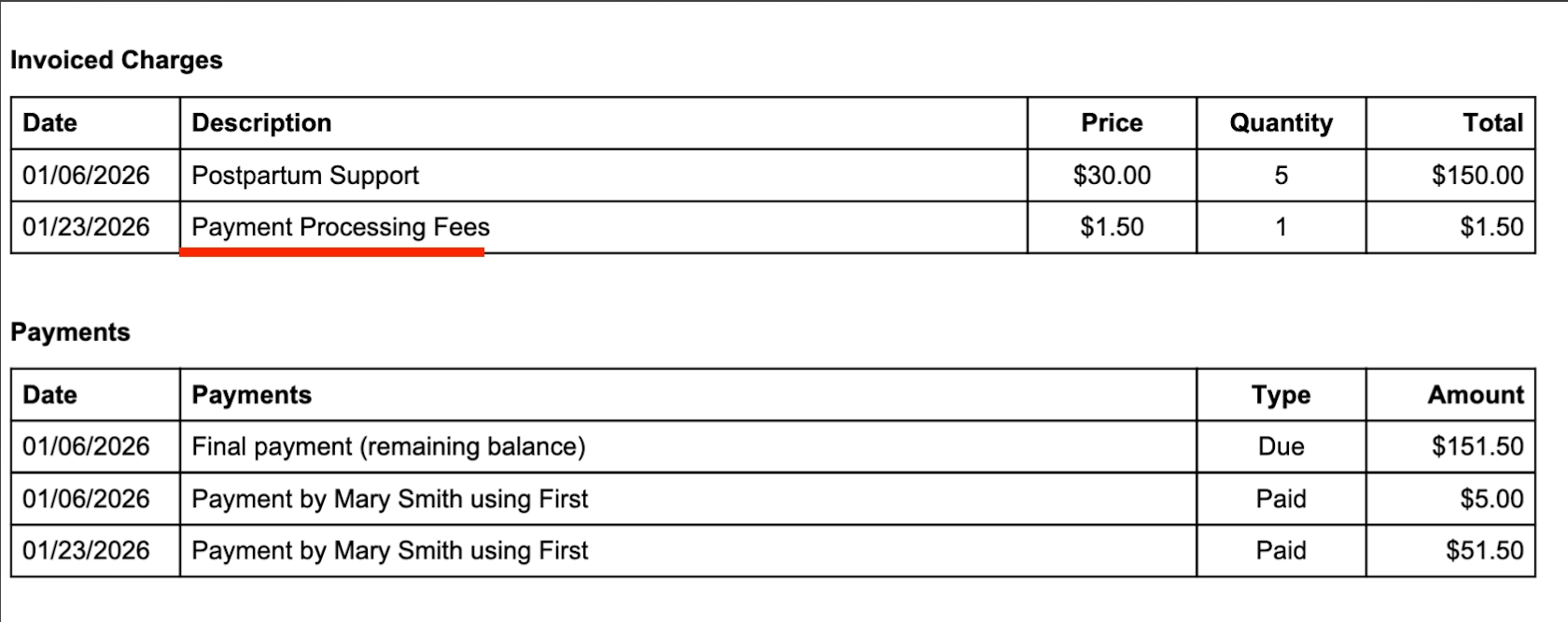
Surcharges are added as a line item on the invoice rather than the payment itself. This ensures the Invoice Total and Payment Amount always match, preventing the payment from being recorded as an "overpayment" or "account credit".
The payment process works as follows:
- Calculation: The surcharge is calculated based on the payment amount.
- Update Invoice: A new line item (such as Processing Fee) is added to the invoice, increasing the Invoice Total.
- Process: The payment is processed for the updated invoice total.
Example Surcharge Scenarios
- Example 1: Credit Card Payment
- Original Invoice: $1,000
- Processing Fee: $1,000 × (3.2%) + $0.30 = $32.30
- New Invoice Total: $1,032.30
- Example 2: Bank Account Payment (Under Cap)
- Invoice Amount: $500
- Processing Fee: $500 × (1.1%) = $5.50
- Total Charged: $505.50
- Example 3: Bank Account (Exceeds Cap)
- Invoice Amount: $1,000
- Processing Fee: $625 × 0.8% + $1000 × 0.3% = $8
- Total Charged: $1,008
- Example 4: Visa Credit Card
- Invoice Amount: $1,000
- Capped Fee: $1,000 × 3% + $0.30 = $30.30
- Total Charged: $1,030.30