
Payment Records
Once a payment is recorded, you can view it in Billing → Payments.
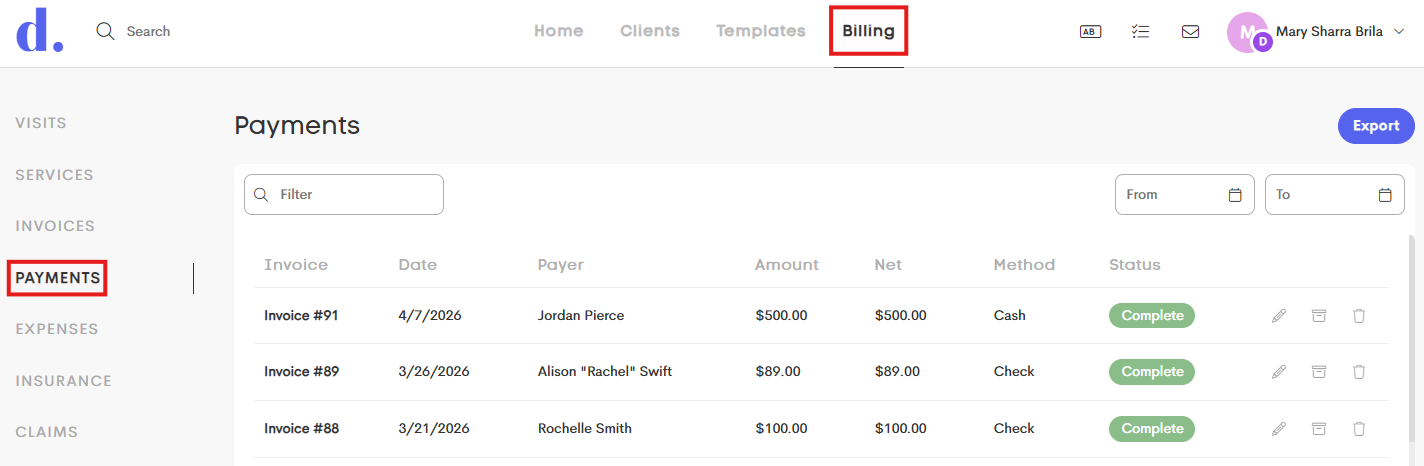
Clients can view their own payments in Billing → Payment History.
Payment Details
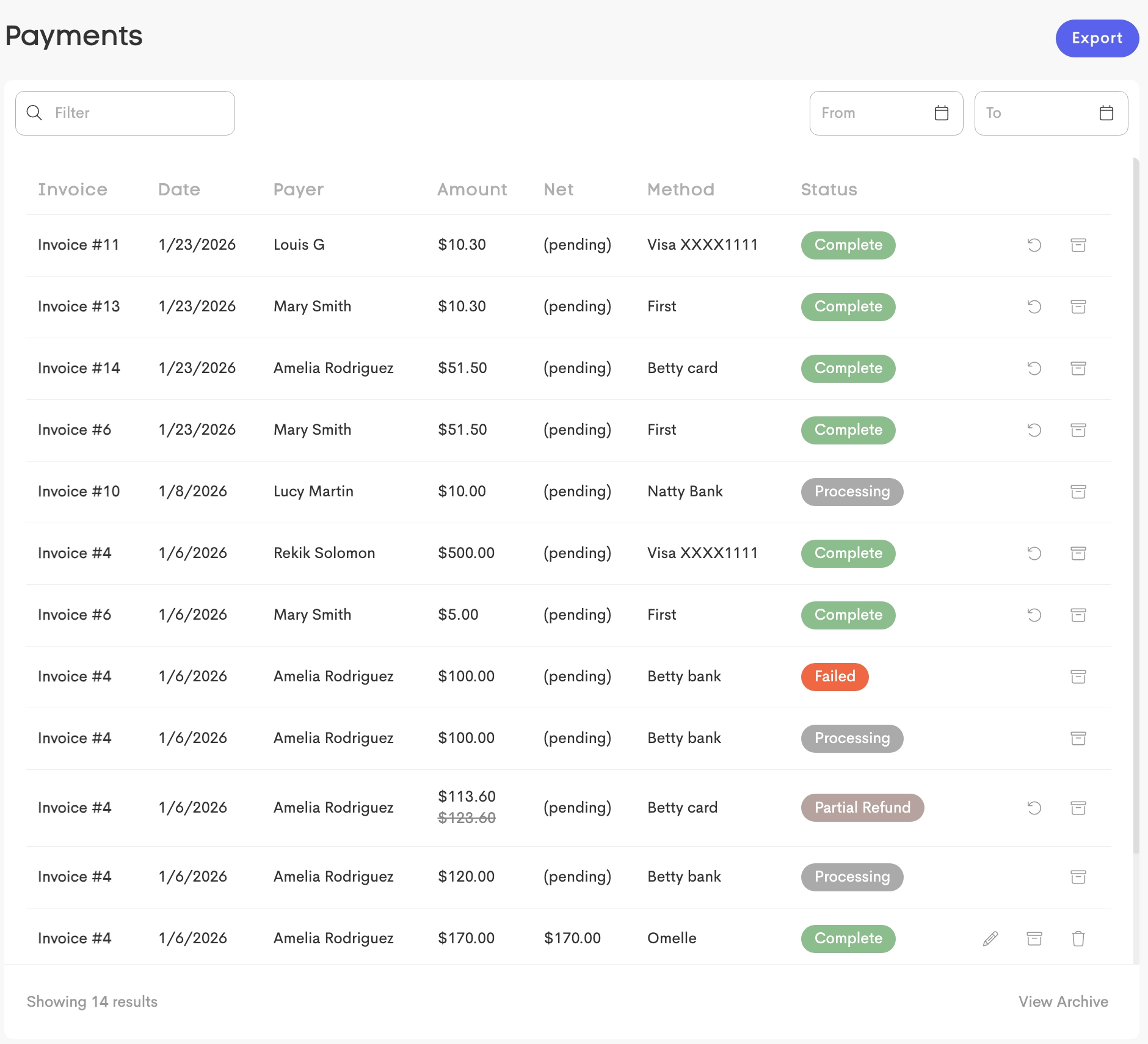
The Payments page includes the following information for each payment:
- Amount – The total payment amount. If a payment has been partially refunded, the original amount is displayed with a
strikethrough. - Net – The amount after processing fees and refunds.
- Status – Displays the current payment status:
- Processing – The payment has been initiated but is not yet complete.
- Complete – The payment was processed successfully.
- Failed – The payment could not be processed.
- Refunded/Partial Refund – All or part of the payment has been refunded.
Payment Actions
Depending on the payment type and status, you can perform the following actions:
-
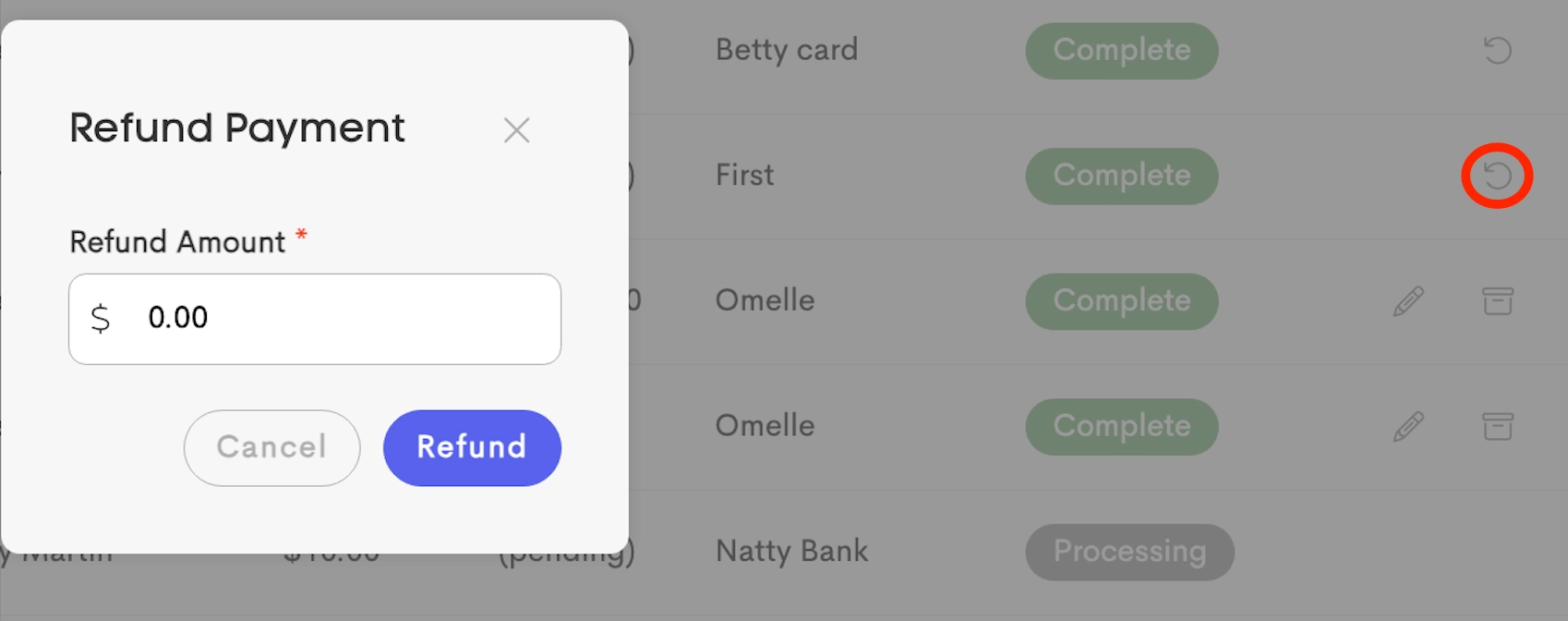
Refund – Issue a refund for processed payments.
-
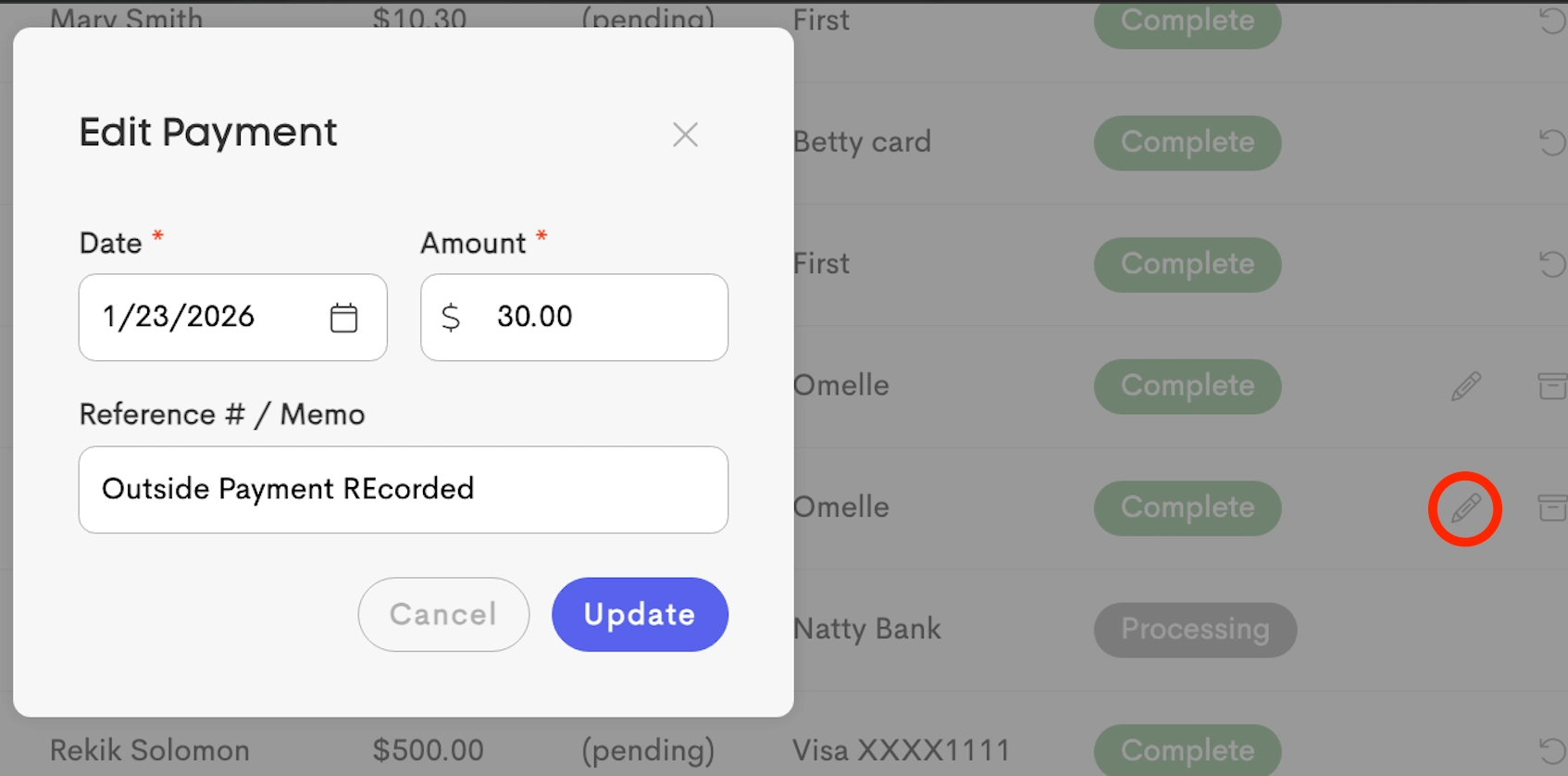
Edit – Update the amount or payment date for Outside Payments only (such as cash or check).
- Archive / Unarchive – Move a payment into or out of the archive.
Refunds
Refunds are always issued to the original payment method and cannot exceed the original payment amount. Any amount that has already been refunded cannot be refunded again.
When you issue a refund, the invoice balance is automatically updated to reflect the remaining amount due.
- If you do not intend to collect the refunded amount, you'll need to edit the invoice to reduce the associated charges.
To know more about the refund process, check out this article: Refunding a Payment