
Making Payments
The Make a Payment modal lets you or your client select a payment method and enter a payment.
A payment can be initiated from an invoice by either you or the client.
A doula can record or process a payment from an invoice on behalf of a client.

|

|
Surcharge Information
When you enable surcharges in you business, a banner at the top of the payment window shows the applicable surcharge fees.
Payment Method
All active, verified payment methods available to the client and allowed by your business are displayed for selection. The primary payment method is selected by default.
New payment methods can also be added, according to the methods you allow in the business. You may also select Outside Payment, as described in the next section.
Payment Amount
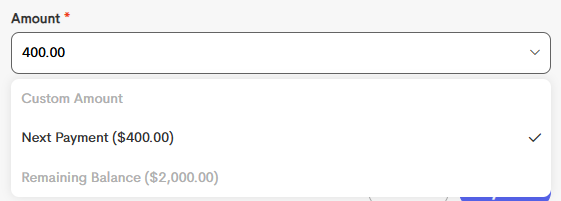
The payment amount is flexible, to facilitate partial payments, but the dropdown contains several default options to assist in selection:
| Option | Shown When |
|---|---|
| Remaining Retainer | If the retainer is greater than zero and the total paid is less than the retainer |
| Current Payment | If the total paid is less than the total installments due up to today |
| Next Payment | The amount of the first installment with a due date after today |
| Remaining Balance | The total remaining unpaid balance of the invoice |
Outside Payments
You can record a payment made outside the platform by selecting Outside Payment.
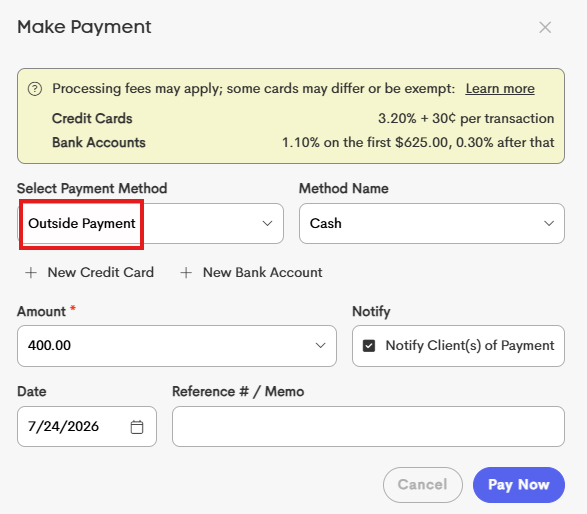
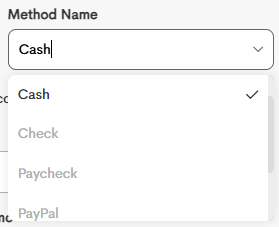
When recording an outside payment, you can choose the corresponding option for the payment method used (for example, Venmo, cash, or check) to help identify how the payment was received.
You can also specify the date the payment was received. By default, this is set to the current date.