
Notification Templates
The Notifications system manages automated and manual communications sent from businesses to clients and team members.
It supports multi-channel delivery (email and SMS), customizable templates for various system events, and detailed audit logs for tracking delivery status and engagement.
Table of Contents
Related Article
Where to Find It
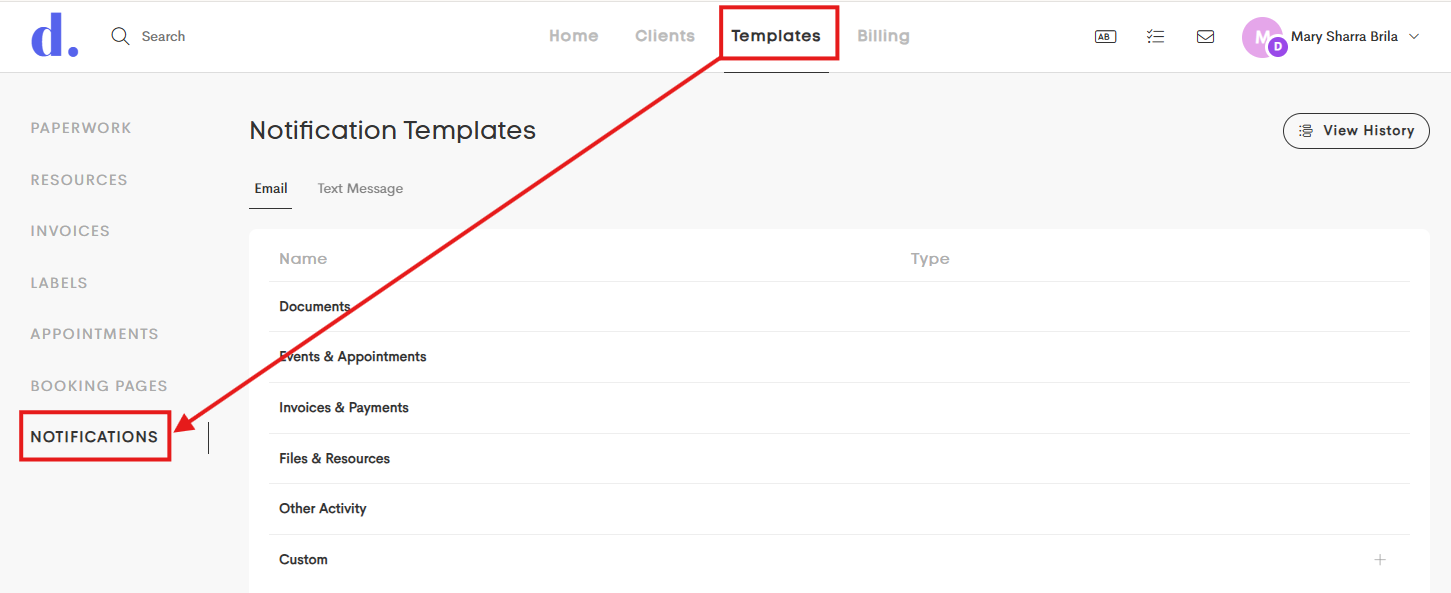
Business Owners can manage notification templates by navigating to the Templates main tab and clicking on Notifications from the main sidebar.
Doulado currently supports two notification channels:
- Email: Standard email notifications sent to clients and team members
- SMS (Text Messages): Text notifications for important updates and alerts
- SMS messaging requires a plan with the SMS feature enabled
Global Templates
Global templates are default templates managed by the Doulado internal team for each event type.
- Businesses can customize these templates to fit their workflow and branding.
- Global templates cannot be deleted, but they can be reverted back to the default version at any time.

Custom Templates
Custom Templates are templates created by your business for specific workflows, events, or manual communication needs.
These templates are commonly used for special actions such as:
- Lead Form submissions
- Workflow automations
- Manual messages sent to clients or team members
Unlike Global Templates, Custom Templates can be permanently deleted at any time.

