
Availability
Busy Periods let you block off time on your calendar without creating a formal event. They’re useful for personal time, holidays, time off, or recurring unavailable hours, and can also help prevent bookings during those times.
Table of Contents
Where to Find It
You can access Availability Settings by going to your Calendar from the Home Dashboard.
Click on the Availability button on the calendar's footer section.
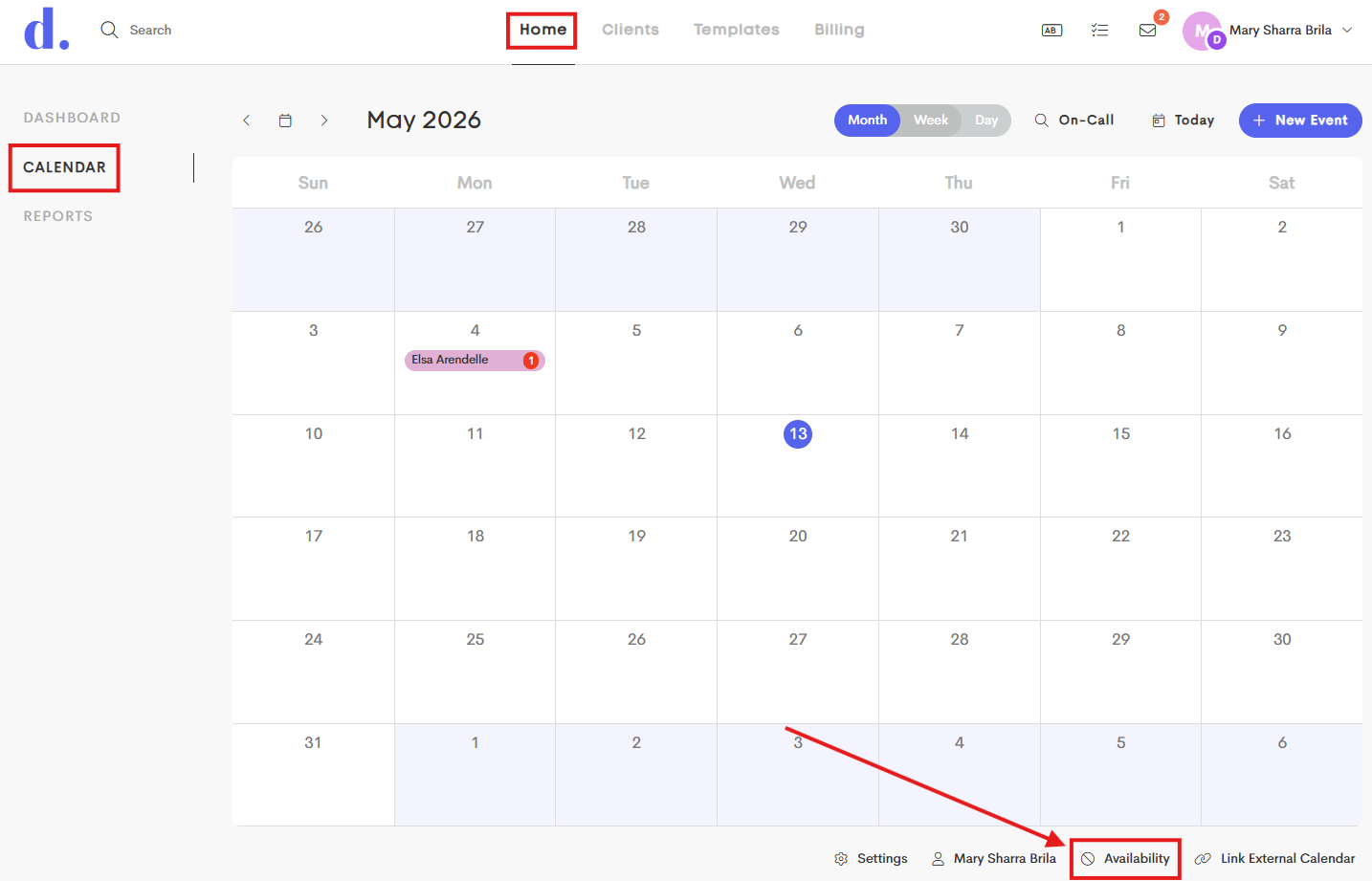
This will take you to the Personal Availability modal, where you can make changes for your availability display.
