
Configuring Busy Periods
This article walks you through how to use Busy Periods to block off time on your calendar for vacations, breaks, personal time, or recurring unavailable hours.
You’ll also learn how Busy Periods affect your availability and Booking Pages.
Creating Busy Periods
When creating or editing a busy period, you can customize when and how your unavailable time appears on the calendar.
To add or edit a busy period, follow these steps:
-
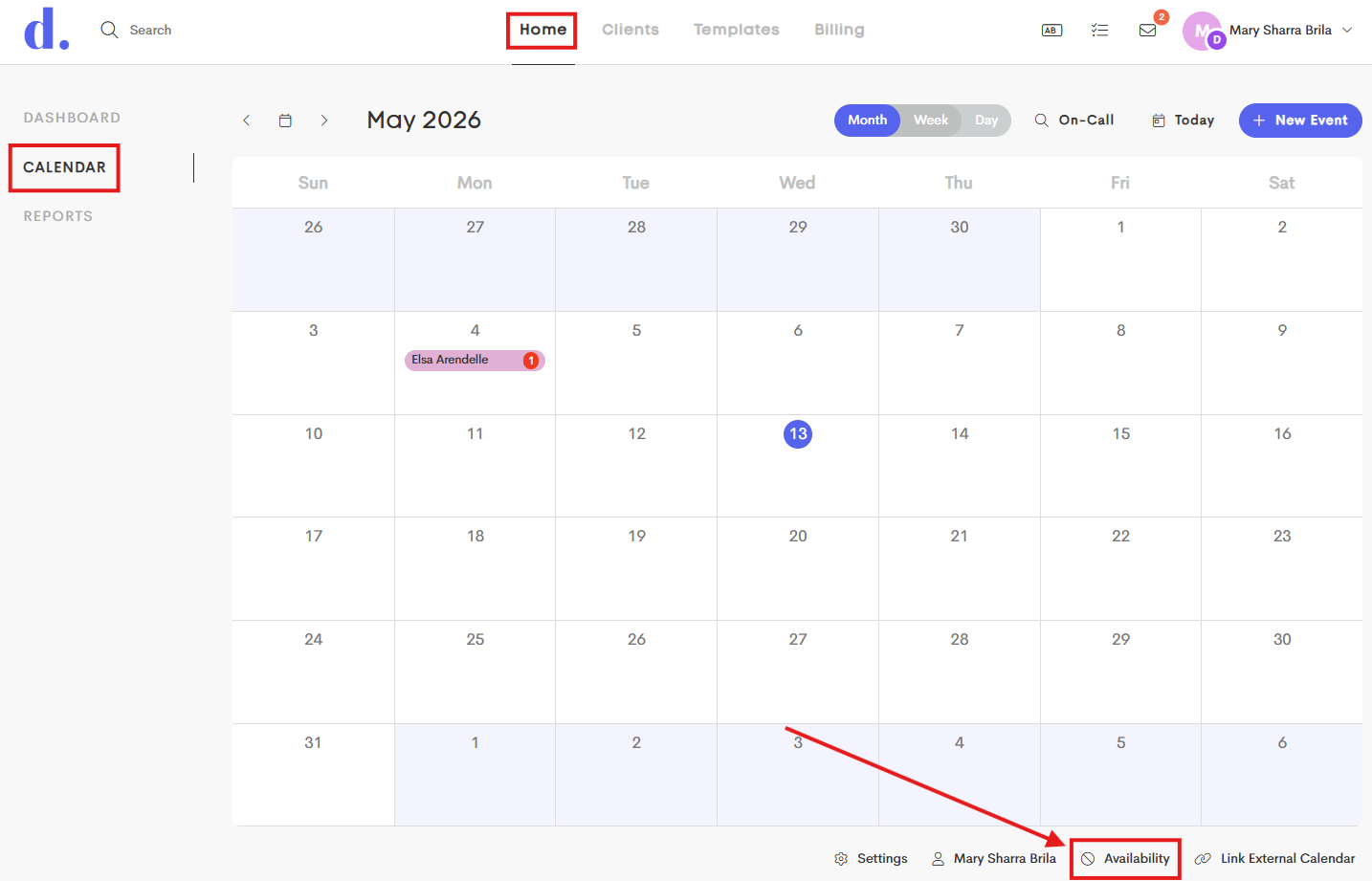
Navigate to your Calendar and click on the Availability icon in the footer section.
-
In the Personal Availability window, click on the Add button in the upper-right corner.
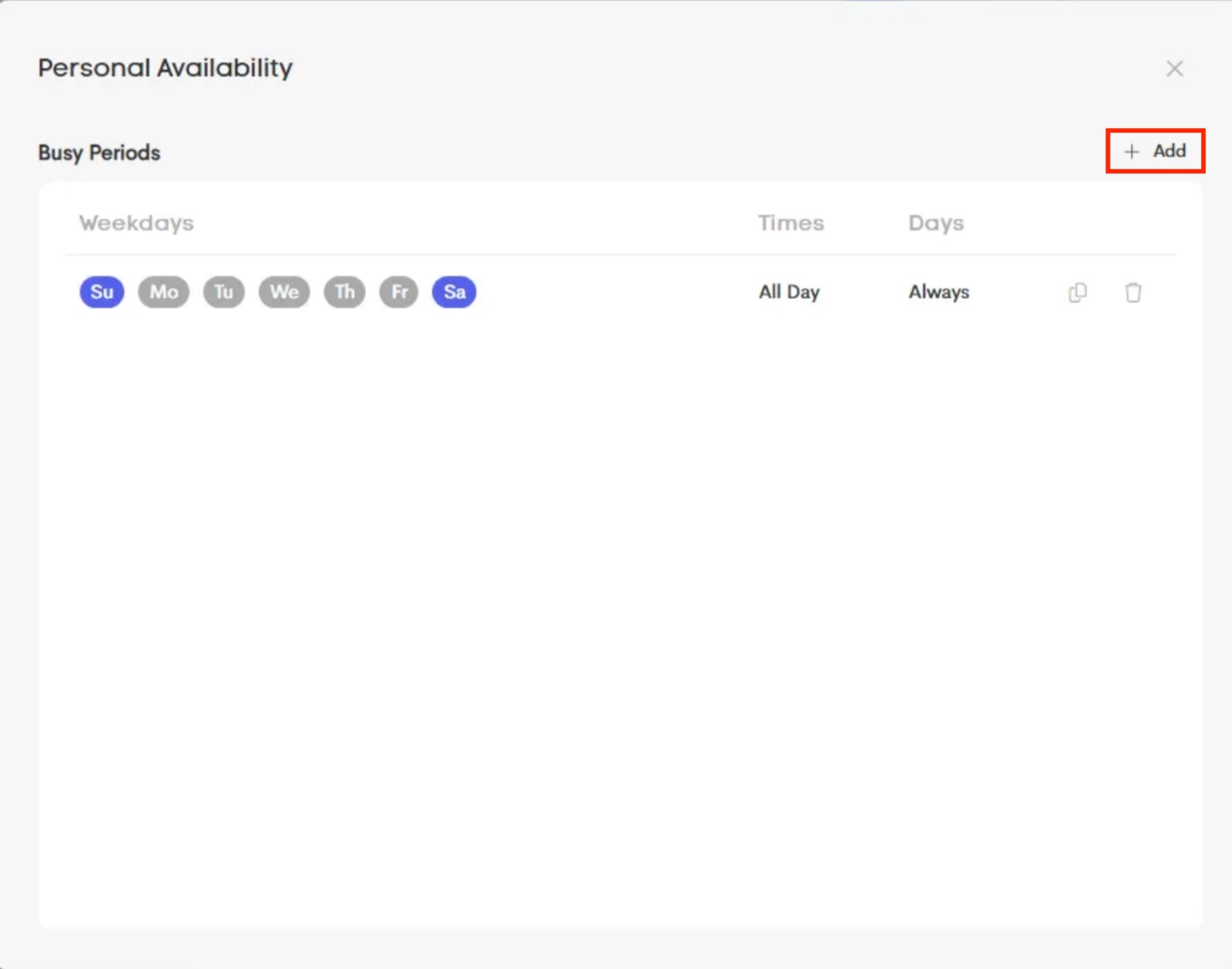
- Fill out fields with the needed information for the Busy Period you're adding.
- Weekdays: Choose which days the busy period applies to (for example, every Monday)
- Date Range: Set when the busy period starts and ends. Leave blank to keep it active indefinitely.
- Start Date: First active date
- End Date: Last active date
- Time Range: Set a start and/or end time. Leave both blank to block the entire day.
- Only a Start Time: Blocks from that time through the end of the day
- Only an End Time: Blocks from the beginning of the day until that time
- Options: Choose whether this busy period should also hide availability from clients on Booking Pages.
- Check out this article: Blocking Period Effects
- Click on Save to finalize your settings.
Common Availability Examples
-
Example 1: Weekly Lunch Break
Goal: Block every weekday from 12 PM to 1 PM
Settings:
- Days of Week: Monday - Friday
- Start Time: 12:00 PM
- End Time: 1:00 PM
- Start Date: Leave blank
- End Date: Leave blank
-
Example 2: Vacation
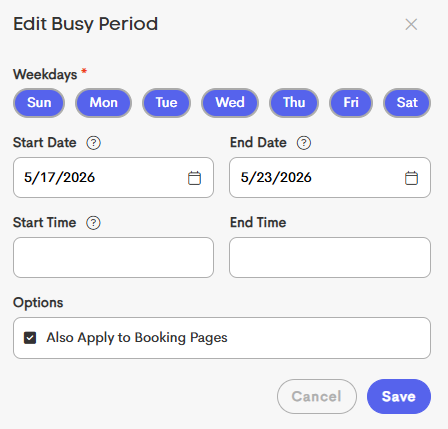
Goal: Block an entire week
Settings:
- Days of Week: All days (Monday through Sunday)
- Start Date: First day of vacation
- End Date: Last day of vacation
- Start Time: Leave blank
- End Time: Leave blank
Busy Period Actions

From the Availability menu, you can choose to duplicate or delete a Busy Period from the right action menu.
- Duplicate: Create a copy of an existing busy period to quickly reuse similar settings
- Delete: Remove the busy period from your calendar
Deleting a busy period immediately restores availability on your calendar and connected Booking Pages.