
Creating a Team
Creating a team allows you to start collaborating on clients more easily, and serve as a way to centralize billing.
To create your first team (or add another!), follow these steps:
-
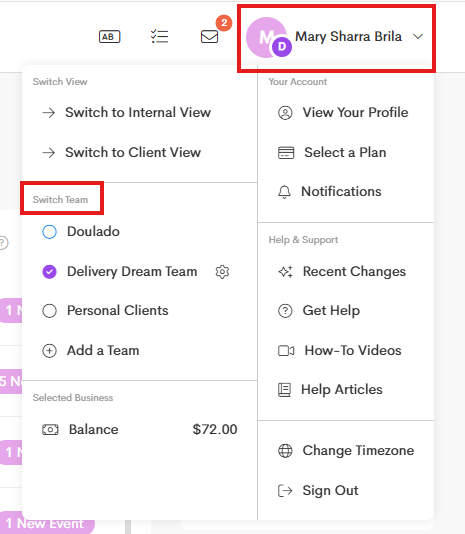
Click on your User Profile on the upper-right corner.
-
In the Switch Team section, click on Add a Team.
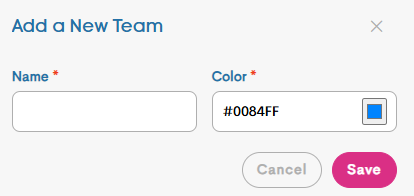
Fill out the required details such as the Team Name and assign a color.
-
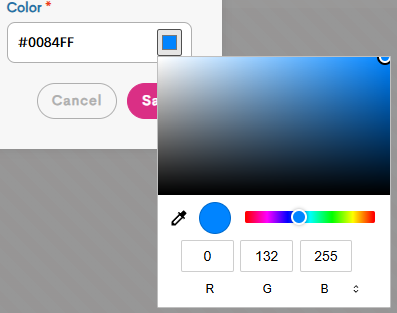
You can choose a color to distinguish your team easily, and you can also put in your business colors.
-
- Click Save once you're done.
From there, you can decide whether you want to stay on your current team or you can view and switch to your newly created one right away.
You may now start inviting new members or editing your team settings. Refer to these articles for more information: