
Remittances
Overview
Remittances represent payments received from insurance payers (via paper checks or electronic funds transfers). Businesses can track these payments, reconcile them against submitted claims, and automate the process using Electronic Remittance Advice (ERA).
Table of Contents
Where to Find It
Remittances are accessed through Billing → Claims → Remittances tab. The interface displays all payment records for claims associated to the business.
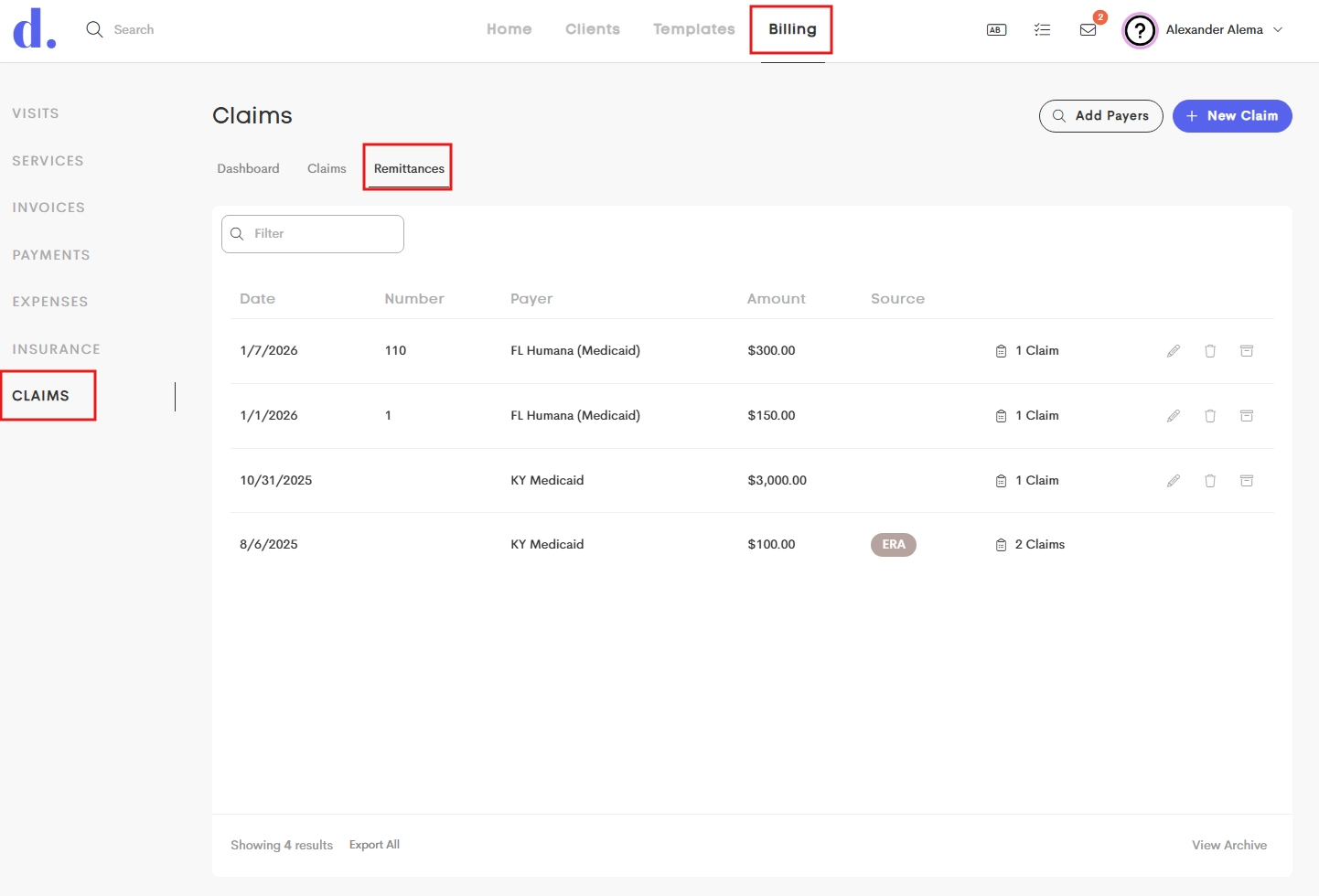
This tab displays a table of all recorded payments, including:
- Date: The date the payment was issued.
- Number/Check: The unique reference number for the payment.
- Payer: The insurance company that issued the funds.
- Amount: The total value of the remittance.
- Source: An ERA badge indicates if payment came in automatically via an electronic clearinghouse.
- Claims: A button showing the count of claims linked to the payment.
|
|
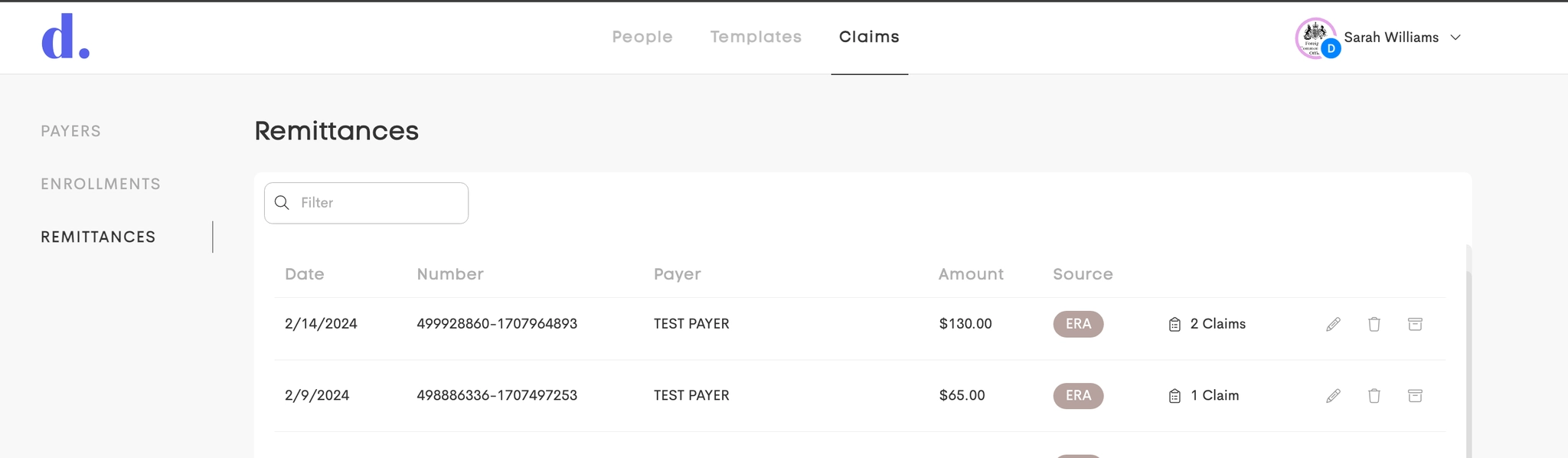
Internal view of remittances |
Visibility & Access
- Team Members: Remittances are available to team members based on Claims Permission.
- Internal Users: Can view & edit all remittances across all businesses via Claims → Remittances.