
Setup & Getting Started
Overview
Submitting insurance claims can be complex, but Doulado is designed to simplify the process and help streamline claim submission and tracking for doula services.
It’s important to understand that doula insurance coverage is still evolving.
Coverage rules, reimbursement requirements, and claim outcomes vary by payer and state, and reimbursement is never guaranteed, even when claims are submitted correctly.
Before submitting claims, complete these one-time setup steps to ensure compliance and readiness.
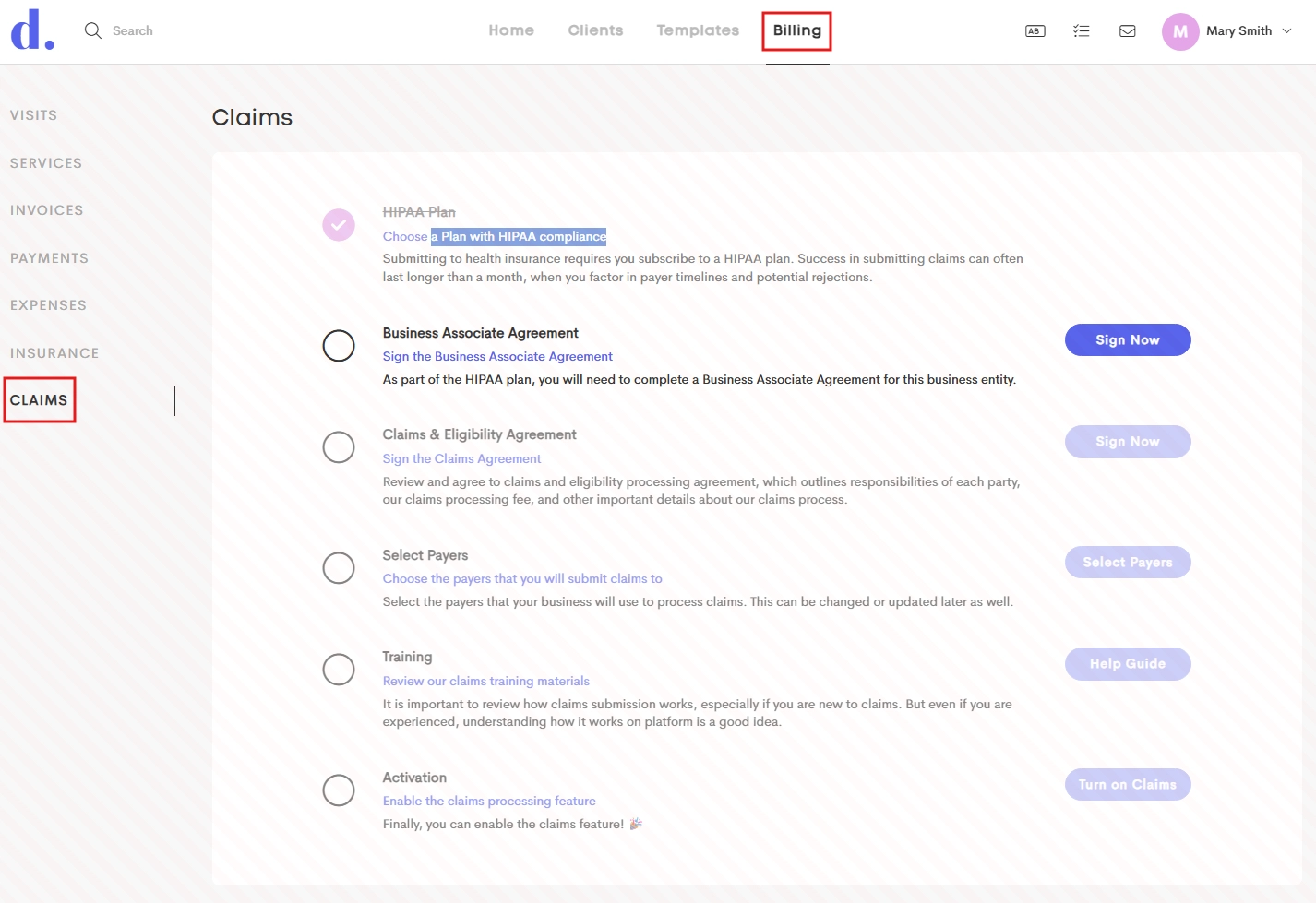
Table of Contents
- Credentialing and Contracting
- Claims Dashboard Overview
- Adding Personal Business Information as a Team Member
- Understanding a CMS 1500 Form
Requirements & Compliance
- HIPAA Plan: Subscribe to a plan that includes HIPAA compliance.
- Agreements: Sign two key agreements electronically within the platform:
- Business Associate Agreement (BAA)
- Claims & Eligibility Agreement
- Selecting Payers: Selecting which payers to whom claims will be submitted. This can be updated later as needed. See Payers.
Claims-Related Fees
The following fees apply and are automatically deducted from your Doulado funds balance:
- Claim submission: $1.00
- Insurance eligibility verification: $1.00
- ERA (Electronic Remittance Advice) receipt: $1.00
These fees cover the cost of integrating with our clearinghouse, which enables electronic claims submission and tracking.
How Claims Move Through Doulado
Doulado submits claims electronically through a clearinghouse, a third-party service that acts as a bridge between providers and insurance payers. The clearinghouse:
- Checks claims for required fields and formatting
- Flags basic errors
- Submits clean claims to the appropriate payer
Once the clearinghouse accepts a claim, it is forwarded to the insurance company for processing. Unless you are enrolled in ERAs, updates and payment information will come directly from the payer via mail or their provider portal.

Getting Started With Claims
To turn on claims processing:
- Navigate to the Billing section of your Doulado account.
- Confirm you have an active Premium or Impact plan.
- Review and sign the BAA and Claims & Eligibility Agreement.
- Import Payers (you can add/edit these later as well).


Once enabled, you’ll have access to your Claims Dashboard.
To submit a claim, you must have:
- The payer added to your dashboard
- At least $1 per claim in your funds balance
Additional funds may be needed for ERAs or eligibility checks. Any team member can add funds, as long as a payment method is saved on the account.
Payer Enrollment (If Required)
Related Article: Payers: Requesting Enrollment
Some payers require enrollment paperwork before accepting claims submitted through Doulado. Claims enrollment is less common, but it is typically required to receive ERA or run eligibility checks. This claims enrollment process is automatically triggered when you submit your first claim to that payer. If enrollment is required:
- Doulado support will reach out with instructions and paperwork
- Enrollment may also be initiated manually from the Claims Dashboard
Not all payers require this step.
Recommended Prep Steps for Doulas
Before submitting claims, we recommend:
- Register for your NPI number.
- Research Medicaid payers in your area, or private insurance companies your clients may have to learn more about their doula coverage.
- Start the credentialing process with a payer (We recommend getting established with 1 payer first to go through the whole process, rather than multiple at once.).
- Completing any required contracts.
- Register for the payer's provider portal in order to easily find additional information and view EOBs (if the provider has a portal).
- Review the payer's claim requirements, including their CPT codes, modifiers or other specific information they require.
- Submit your first claim!
Reach out to support@doulado.co with any further questions!