
March 2026
We’re excited to roll out a new set of updates across Doulado designed to improve your workflows, enhance the client experience, and give you more flexibility in how you manage your business. From our new mobile-friendly Flow Documents to improvements in claims, admin settings, and team management, these updates are focused on making everyday tasks smoother and more efficient.
Check out the update details below:
#1: Documents & Forms
- New document type: We’ve introduced a new, mobile-friendly document experience for all newly created document templates.
- New "Flow" documents now use a continuous, web-based format instead of the previous custom PDF builder
- Existing templates are unchanged, and uploading your own PDFs is still supported
- Documents are easier to complete on mobile and can guide clients through sections step by step
- Multiple documents can now be combined into one streamlined experience
- You can convert existing templates (non-uploaded PDFs) by "duplicating" them
View the full Flow Document article here for more details. Below is an example of a mobile view of a client signing a new flow document!

-
Lead form responses are now available as PDF: Lead form submissions can now be accessed as a downloadable PDF, ensuring all responses are preserved in full.
This prevents longer answers from being cut off and makes it easier to review and share client information.
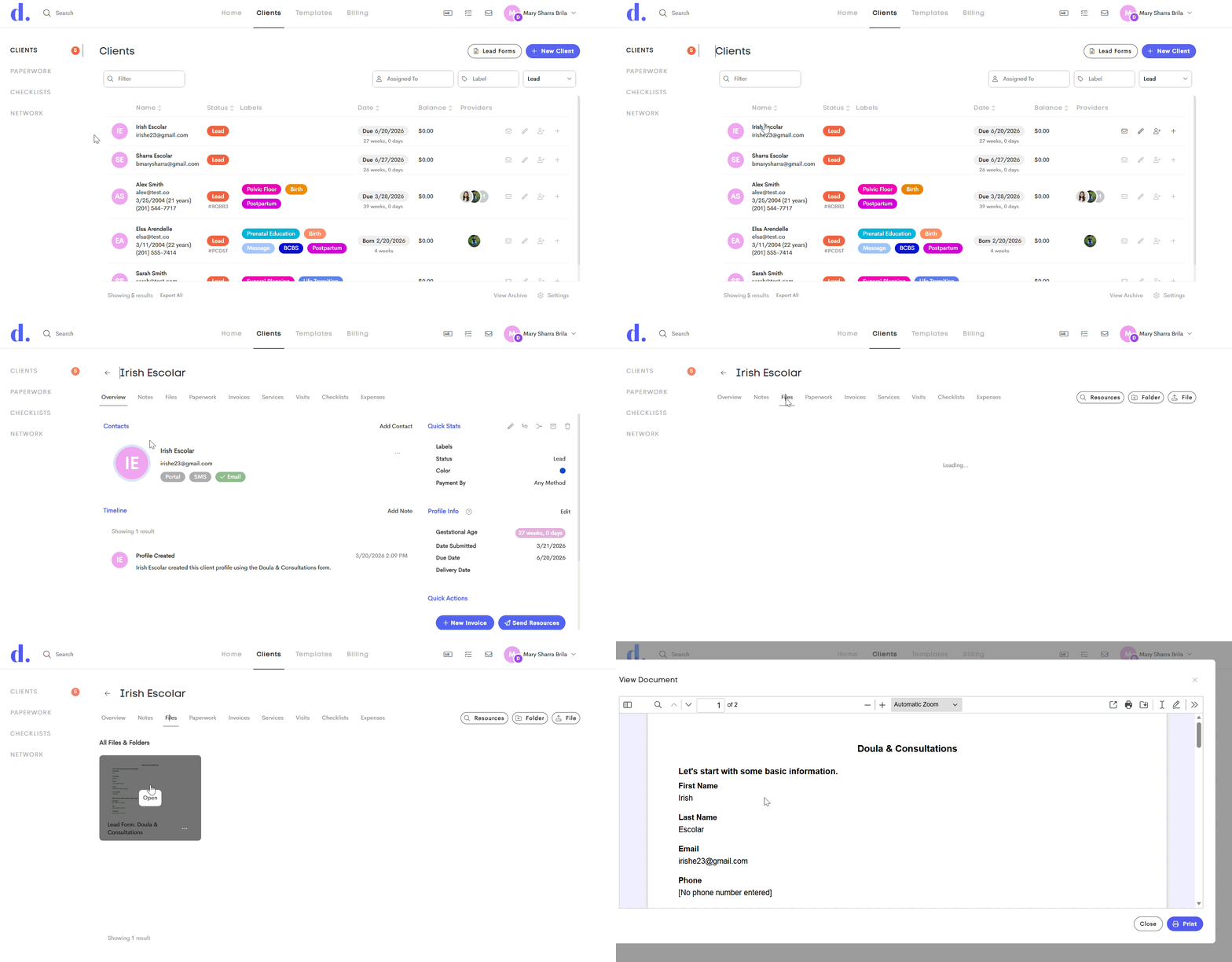
Ensure that this option is enabled in the Client Settings first to get succeeding lead form submissions accessible as a PDF file.

#2 Claims & Insurance
-
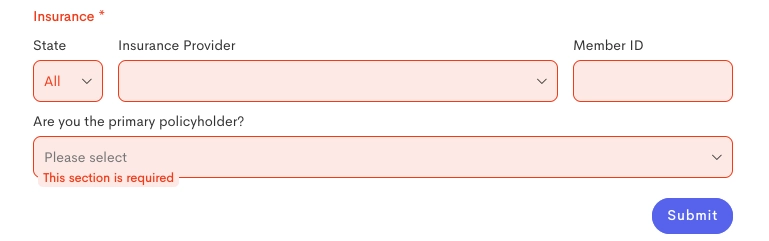
Insurance fields now require full completion: Lead forms with the Insurance field marked as "required" will now require all visible insurance fields to be completed before the form can be submitted. This ensures more accurate and complete insurance information is collected during intake.
-
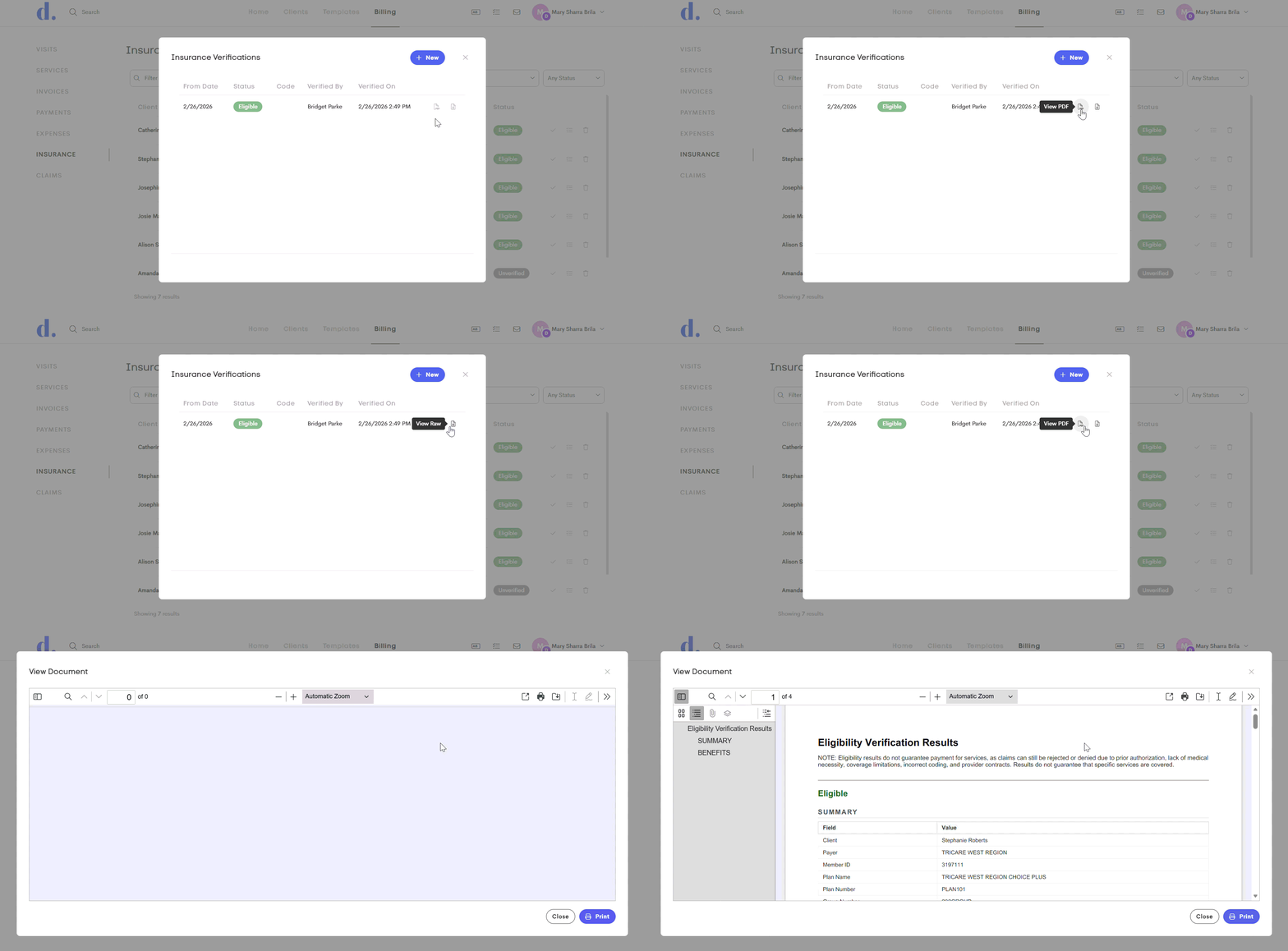
Eligibility results are now available as PDF: Eligibility check results can now be viewed and downloaded as a PDF, making them easier to read and understand.
This provides a clearer, more doula-friendly view of coverage details compared to the previous raw format.
-
Eligibility checks now support procedure codes: When running an eligibility check, you can now enter a procedure code to include in the request.
This allows the eligibility response to return more detailed benefit information, such as co-pay amounts, deductibles, and whether a specific doula service may be covered.

#3 Admin Updates
-
Internal Invoices: When creating an invoice for a client, you now have the option to keep it internal. By unchecking “Publish to client portal” and leaving the invoice in draft status, it will remain hidden from the client (even if a payment is recorded). Additionally, if “Track services as deliverables” is unchecked, the services on that invoice will not appear in the Services tab as “purchased” or available to be used.
Both options are enabled by default, but either can be adjusted as needed when creating an invoice. This gives you the flexibility to use invoices for internal tracking purposes, such as logging claims submitted outside of Doulado or tracking services that are not directly billed to the client.
You may choose not to track services as "deliverables" if the items on the invoice don’t need to be “used” or redeemed by the client. For example:
- Access to a recorded class
- General support, advocacy, or administrative services
-
Claims or services billed to insurance rather than the client
If this option is left unchecked, it applies to all services on that invoice. If needed, you can still manage or adjust individual services later in the Services tab once an invoice is marked as paid or partially paid.

If you need to send an invoice to a third party for payment, you can add that individual or organization as a Contact on the client journey, create the invoice under the client, and then send it directly to that contact.
If the settings shown above remain unchecked, the client will not have access to the invoice or see any related services reflected in their Services tab.
-
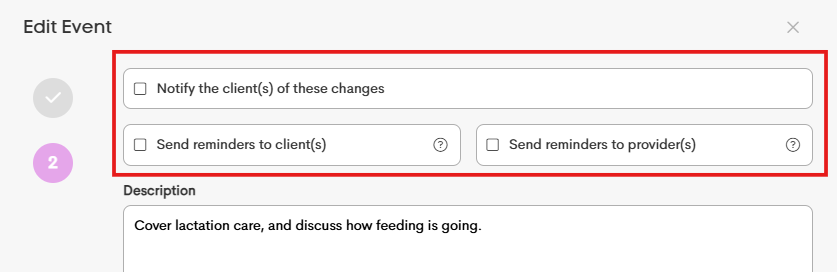
Event labels now use flexible wording: Reminder options for providers and clients now use client(s) and provider(s) to support your Provider choice when adding an Event, whether you selected a specific doula, chose All Team Members or added multiple clients to one event.
This ensures the labels remain consistent regardless of how many participants are included in the event.
-
Clients can now opt out of email notifications: Clients can now choose to stop receiving emails directly from Doulado by using the opt-out link included in email communications.
Once opted out, they will no longer receive email notifications and may be removed from message threads if they are unreachable.
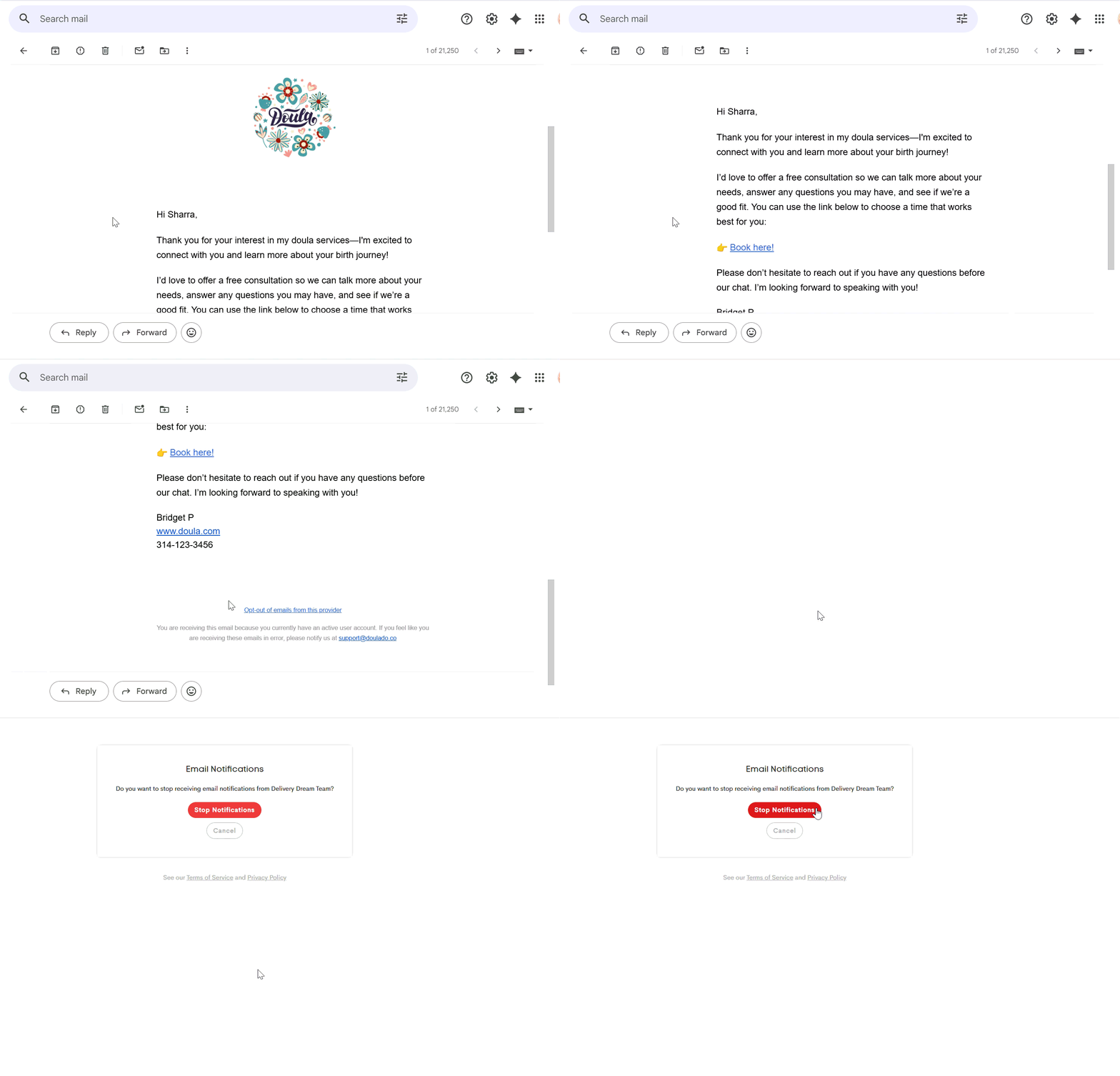
You can check the status of a client's email notification in their Client Journey:
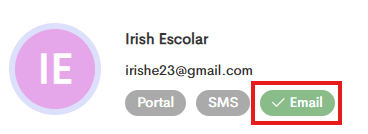
The Email pill turns red if the client chooses to opt out from the notification:

-
Bank account verification update: When adding a bank account, you may now see one of two verification methods. Depending on the bank account, you may be confirming small deposit amounts, or some banks may provide a short code to verify the account.
This update reflects Stripe’s latest verification flow and ensures continued compatibility when setting up bank accounts.
|
|
|
|
An example of 2 small deposit amounts you may receive. |
An example of the 6-character code you may receive attached to the $0.01 deposit. |


For more information about the bank verification process, you can view this full article: Verify Your Bank Account
#4 Team Capabilities
-
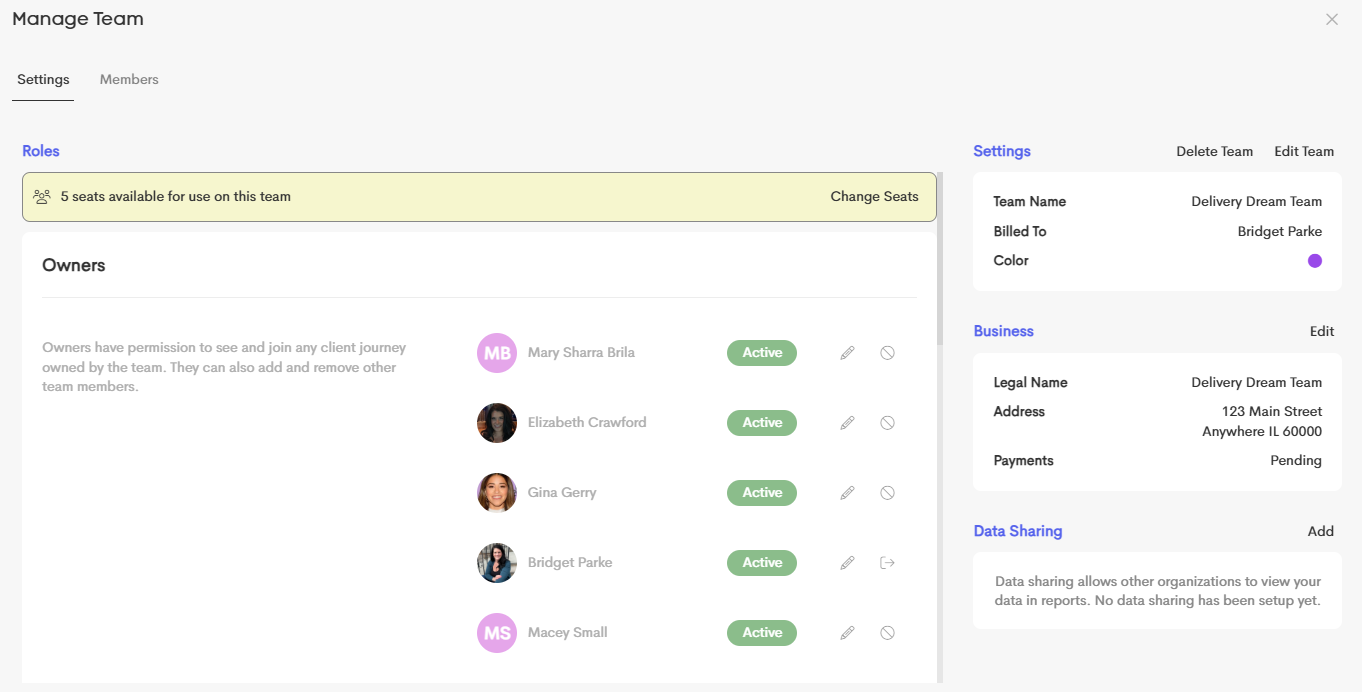
Edit an 'inactive' team: Team owners can now access Team Settings even if a team is inactive.
This allows you to manage team members, adjust seats, update permissions, or delete the team without needing to reactivate a subscription first; giving you more control over inactive teams.
-
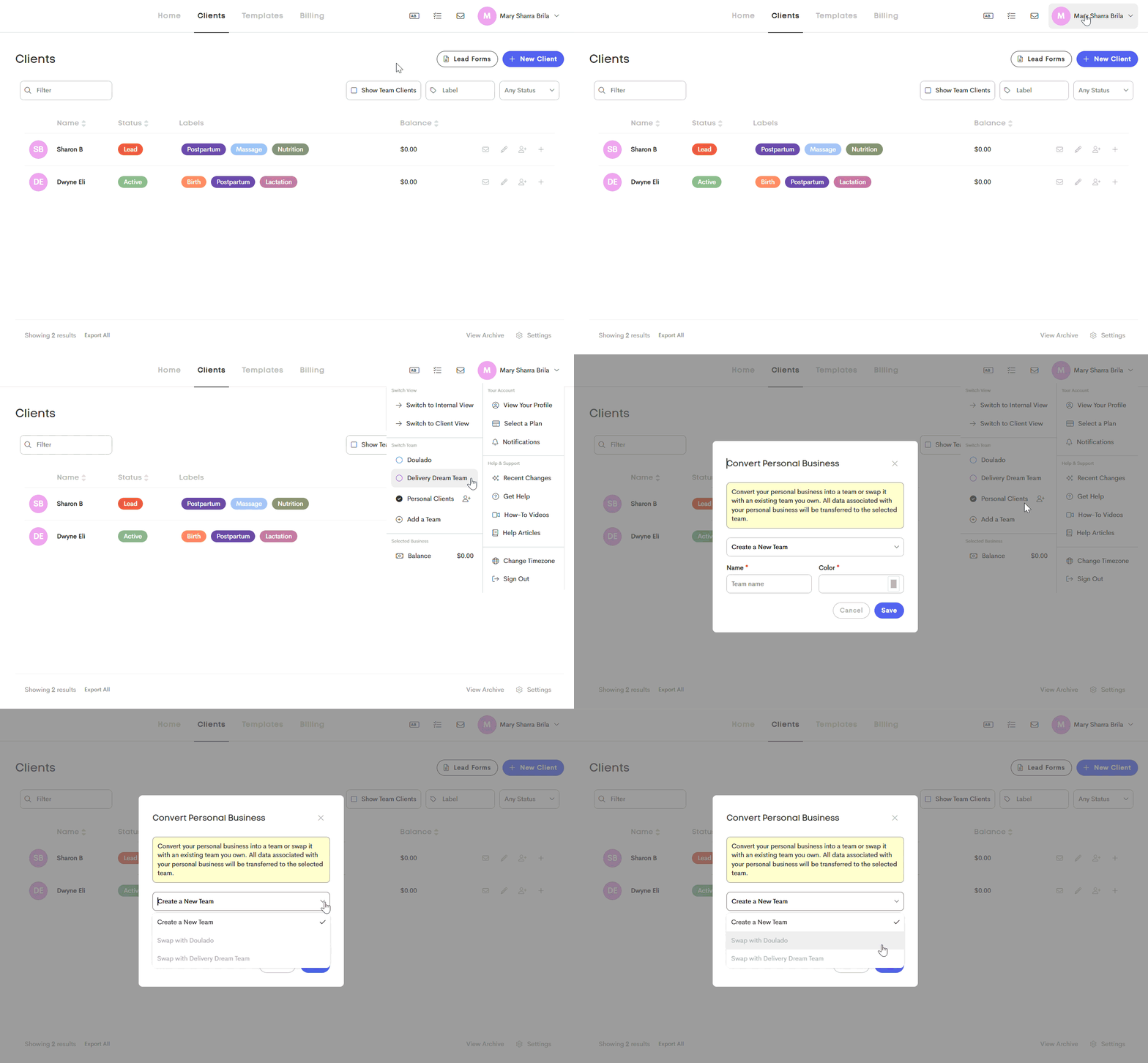
Turn Your Personal Clients into a Team: You can now convert your Personal Clients into a team, making it easier to grow from a solo practice into a collaborative setup.
This allows you to add team members and manage your existing clients within a team structure without starting from scratch. When on your "Personal Clients" tab, there is now an icon to "convert to team". From there, you can transfer your entire business (clients, templates, lead forms. invoice, etc.) all over to a "team", if you have access to team functionality within your subscription!
Tasks in the works:
- Contact and insurance mapping from forms
- Conditional logic in lead forms
- and more....