
New Document Format: 'Flow Documents'
We’re excited to introduce a new and improved way to create and send documents in Doulado with: Flow Documents.
All newly created document templates will now use a mobile-friendly, interactive format instead of a traditional “build-your-own” PDF.
- Existing document templates will not change
- You can continue using your current PDFs as-is
- This update applies only to new documents created moving forward
If you want to convert existing document templates (that are not uploaded as PDFs) to the new flow format, you can "duplicate" the template from the action menu, which will convert the new duplicated copy. From there, you can edit and reformat the document.
Why We’re Making This Change
We’ve heard consistent feedback that traditional PDF-style documents can be limiting, especially on mobile devices. At the same time, PDF-based builders can sometimes be confusing or restrictive when trying to create more dynamic workflows, working on a page by page format.
This update introduces a more modern, flexible approach that makes documents easier to manage for you and complete for your clients.
Benefits of Flow Documents:
- Designed for Mobile: Documents automatically adjust to fit any screen size, making them easy to read and complete on phones and tablets.
- Step-by-Step Experience: Documents can be broken into sections (like a contract, consent form, and waiver), and clients move through them step by step.
- Combine Multiple Documents into One: Instead of sending multiple PDFs, you can create one connected experience. For example:
- Birth Contract
- Liability Waiver
- Consent Forms
can all be completed in one streamlined flow now!
- Flexible Length (No Page Limits): Documents are no longer restricted to fixed page sizes. You can create longer, more natural layouts without worrying about page breaks.
- Easier for Clients to Complete: Fillable fields are clearly marked through the document, making it clear where clients need to fill things out, allowing them to easily flow between sections or pages to complete everything together.

How It Works
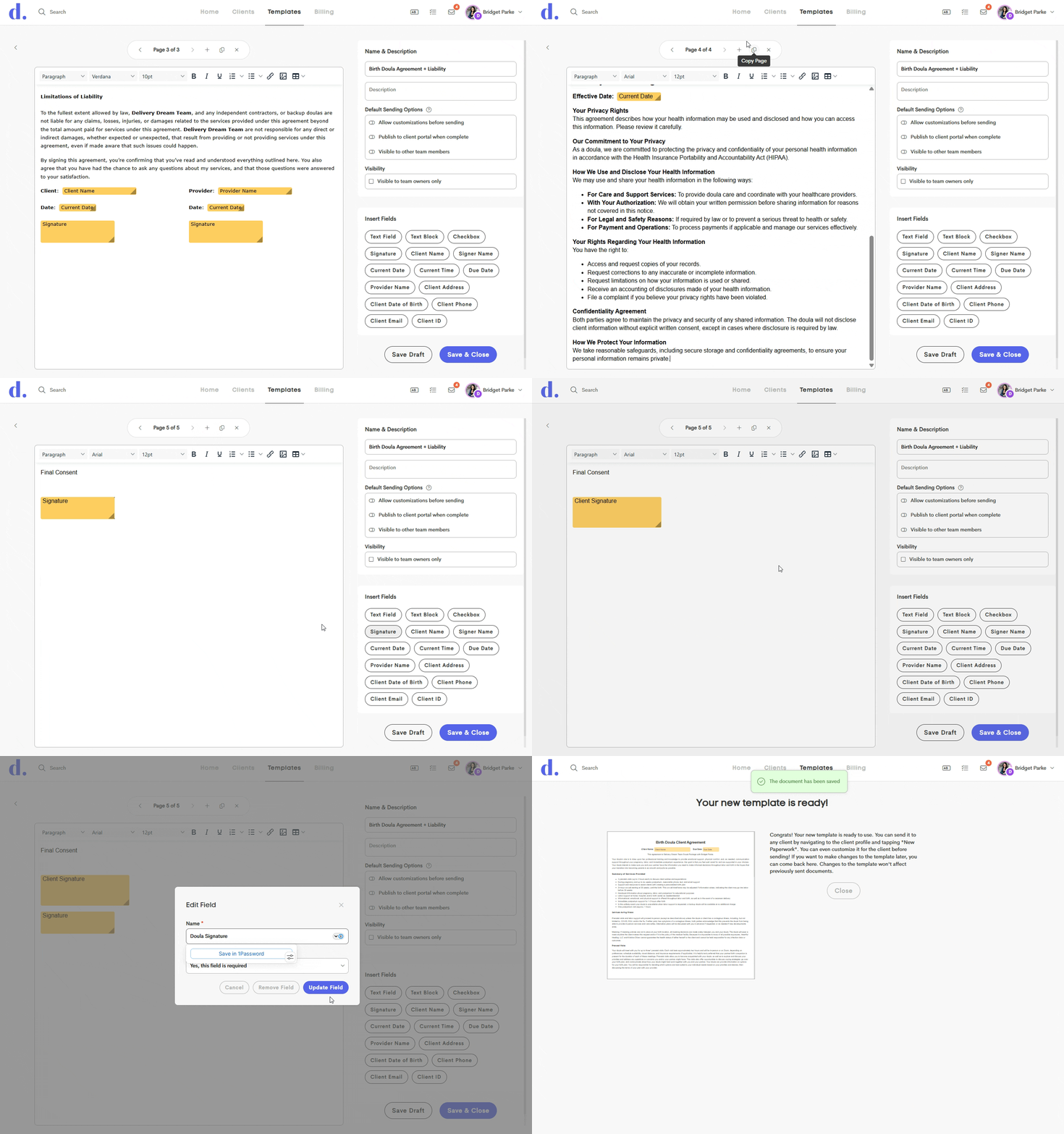
- When creating a new blank document, you’ll use the new Flow Document format
- Documents are structured as a series of sections (or “pages”)
-
Each section represents part of the overall document (e.g., contract, consent, intake details)
Clients move through each section step by step using a Next flow
Once completed, a finalized version is saved in:
- The Paperwork area
- The Files section as a snapshot for records
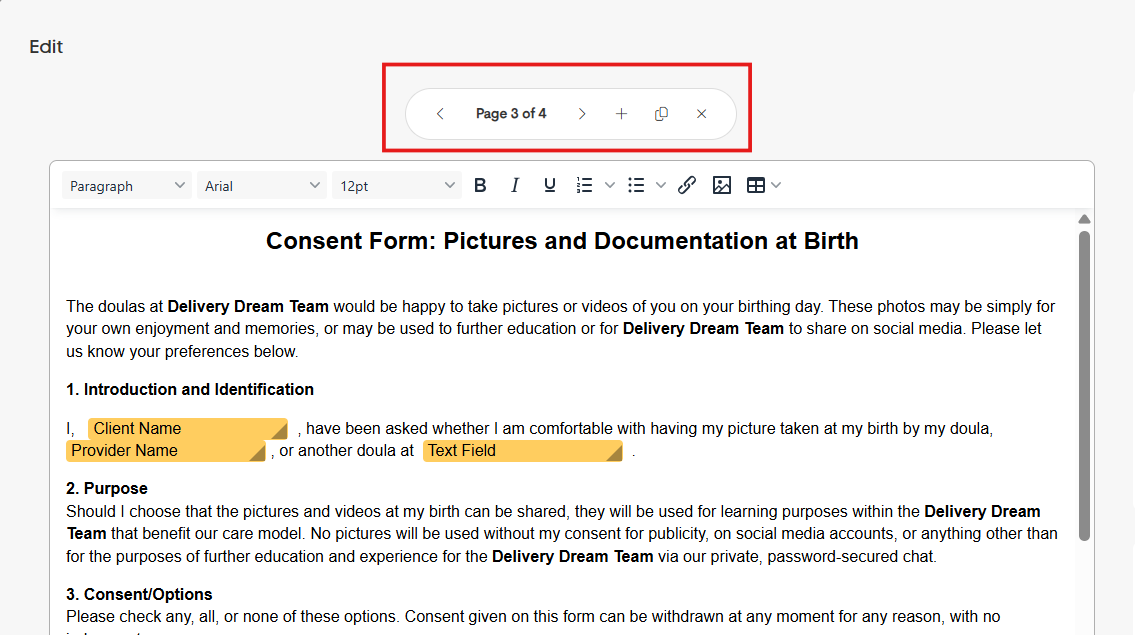
The main difference is that Flow Documents are no longer built as fixed PDFs. While they can still be printed at any time, they are designed for a continuous, web-based experience, so printed versions may not follow traditional page breaks.
Sending Paperwork
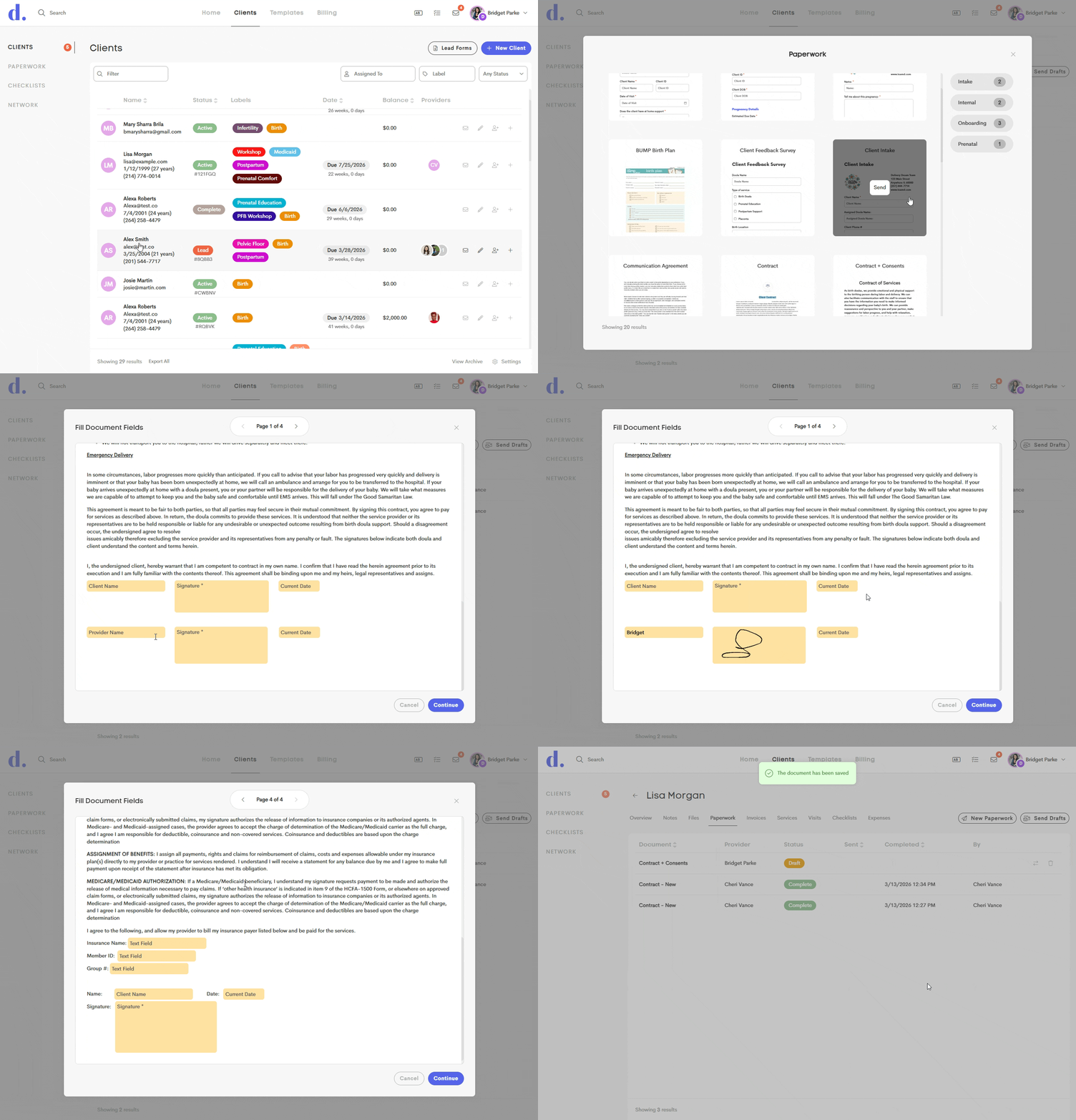
When sending a new Flow Document to a client, you can select your template from the Paperwork options. If anything needs to be completed before sending, simply scroll through each section of the document and use the navigation at the top to move between sections. Once everything is ready, click Continue and choose from the available sending options to deliver it to your client.
📌 Important Notes
- The “Start a Blank Document” option will now create a "Flow Document". The name "Flow" does not appear in Doulado, but we are describing the new format as a flow to differentiate between the previous custom PDF builder and the new format.
- Existing documents and templates will remain unchanged
- Being able to create a document by uploading your own PDFs is still fully supported
- Only the old “build-your-own PDF” creation method is being replaced
This update brings a more modern, intuitive document experience to Doulado, especially for mobile users. It also opens the door for more advanced document workflows and features in the future.