
Insurance: Managing Insurance Plans
There are currently a couple of ways to add an insurance plan for a client.
Existing Clients
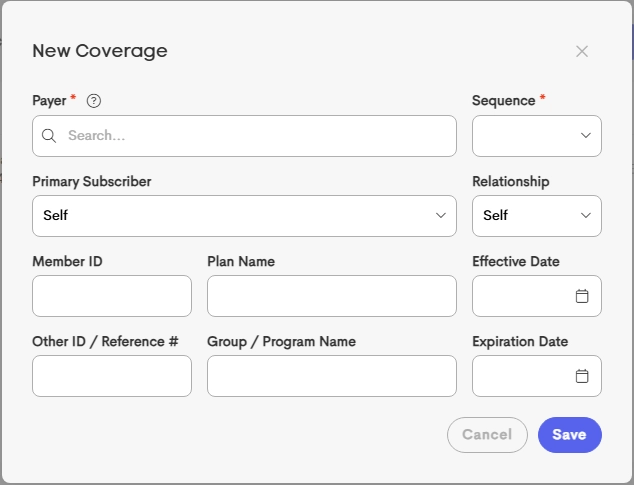
Navigate to the client-specific insurance view and select New Plan.

The form requires the following details:
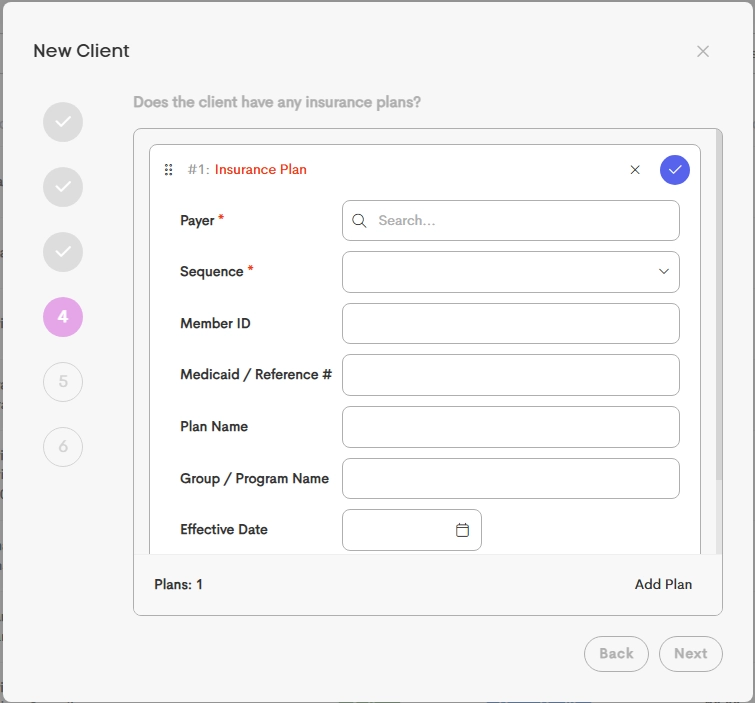
New Client Setup
Insurance details can be captured during the a client creation process.
Multiple plans (Primary and Secondary) can be added as well.
Client Lead Forms (Self-Service)
If an Insurance Field is included in a Lead Form, clients can submit their own coverage details during intake.
See the following related articles for more information on Lead Forms and the Insurance Field in a Customized Lead Form:

Subscriber Relationships
The Primary Subscriber field determines if the client is the policyholder.
-
Self: The client is the policyholder. No additional subscriber data is required.
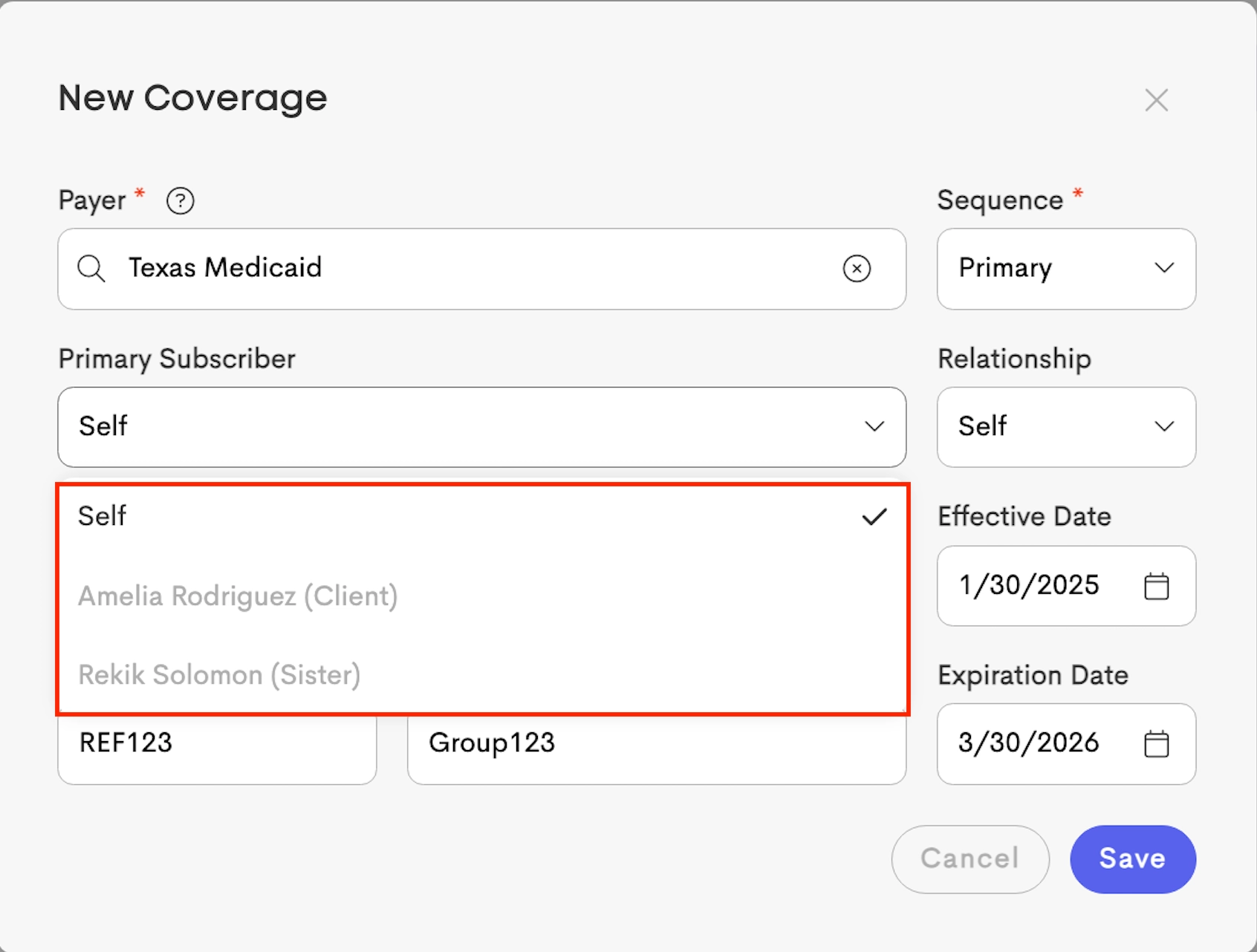
- Other (Contacts): If selected, they will be the insured
|
|
|
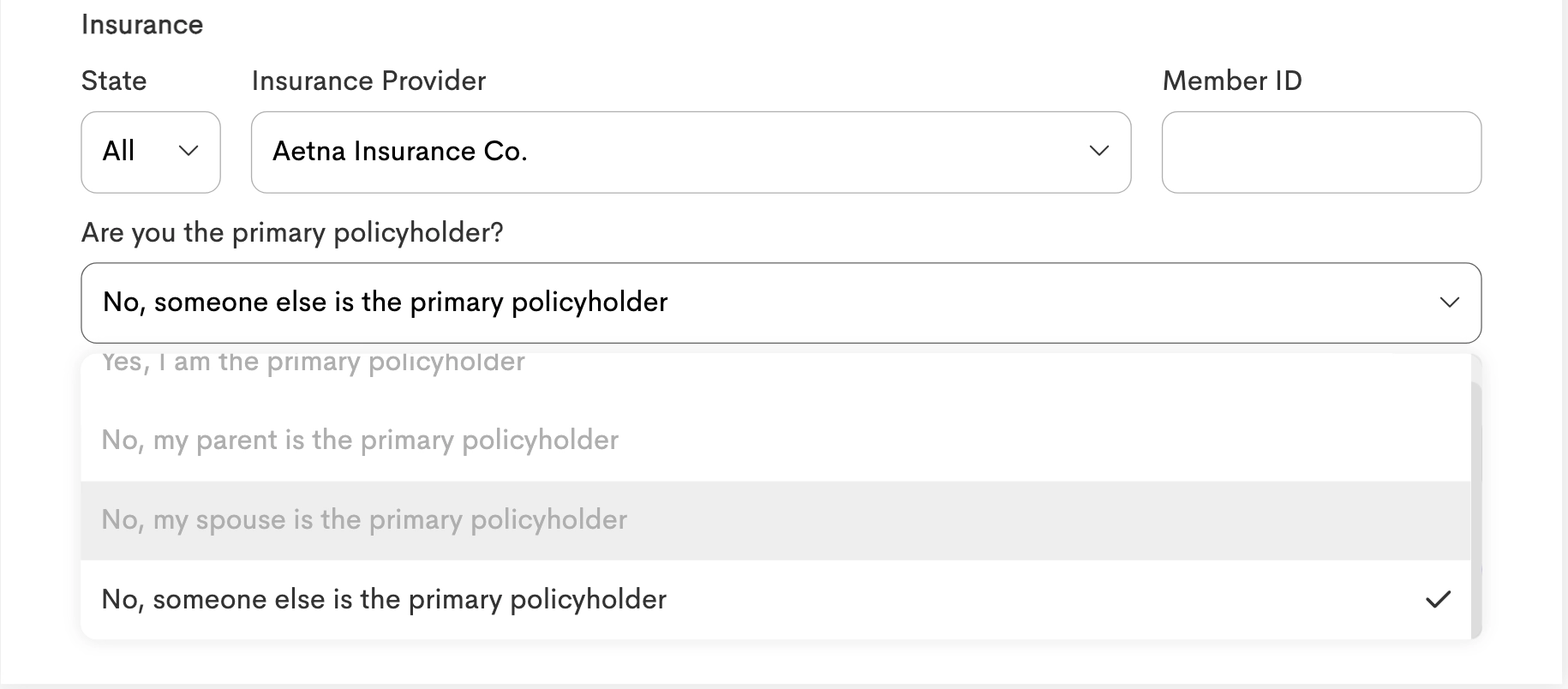
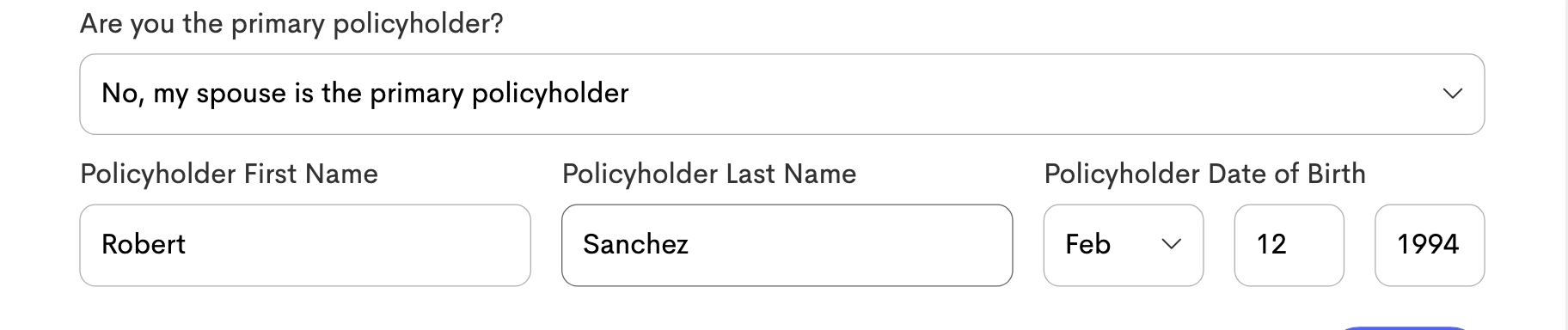
In the Lead Form, if the Client lists someone else as the policyholder, that individual is linked to the Insurance record as the Primary Subscriber.
If that person is not already in the system, a new contact record with the specified relationship, is created for them automatically.
Permissions & Access
- Owners and Contributors can view, add, and manage insurance plans and verifications for all clients across the entire business.
- Participants: Have view only access to clients insurance plans for to whom they are specifically assigned as a provider only.
- However, participants assigned with "Edit & Share" access to a client can also add insurance plans and verifications.