
Archive a Client Journey
Archiving a client journey marks it as no longer active while preserving the client's records for future reference.
Archived journeys are removed from active lists, and you can choose to archive related items such as paperwork and other associated data.
The journey can be restored at any time. See Restoring an Archived Client Journey to learn how to reactivate an archived journey.
To archive a client journey, follow these steps:
-
Go to the main Clients tab and stay in the Clients side menu.
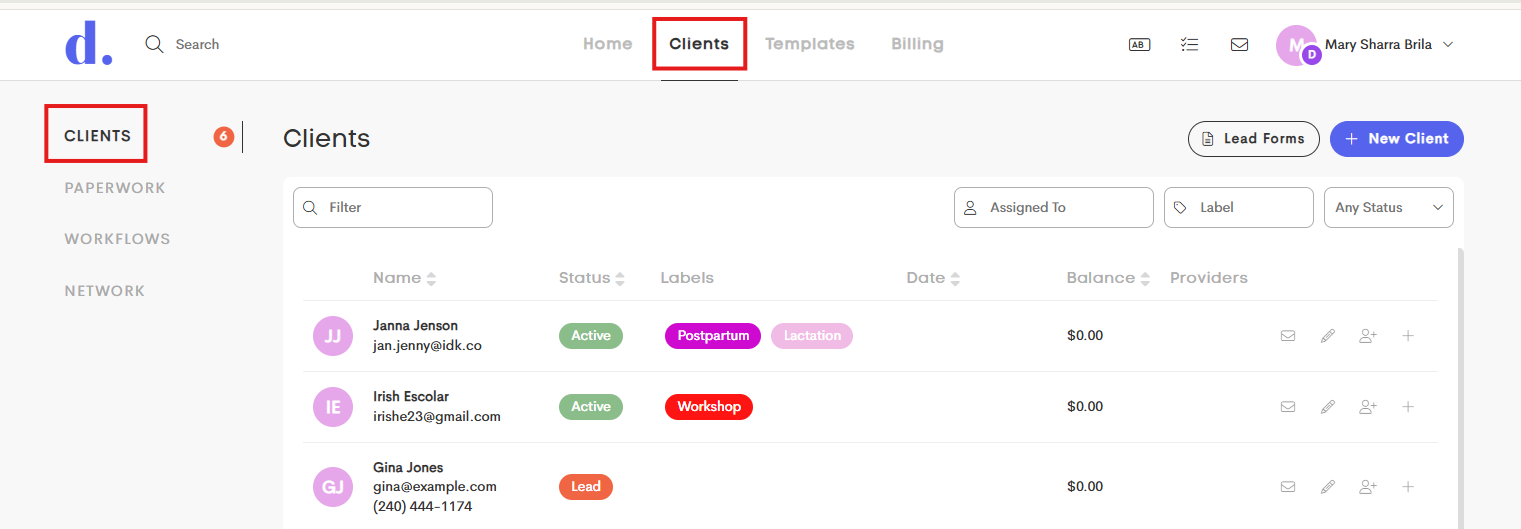
- Choose a client from the Clients List and open their journey.
-
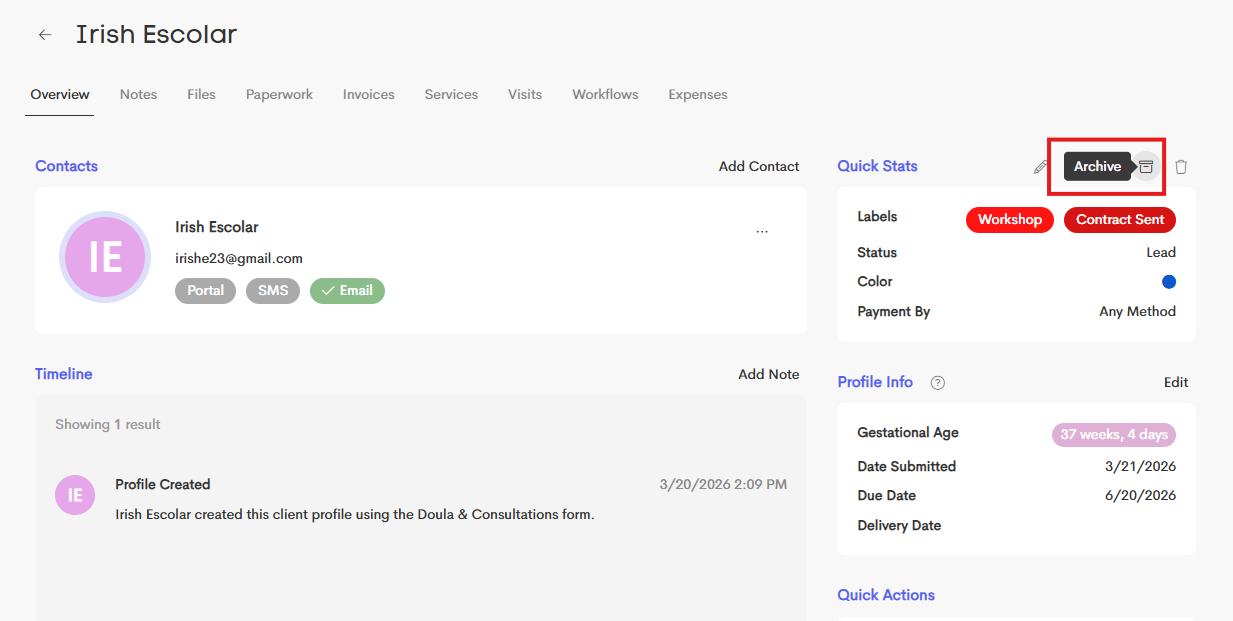
In the Overview tab, refer to the Quick Stats and click on the Archive icon.
- A new modal will open, where you'll be able to choose which related records are also archived along with the Client Journey, including:
- Invoices
- Claims
- Expenses
-
Visits
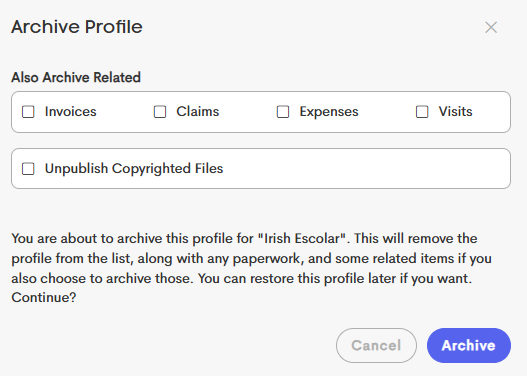
- You can also enable Unpublish Copyrighted Files to remove client access to any copyrighted resources that were previously shared.
- Click Archive to complete the process.
Archived journeys can be restored later if needed.