
Sharing & Client Access
The Resource Bank stores your master copies of files and materials.
When a resource is shared with a client, a copy of that resource is added to the File Center within the Client's Profile for easy access.
Sharing Resources (As a Provider)
Providers with edit access to a Client Profile can share resources directly with clients.
To share a resource:
- Choose and open a client's profile from the Client List.
-
Navigate to the Files tab.
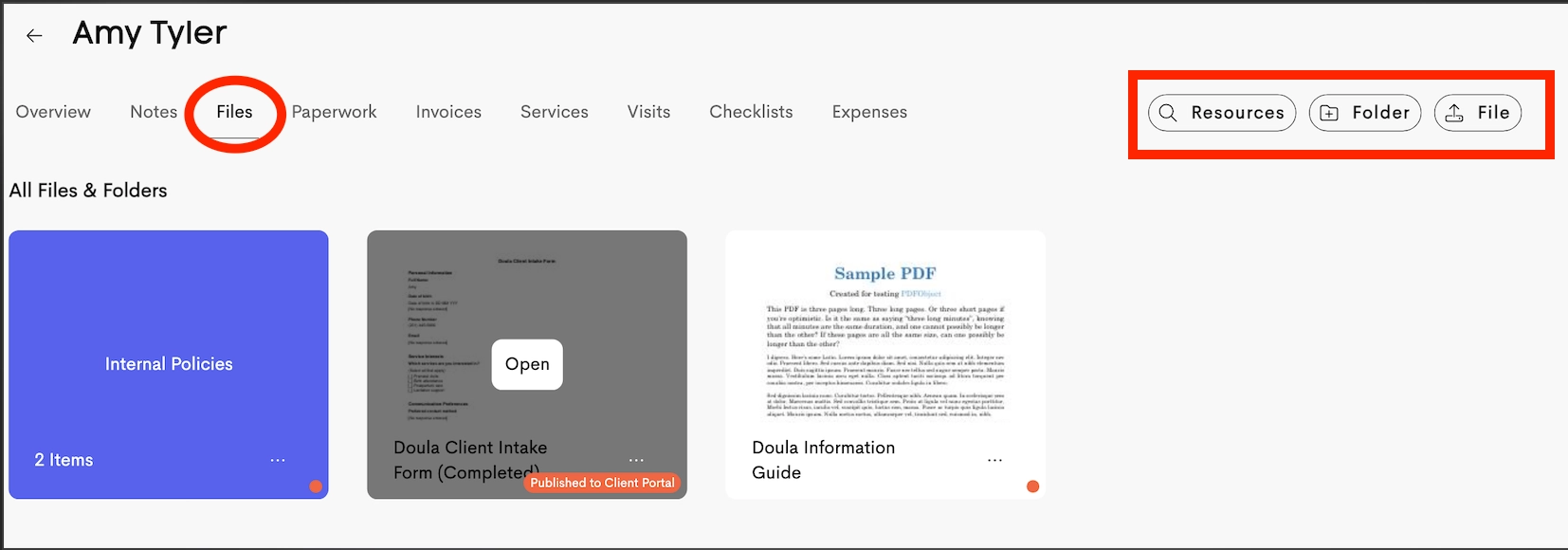
- Click Resources from the right corner menu.
-
Browse your Resource Bank and select one or more files or folders.
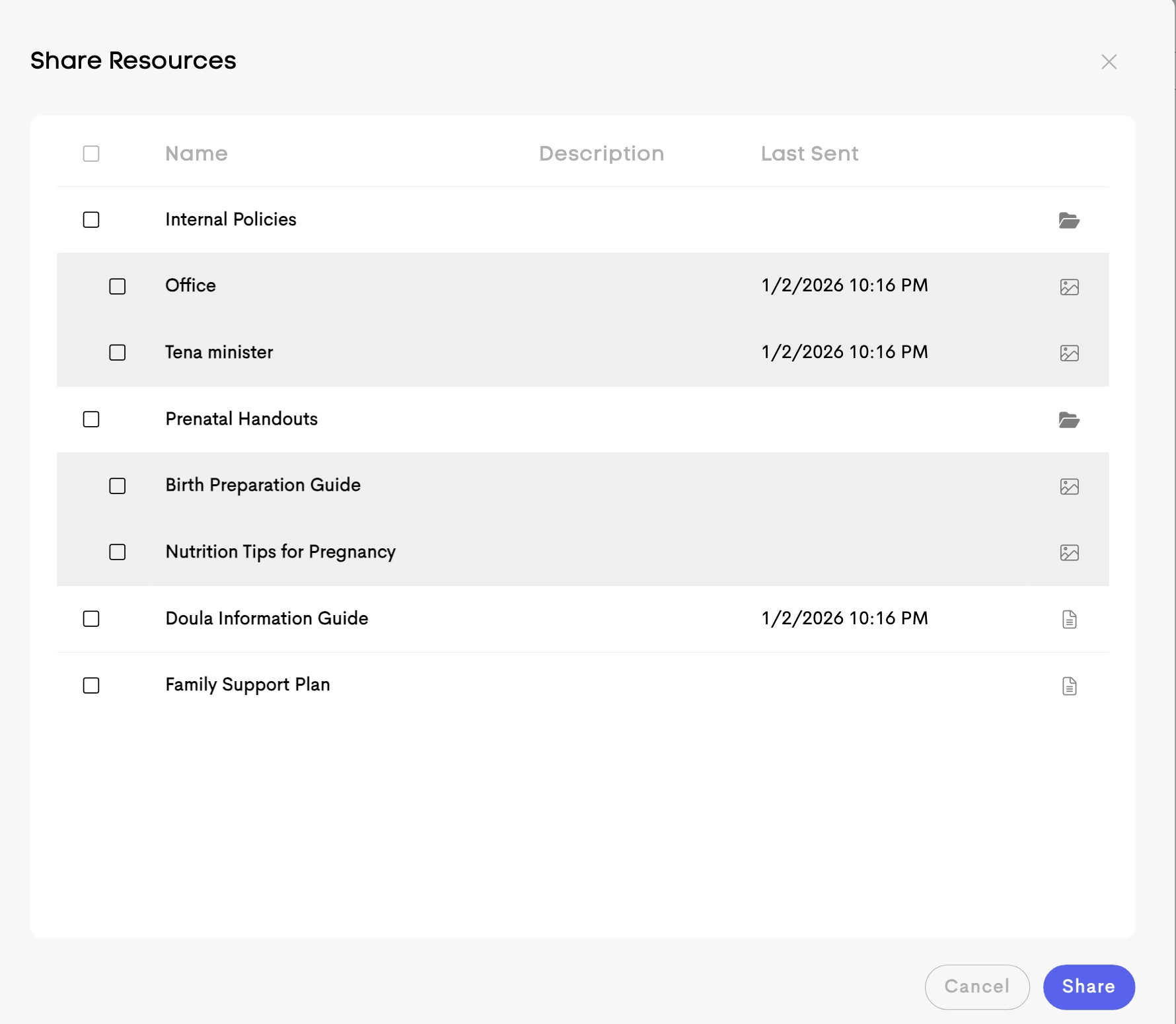
- Click Share to import the selected items into the client's File Center.
Once imported, the resources become available within that client's profile and can be shared with the client as needed.
Unpublishing Copyrighted Resources
When a client's journey is archived or their journey status is changed to Inactive or Complete, you have the option to automatically unpublish copyrighted resources.
When enabled:
- Any resources marked as copyrighted will no longer be accessible to the client.
- The files remain stored in the system but are hidden from the client's view.
This helps ensure copyrighted materials are only available while the client is actively receiving services.


Check out this article for more information on Archiving a Client Journey!