
Message Types & Notifications
Doulado supports multiple types of conversations to help you communicate effectively with clients and team members. You can create private direct messages, send large-scale broadcast announcements, or lock conversations to create read-only updates and reminders.
Direct Messages
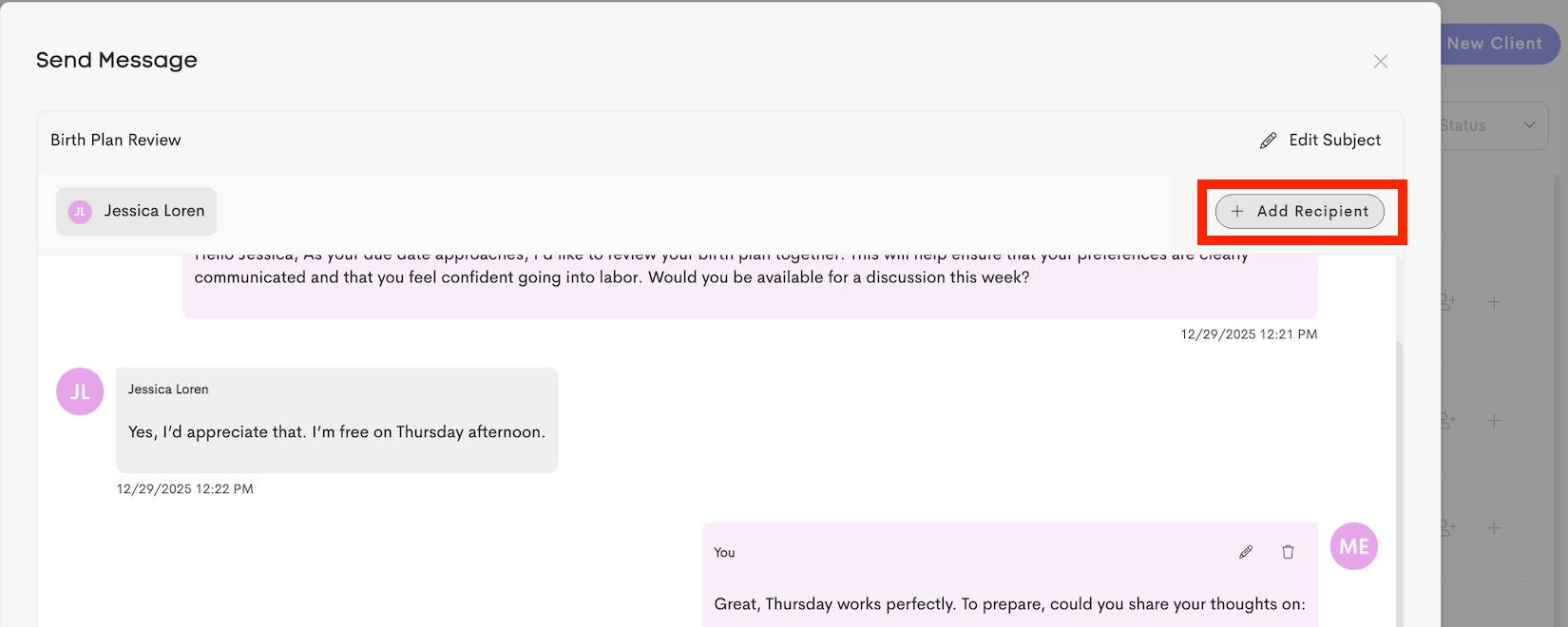
Direct Messages are conversations started with specific individuals or small groups. When creating a direct message, the sender manually selects recipients from their available contact list.
Refer to these articles for more information on sending messages:
Broadcast Messages
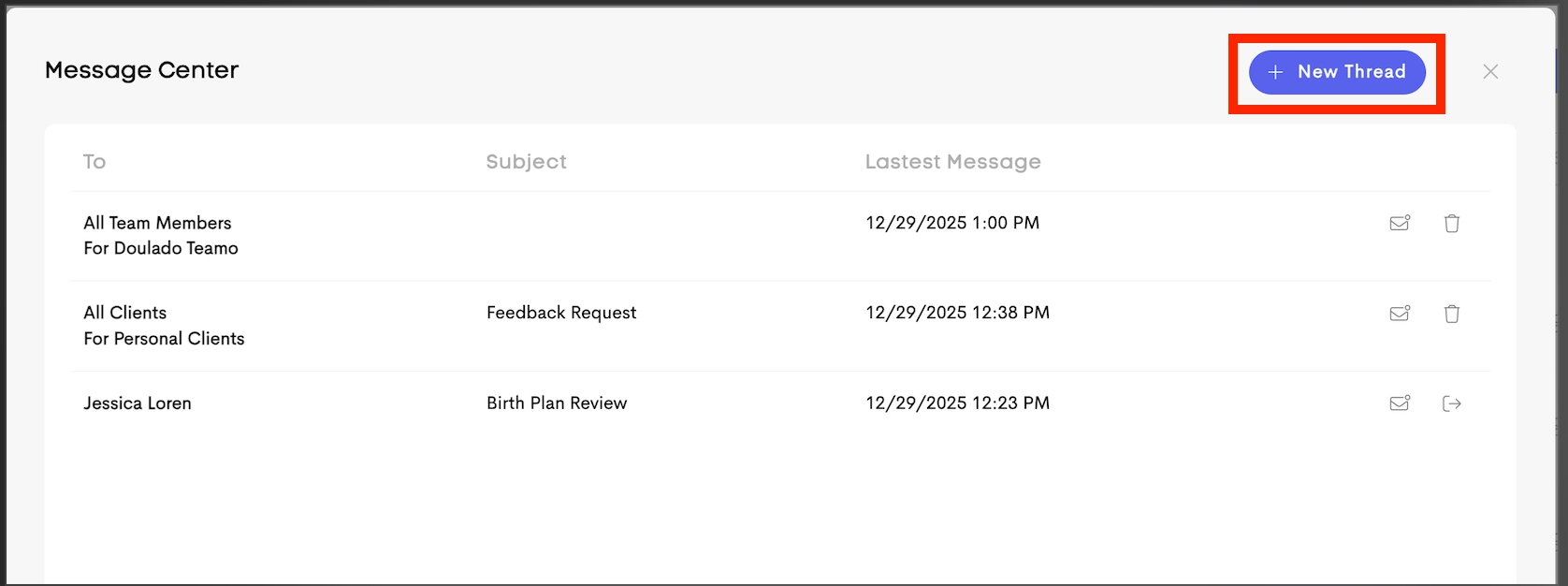
Broadcast Messages are announcements sent to larger groups connected to a Business or Team.
Available broadcast options include:
-
All Clients: Sends the message to all clients with a
LeadorActivestatus within the selected business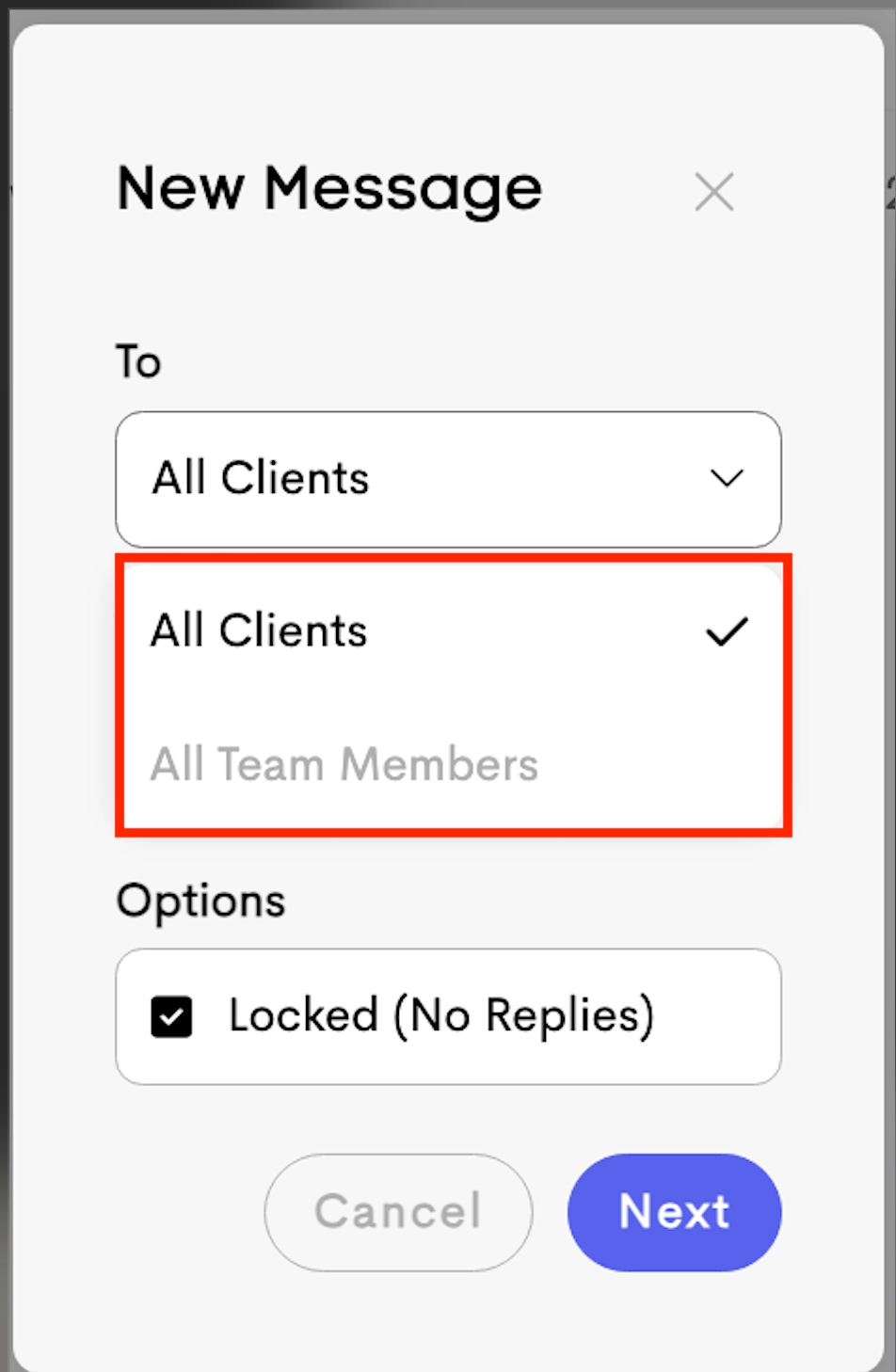
-
All Team Members: Sends the message to all members of the selected team
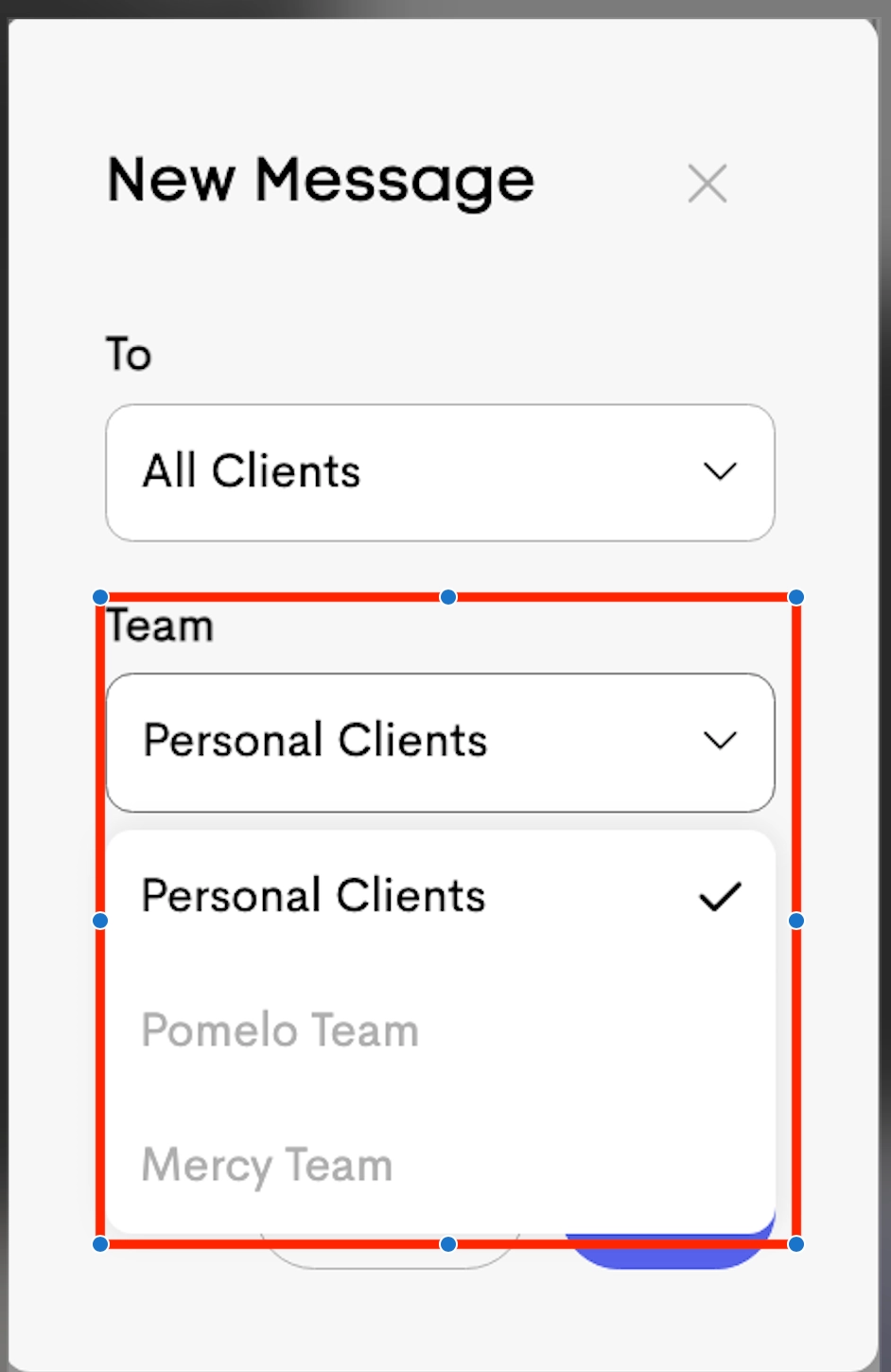
- Permissions: Only Team Owners can create Broadcast Messages for a Business or Team.
- Auto-Join (Catch-Up): New clients or team members are automatically added to existing relevant broadcast threads.
- Auto-Detach: Removed team members immediately lose access to related broadcast conversations.
For more information on sending Broadcast Messages, check this article: Sending Messages to All Clients
Locked Messages
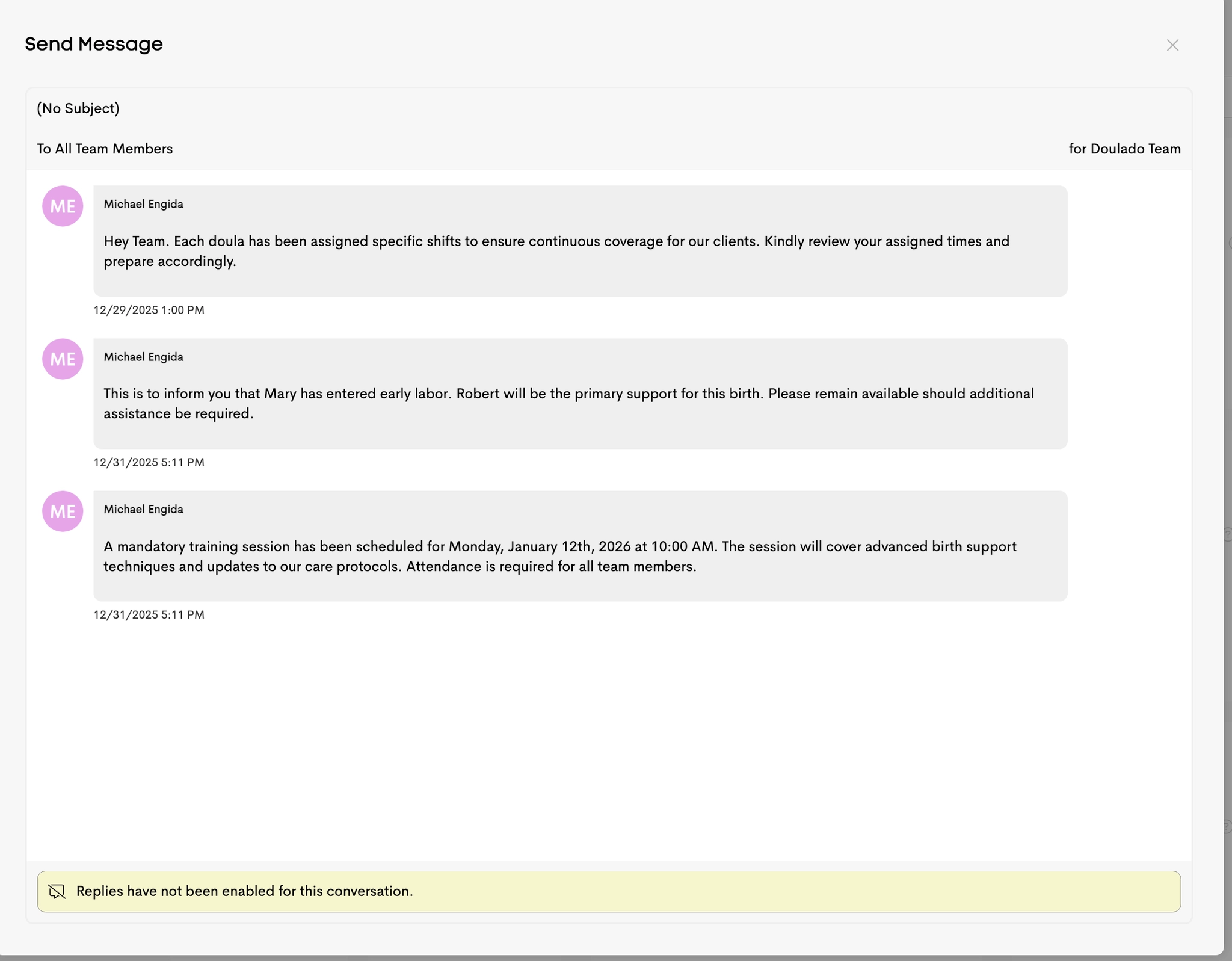
Locked Messages allow recipients to read a conversation without being able to reply, turning the thread into a read-only announcement.
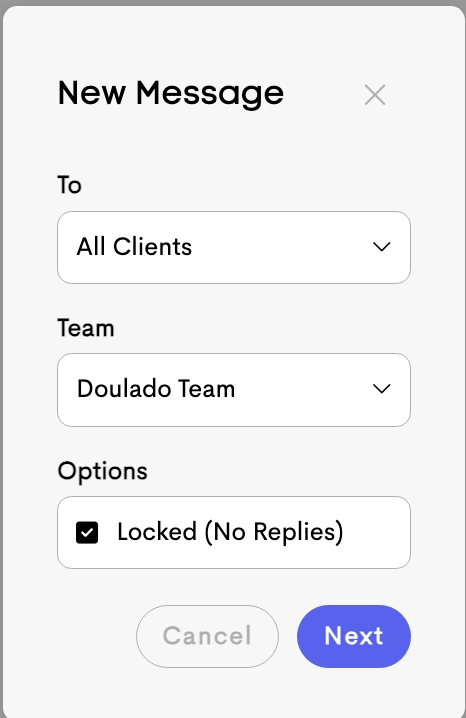
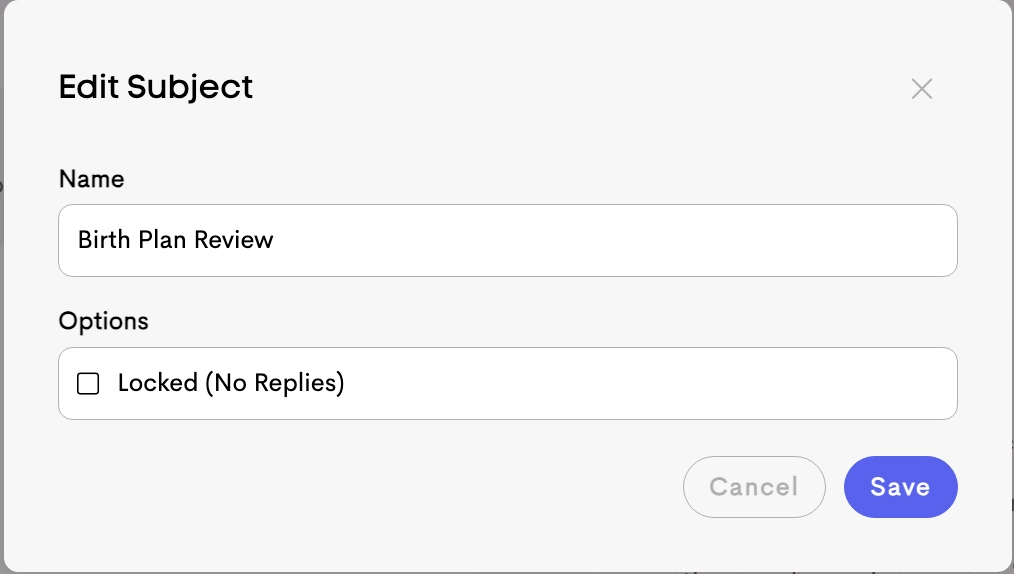
Locked mode can be enabled:
-
When creating a new thread
-
When editing an existing thread’s subject/settings
When a thread is locked, the reply box is removed for recipients.
Notifications
Users are notified of new messages in two ways:
-
Email Notifications
Email notifications are sent when a conversation has been inactive for at least 1 minute after a new message is posted.
-
In-App Notifications
New message alerts also appear as in-app notification badges for real-time updates within Doulado.