
Business Calendar Settings
Business Settings apply rules and default behaviors across the entire business to help keep scheduling consistent for all team members.
Only Team/Business Owners can update Business Settings.
Appointments
To modify your Appointment Settings, follow these steps:
-
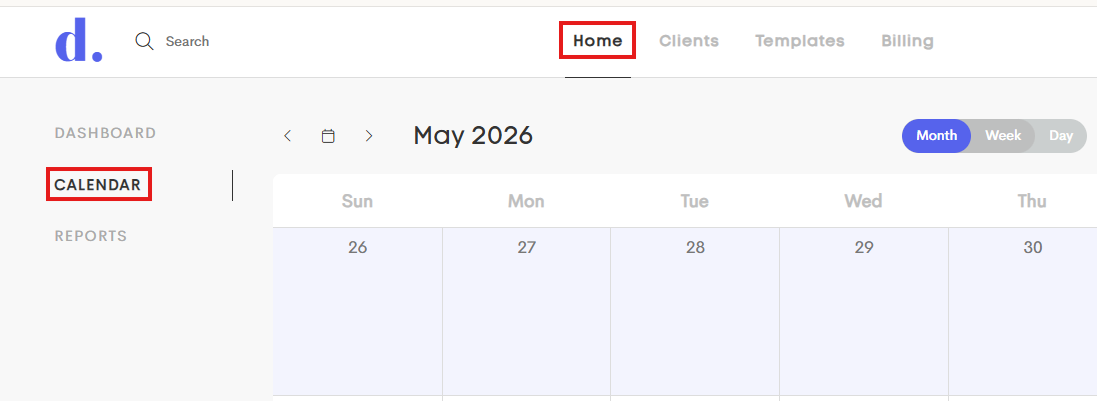
Go to your Calendar by clicking on your Home Dashboard and choosing the Calendar tab.
-
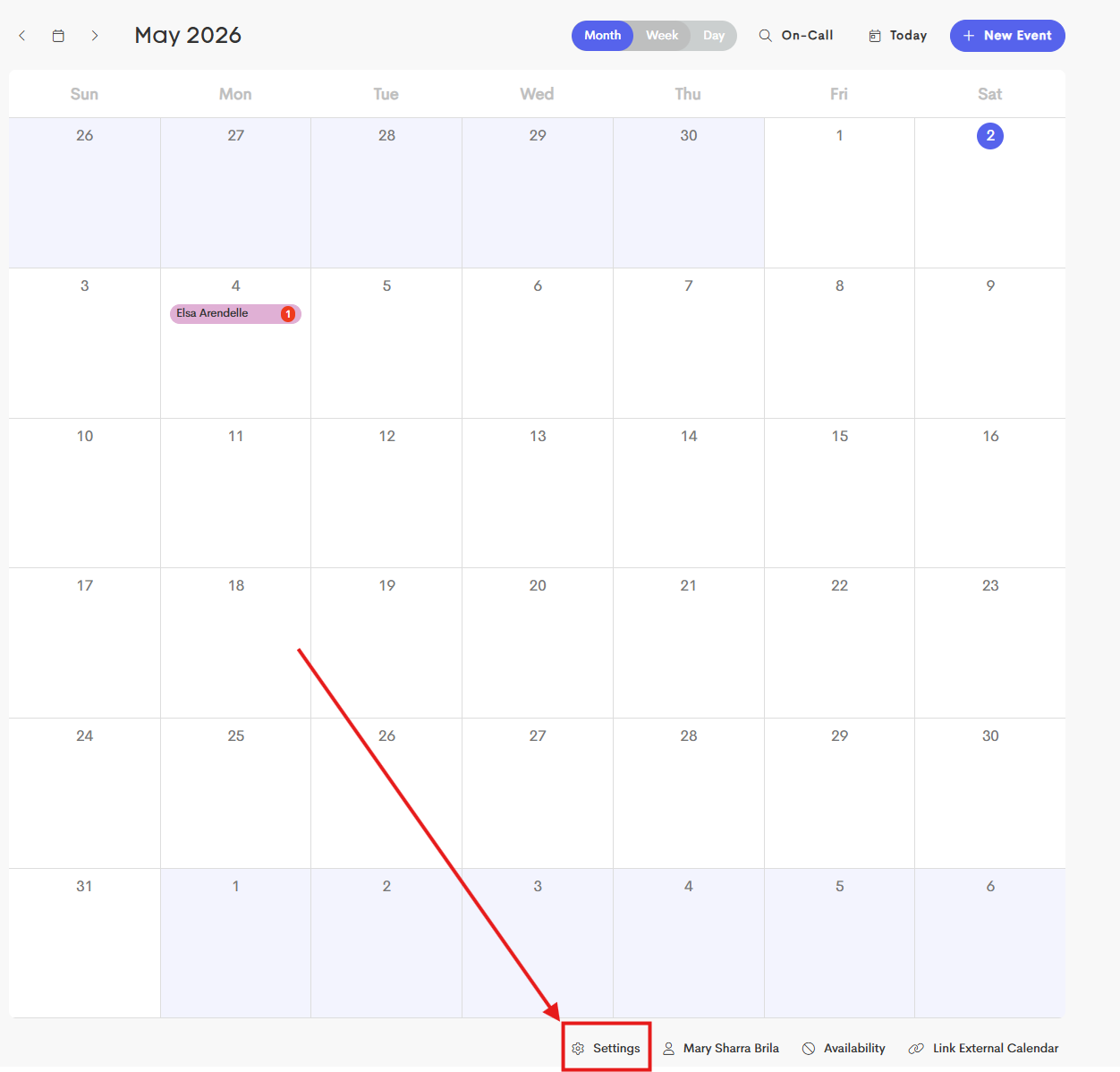
At the bottom of your calendar, click on Settings.
-
Under Business Settings, you can configure appointment rules and defaults for your team.
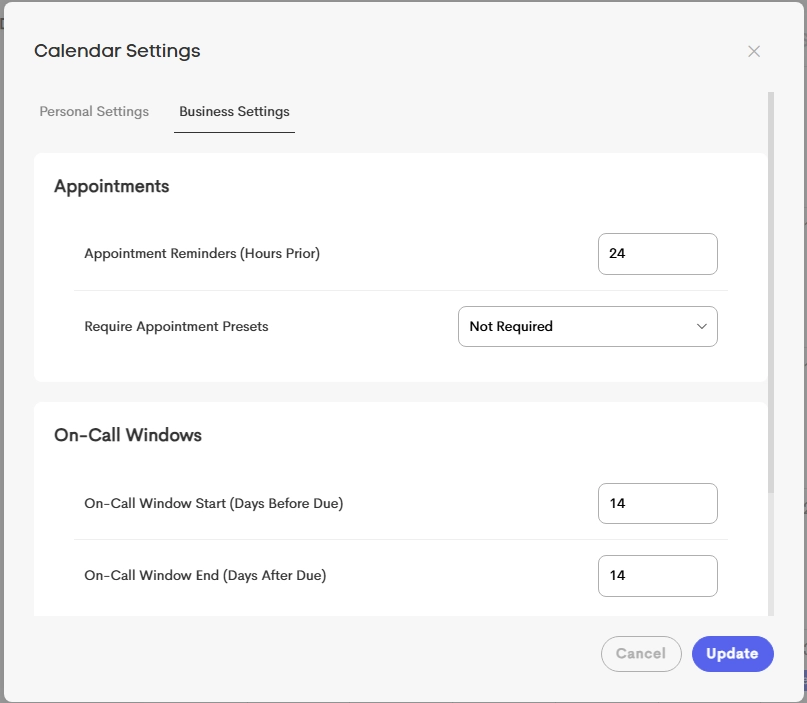
- Appointment Reminders: Set the default reminder timing for new appointments (for example, 24 hours before the event).
- See this article for more information: Event Notifications & Reminders
- Require Appointment Presets: Choose when appointment presets are required during event creation:
- Not Required: Presets are optional
- Client Appointments: Required only for events linked to a client
- All Appointments: Required for every event

If this setting is enabled, events cannot be created without selecting a preset.
- Click Update to apply your changes.