
Directory
The Network Directory gives your team a central place to manage and view member profiles.
You can create profiles, organize them using custom labels and fields, and easily find the right people using filters.
The Directory has a split-screen layout designed with sidebar filters to help you quickly browse and locate profiles based on specific criteria.
Table of Contents
Where to Find It
Prerequisites:
You must be a Team Owner and the team plan must include the Reporting feature to access this functionality.
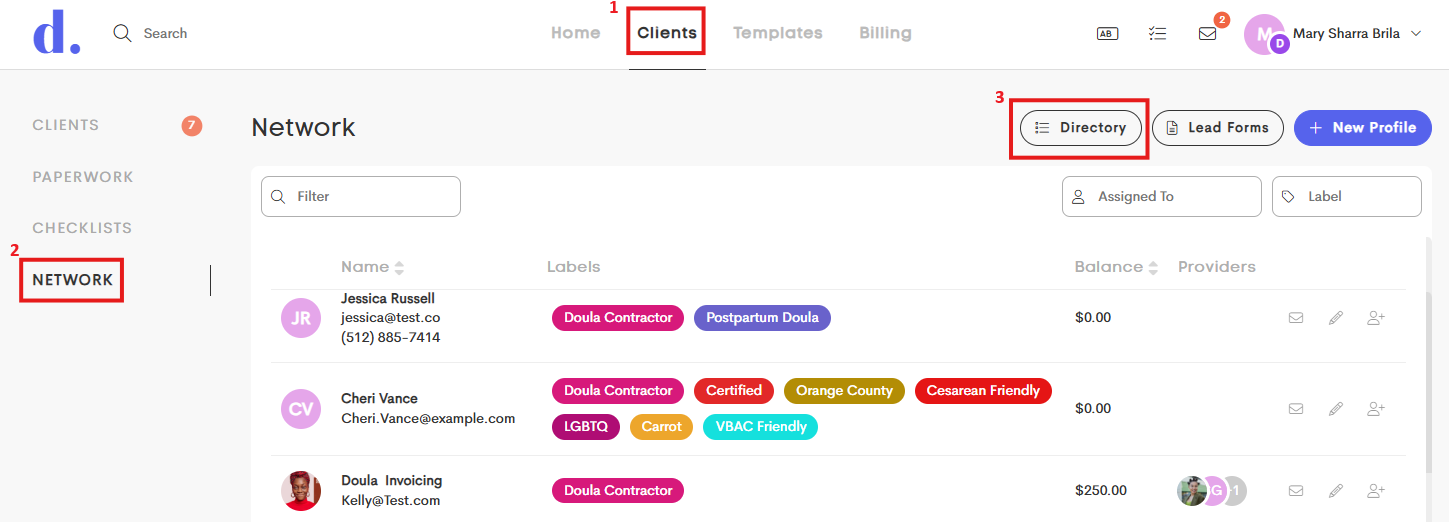
- Go to the Clients tab and click on Network from the side menu.
- Click on Directory.
- The Network window will open.
