
Sharing and Removing Data
Sharing Data
You can connect your account with another business to share templates, labels, and other resources. This helps keep everything consistent and saves time setting things up manually.
To set this up, go to the Data Sharing section in your profile or in your team settings and follow these steps:
-
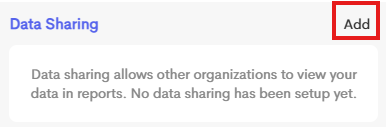
Click Add in the Data Sharing section.
-
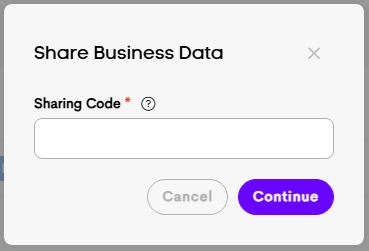
In the Sharing Code field, enter the code provided by the other business.
-
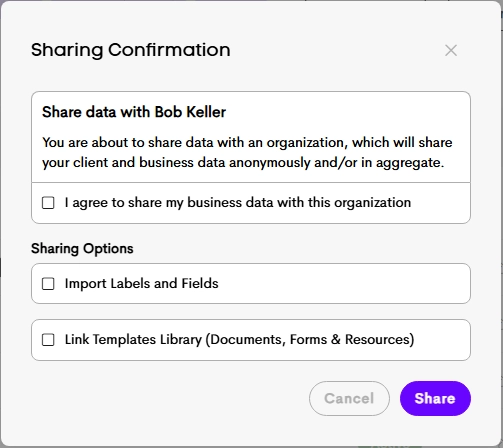
Choose how you’d like to share data:
-
Import Labels and Fields (one-time)
Copies any labels or custom fields you don’t already have into your account
-
Link Templates Library (ongoing)
Gives you access to the other business’s Documents, Forms, and Resources. You’ll be able to view and use their templates directly in your library
-
- Click on Share to proceed.
Removing Data
You can stop sharing at any time by removing the connection with the other business.
Once disconnected:
- You’ll no longer have access to their templates library
- Data sharing between the accounts will stop
Any labels, fields, or templates you previously imported will remain in your account and won’t be affected.