
Claims: Claim Statuses & Lifecycle
The status and result of a claim changes based on actions taken by the provider and responses received from the payer through the clearinghouse.
Statuses
| Status | Description |
|---|---|
| Draft | The claim has been created but not yet submitted to the payer. In this state, all fields remain editable, allowing to refine the information before transmission. |
| Submitted | The claim has been sent electronically to the clearinghouse and is awaiting processing by the insurance payer. |
| Processed | The Payer has made a final determination regarding payment or denial. |
Results
| Result | Result | Next Step |
| Draft | (none) | Submit to payer |
| 🟢 Accepted |
The payer or an intermediary has accepted the claim into their system and will either process it or pass it along to the final destination. This does not necessarily mean the claim will be paid. |
Monitor for further events and check with payer for status updates. |
| 🔴 Rejected | The claim has issues that prevent it from being processed. Check out Common Rejections and the solutions for further details. |
The claim should be be corrected and re-submitted. Review the rejection reasons and bring the claim back into draft mode. Once the issues have been corrected, resubmit the claim. |
| 🟢 Paid | Payment has been applied to the claim. | Reconcile payments |
| 🔴 Denied | The payer has processed the claim but determined it is not eligible for payment. | Re-submit using a corrected claim code once the reason for the denial is resolved. |
Unlike formal claim denials (which are issued after the insurer evaluates the submission for medical necessity), pre-adjudication rejections act as a hard stop. They are typically sent back instantly as validation errors and require you to correct the data and resubmit the claim. It is common for the payer to have no information on this claim because it never made it into the official adjudication system.
Once the claim draft is open, the header provides several essential tools to manage the submission and payment process.
Processing the Claim
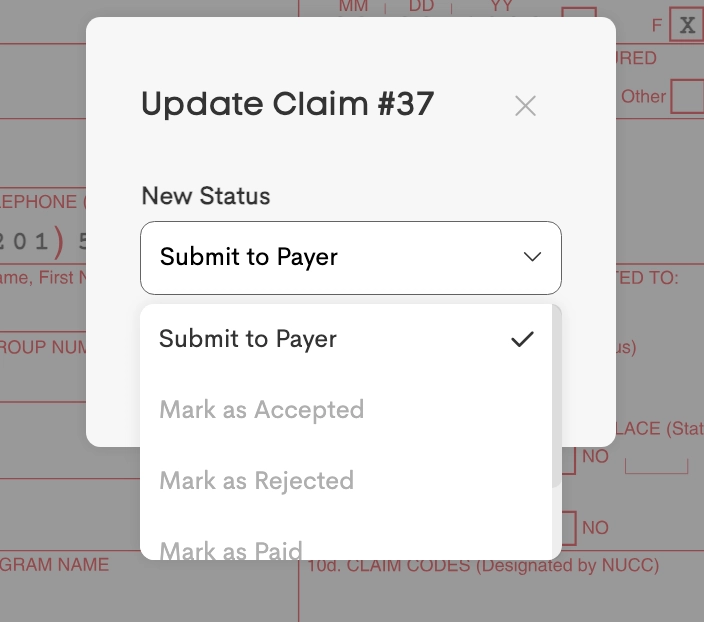
The Process button is the primary control for the claim's status:
- Submit to Payer: Submit claims electronically (requires Fund Balance and Completed Enrollment if applicable)
- Revert to Draft: Unlocks the claim for editing if it has already been processed but needs correction.
- Manual Status Update: Update status manually to Accepted, Paid, Rejected, or Denied based on external insurance response.
Visit Billing Sync
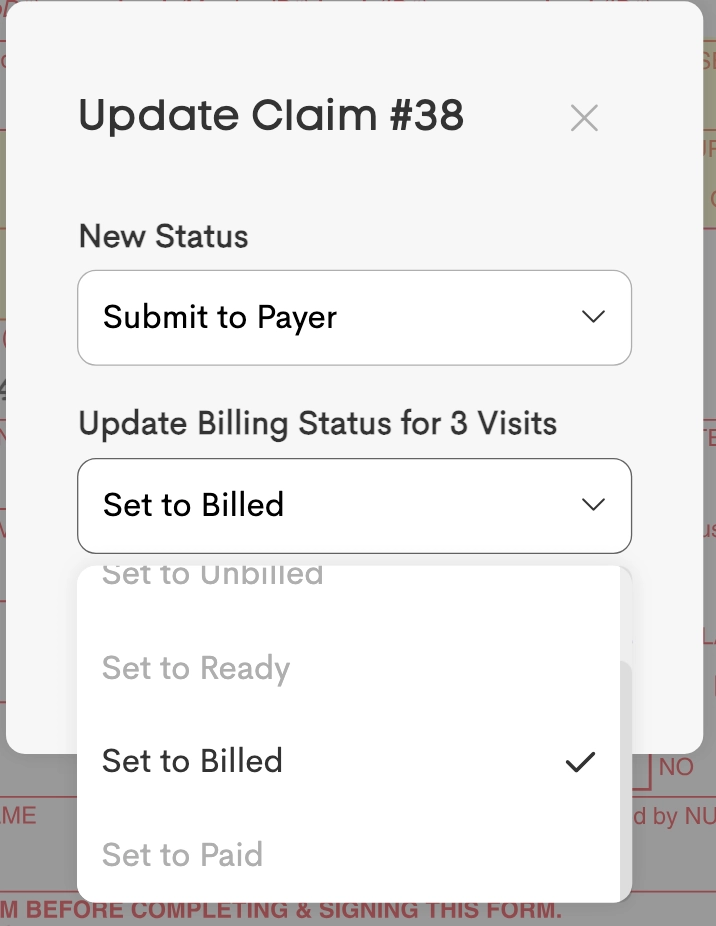
When processing a claim generated from billable visits (Method 2), the billing status of the attached visits can be synchronized to match the claim status change.
The Update Billing Status dropdown pre-selects a logical state based on the chosen claim status:
- Submit to Payer / Mark as Accepted / Mark as Rejected / Mark as Denied: Defaults to Billed.
- Mark as Paid: Defaults to Paid.
- Revert to Draft: Defaults to Ready.
Claim Events
Events provide a complete history of claim messages and events through a chronological log of status changes and electronic notices from the Payer or Clearinghouse.
For rejected claims, the history shows specific reason codes needed for corrections.
