
Automated Eligibility Checks
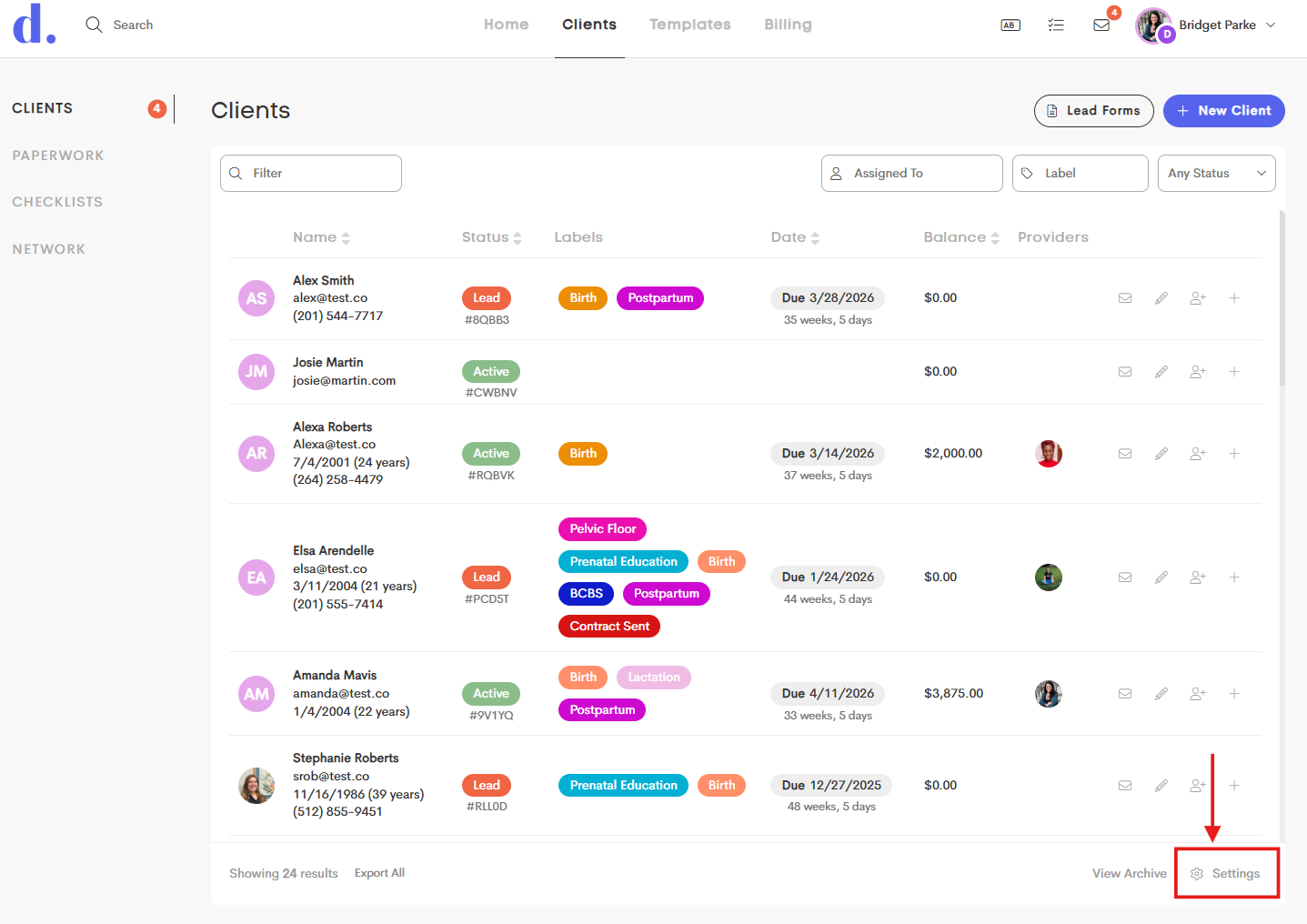
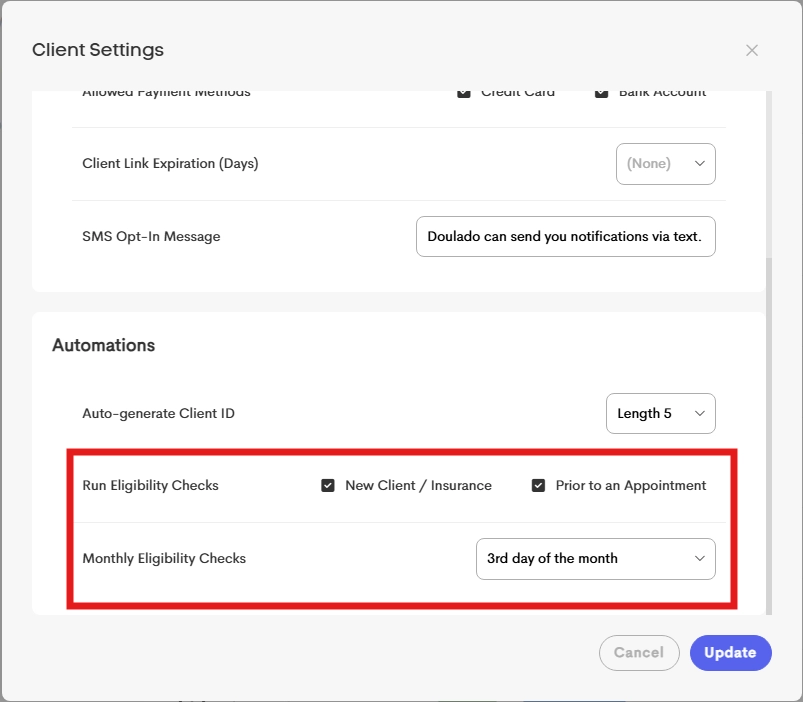
Businesses can enable automated background checks to maintain data accuracy without manual intervention. These are managed in Client Settings → Automations.
New Client/Insurance
When a new insurance record is added (either for a new client or an existing one), the system can automatically trigger a real-time verification.
This ensures that coverage is valid from the moment the record is created.
Monthly Eligibility Checks
Businesses can opt in to monthly automated checks by selecting a specific day of the month (1st–28th).
Insurances of active clients without a verification in the past month will perform real-time checks.
Prior to Appointments
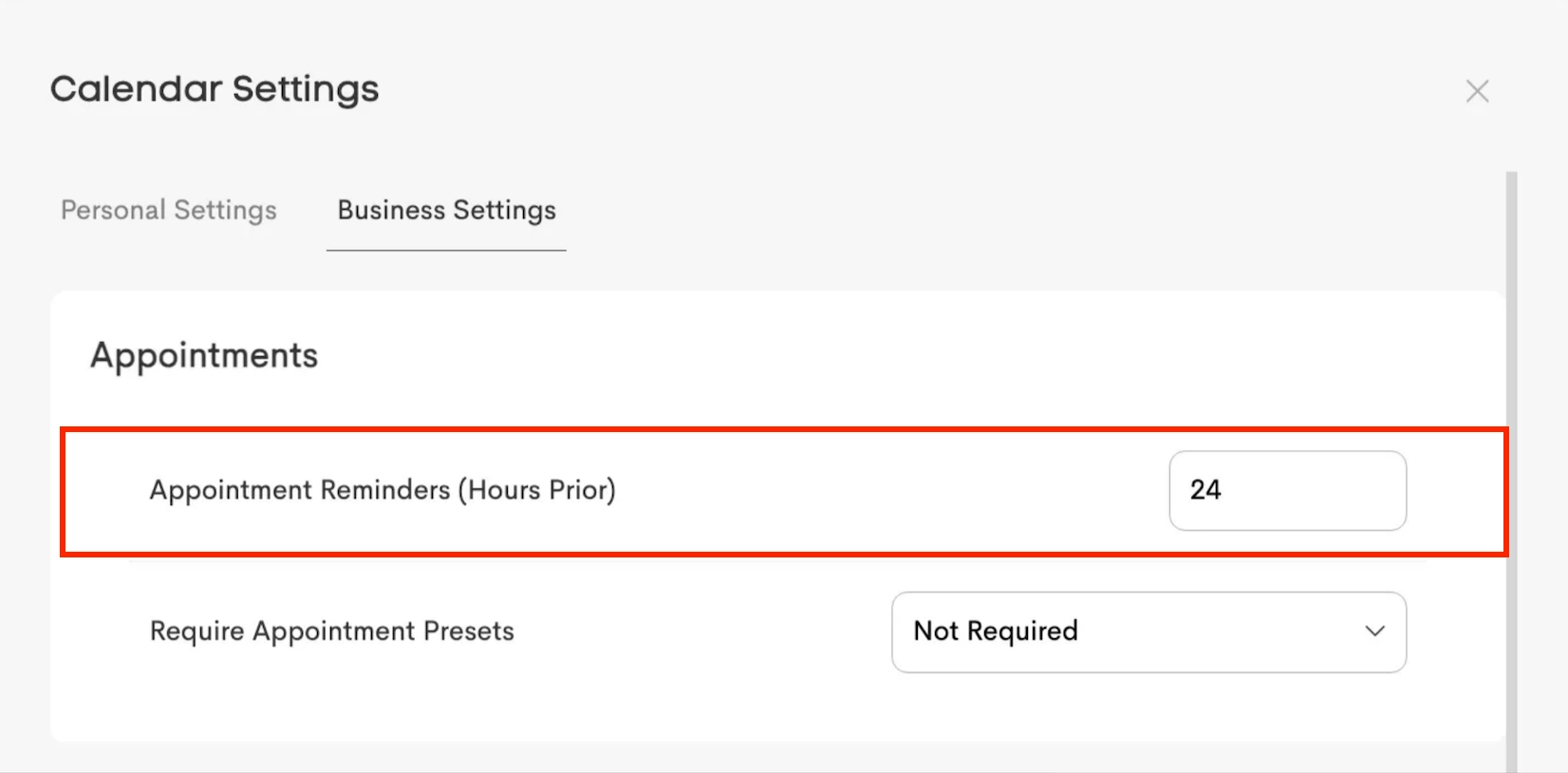
Eligibility checks are automatically synchronized with configured Appointment Reminders Timing (e.g., 24 or 48 hours prior). The Appointment Reminder timing can be set under Calendar>Business settings.
When a Prior to Appointment or Monthly check returns an Ineligible status, the system automatically sends a notification email to the business owners, and to the provider for the event, if one was associated with the check.
For any payer where the "Allow Automatic Eligibility" flag is turned off, an automatic check will be skipped.
See: Payer Options