Deleting or Pausing a Team
If you no longer need a team, you can delete the team entirely, or simply pause it and resume later.
Pausing a Team
A team only requires one owner to be subscribed to a Premium plan in order to be active.
- If the paying owner downgrades to a Starter plan, the team will be paused and none of the members will have access to it.
To resume a team, the owner must re-subscribe to a plan with teams capability, and assume billing responsibility for the team.
Deleting a Team
When you no longer need a team (the clients, or its members), you can just delete it. This will remove all clients, documents, invoices, and paperwork.
Clients you have shared outside the team with others will remain shared.
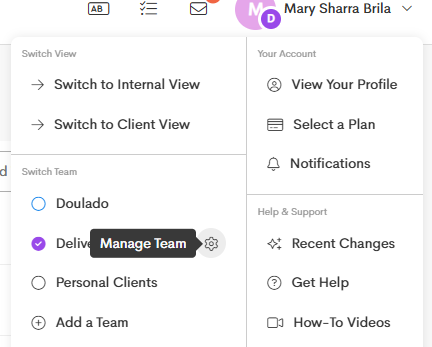
- Click on your User Profile in the upper-right corner.
-
Under the Switch Team section, choose a Team you want to delete and click on the Manage icon beside it.
-
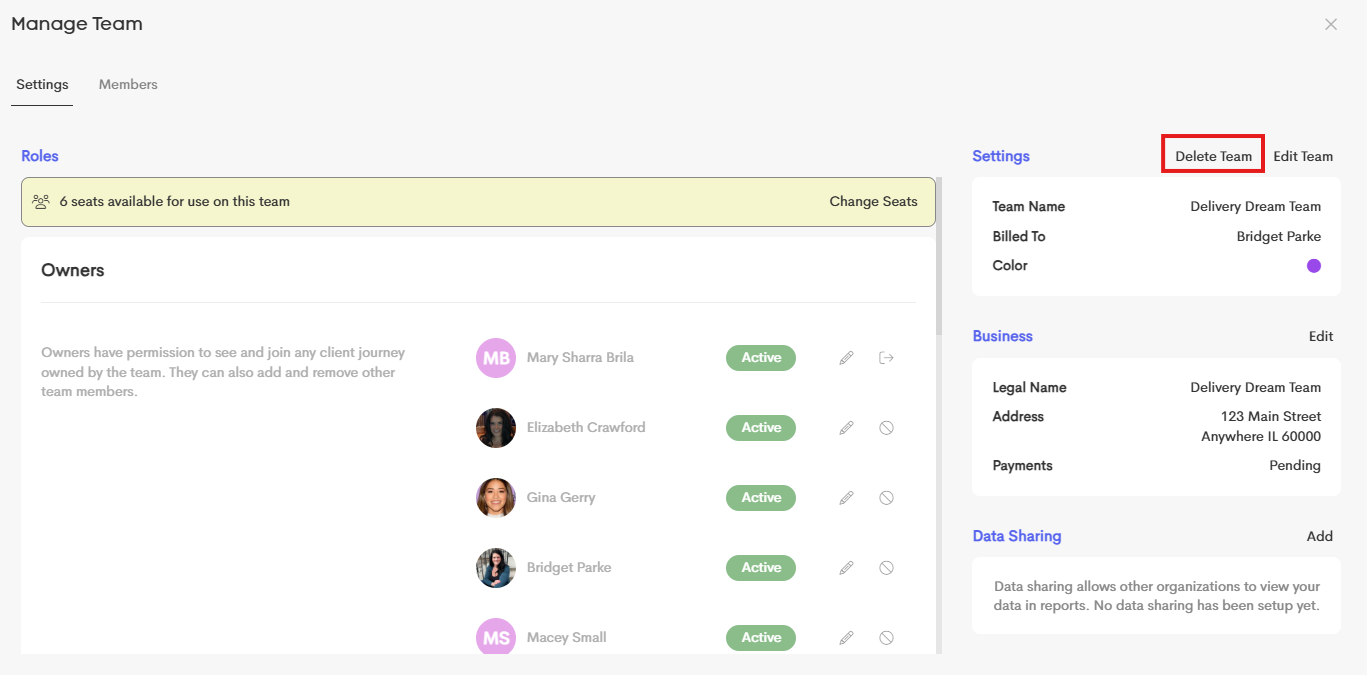
In the Team Settings area, click on the Delete Team button.
-
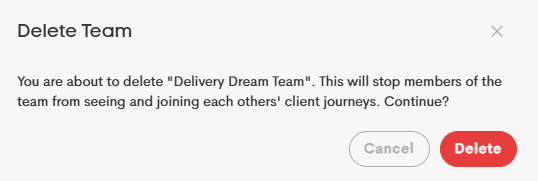
Click Delete on the confirmation prompt to proceed.