
Using Services & Packages
When creating an invoice:
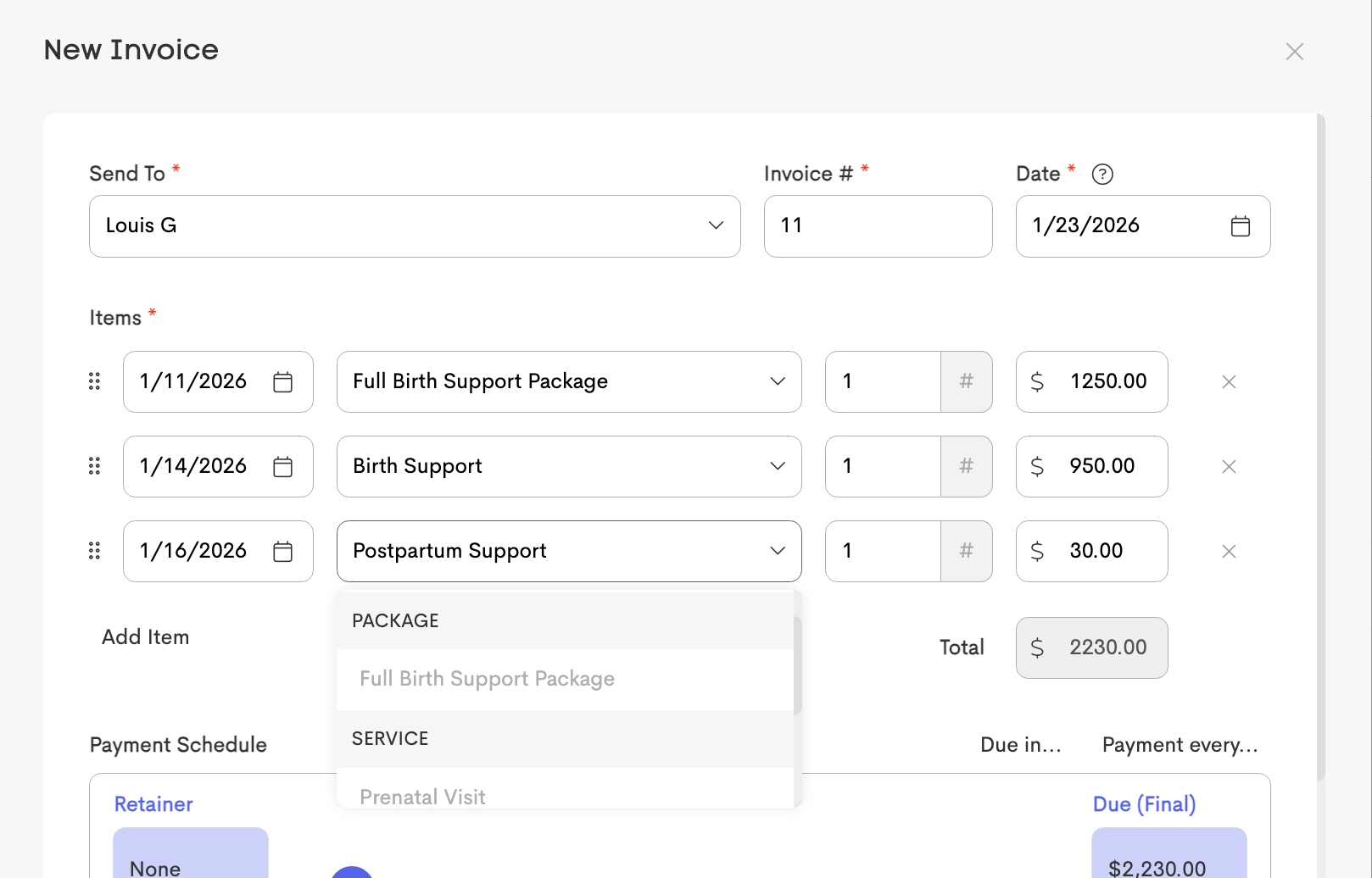
If you enter a new service name directly as a line item instead of selecting an existing service template, a new Service Template is automatically created for future use.
Invoicing
When you select a Service or Package from the dropdown under Items, the price is automatically filled in based on the template. You can adjust the price as needed before adding it to the invoice.
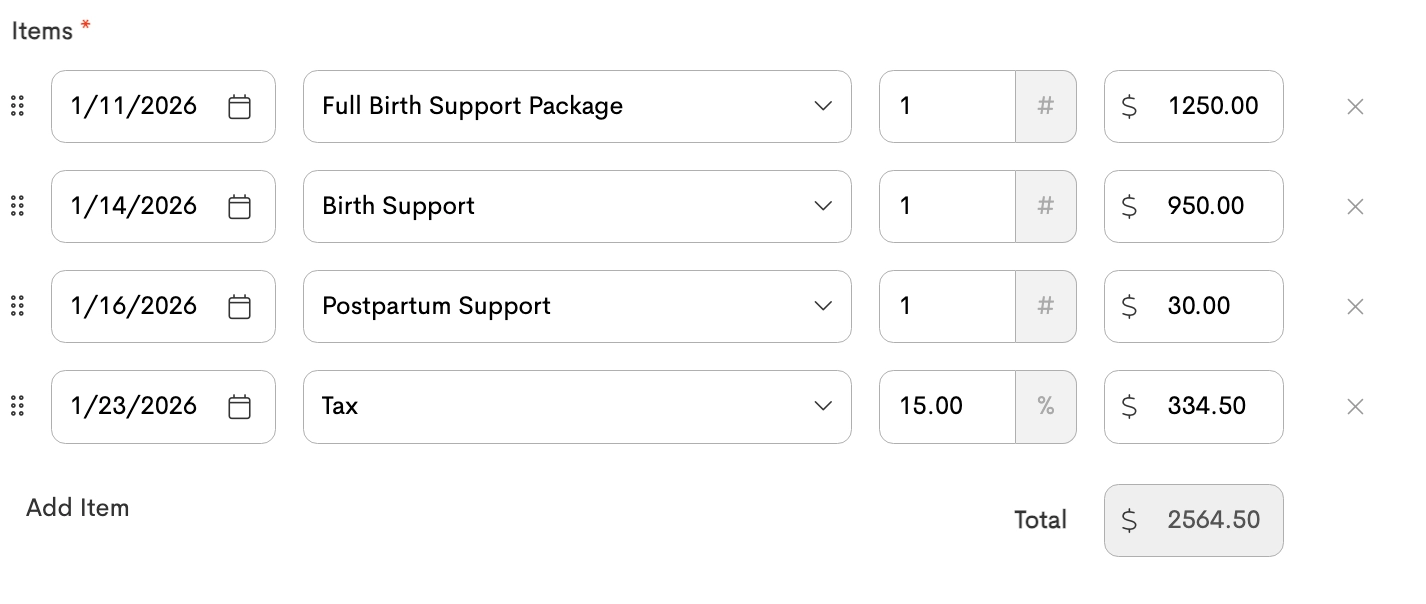
Services with Percent (%) pricing automatically calculate their fee based on the subtotal of all invoice items listed above them.
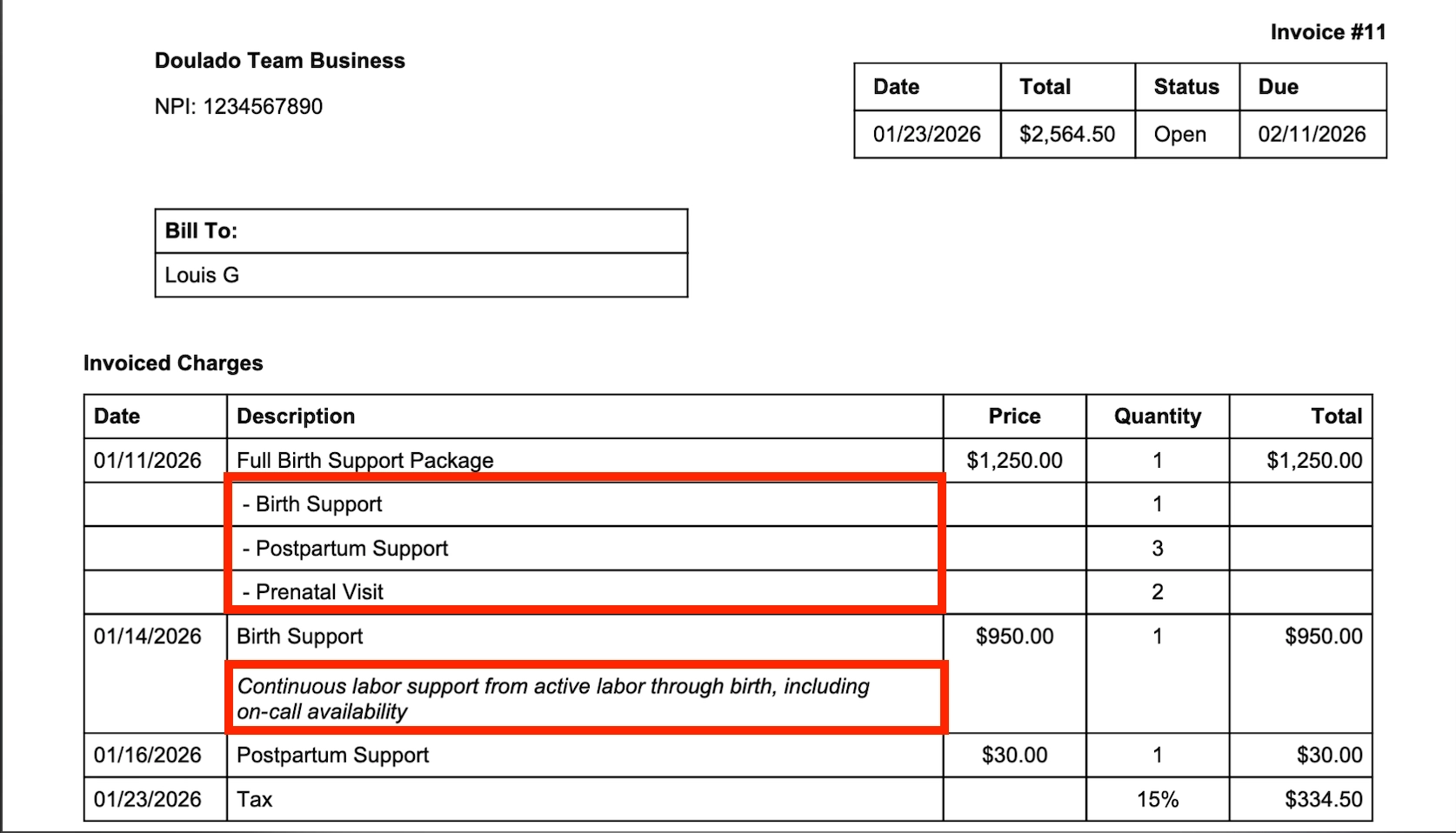
The Invoice PDF displays additional details about the products and services included:
- Package Details – Packages show the individual services included in the bundle.
- Service Descriptions – If Show Description on Invoices is enabled for a service template, its description appears on the Invoice PDF.
Appointment Presets & Deliverables
Services can be linked to Appointment Presets to automate tracking.
For more information on how purchased services are tracked and fulfilled, check out these articles: