Paperwork Addendums
Paperwork templates now supports Addendums for both Documents and Forms. This feature helps preserve the integrity of finalized paperwork while providing a clear audit trail of any changes made after submission.
When Revision requires addendum is enabled on a template:
- Completed paperwork cannot be edited directly.
- Any updates are recorded as timestamped addendums attached to the original document.
- The original submission remains unchanged, creating a complete history of revisions for compliance, insurance, and recordkeeping purposes.
Enabling Addendums
To enable addendums on a template:
- Navigate to Templates > Paperwork.
- Edit the Document or Form template you'd like to update.
- Under Default Sending Options, enable Revision requires addendum.

Once enabled, any future paperwork created from that template will require all revisions to be made through addendums after the document has been finalized. Each addendum is automatically recorded in the client's Paperwork History, providing a complete timeline of changes without altering the original record.
Adding an Addendum
Once a locked document or form has been submitted or completed, providers can add an addendum at any time.
To add an addendum:
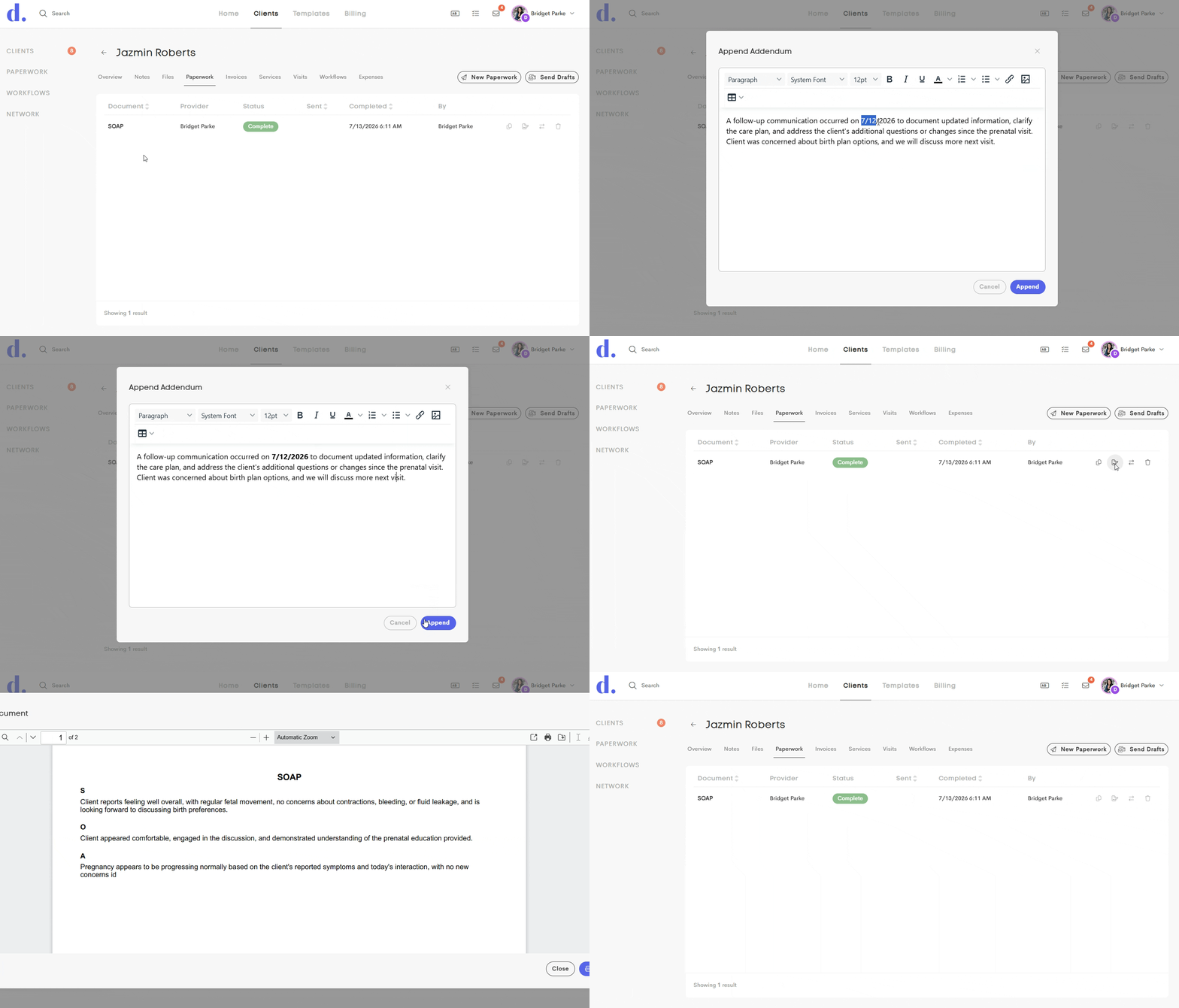
- Open the client's Paperwork tab within the Client Journey, or locate the paperwork from the visit log.
- Locate the finalized document or form.
- Click Addendum from the available actions.
- Enter the additional information, correction, or clarification.
- Save the addendum.
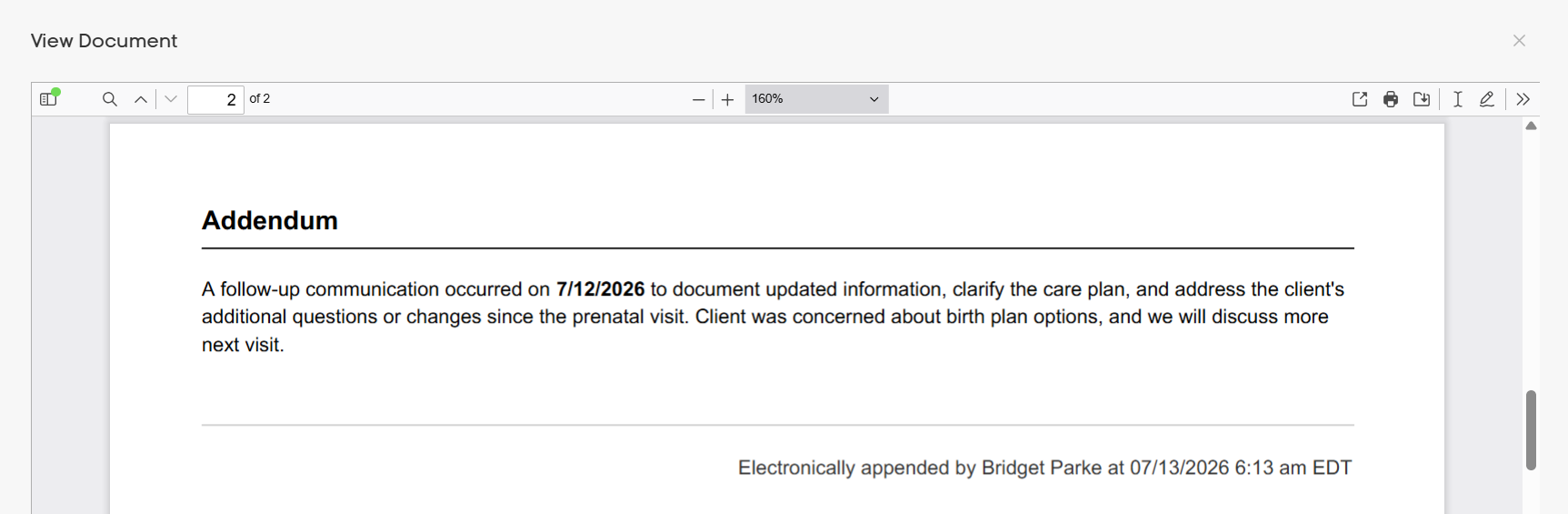
The addendum will be appended to the original paperwork with the date, time, and author who made the update. The original submission remains unchanged, creating a complete audit trail while ensuring all subsequent updates are permanently associated with the original document.
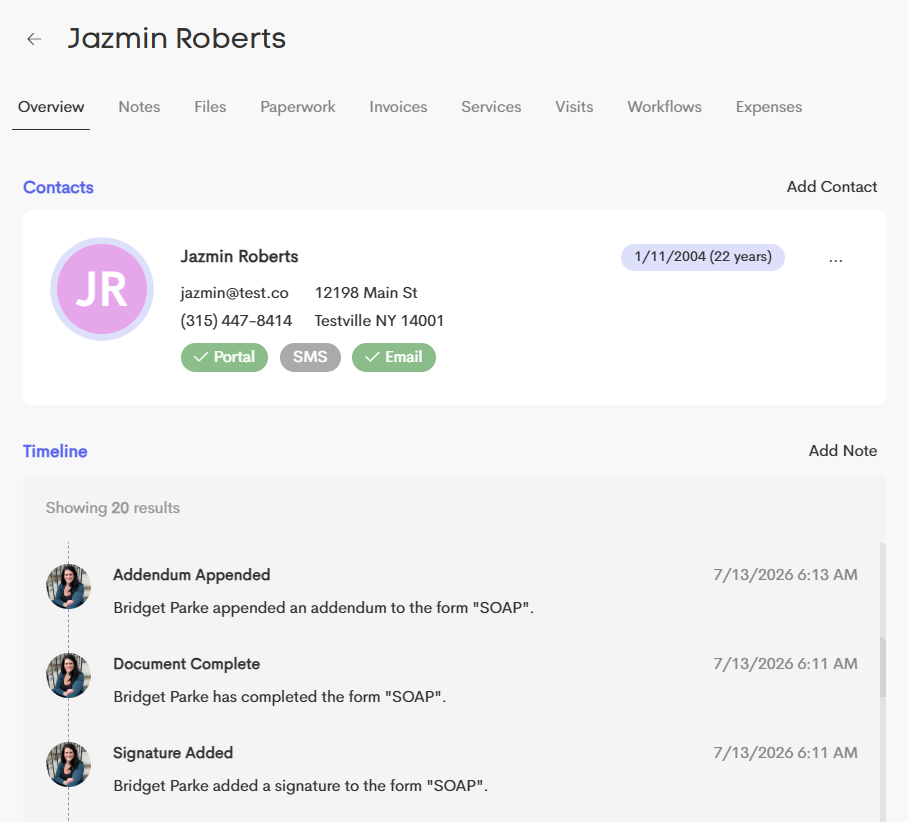
Each addendum is also recorded in the Paperwork History, allowing you to easily track when changes were made throughout the document's lifecycle.
Viewing Addendums
To view an addendum, open the completed document or form from the Paperwork tab within the Client Journey.
The completed paperwork will display:
- The original finalized document.
- Any addendums that have been added to the document.
- The date and time each addendum was created.
- The name of the provider who created the addendum.
This allows you to easily review the original submission alongside all subsequent updates while maintaining a complete, chronological record of changes. The same activity is also reflected in the client journey's timeline, providing a clear audit trail of the document's lifecycle.