
Linking a Paperwork
If paperwork is needed during or after a certain type of appointment for documenting purposes, data collection or for insurance claims, you can make sure the appropriate paperwork from your Doulado Template bank is connected to each type of visit.
Linked documents that are marked as Required must be completed before the visit can be set as Completed.
To link a document to a preset appointment, follow these steps:
-
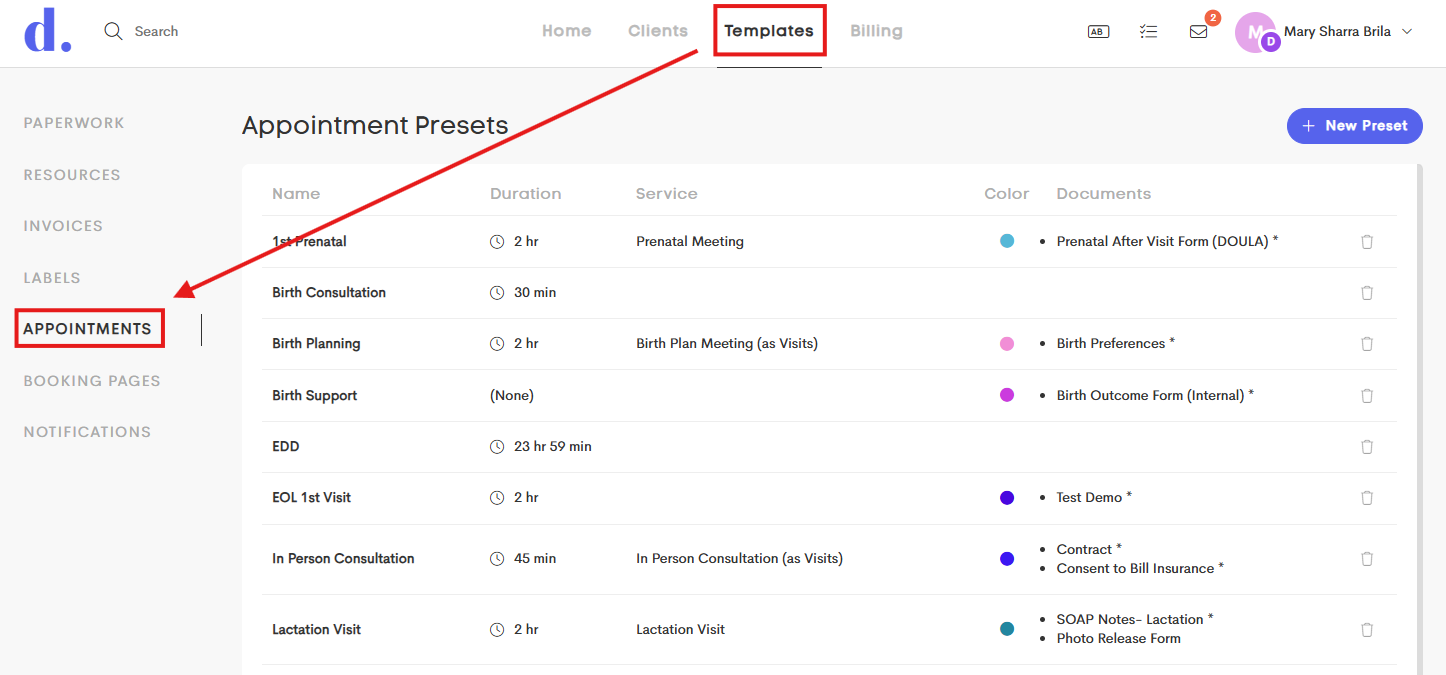
Go to the Templates dashboard and click on the Appointments tab on the side.
-
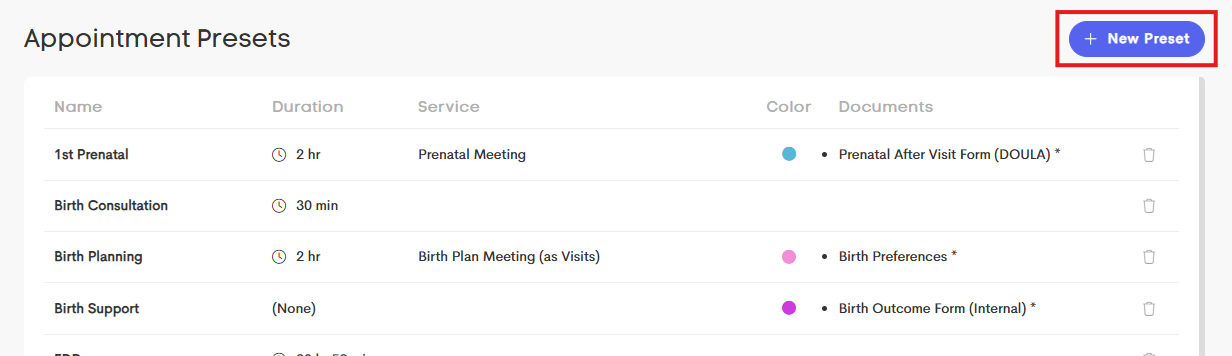
Click on a preset from the list to edit an existing one or add a new one by clicking on the +New Preset.
-
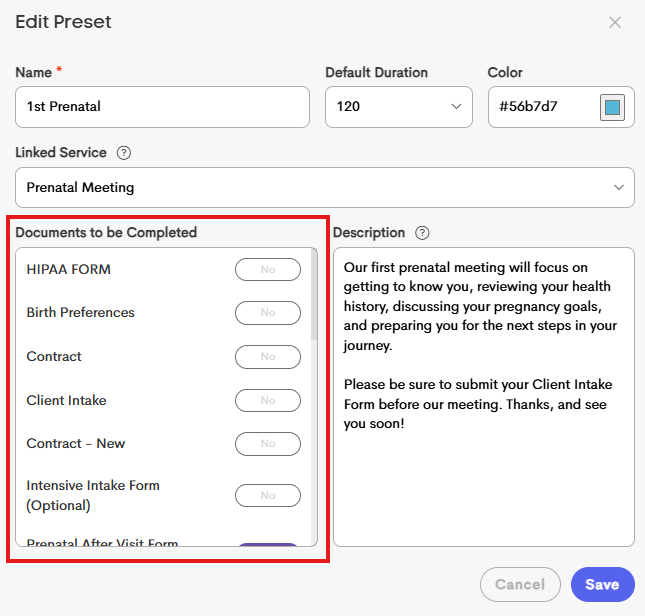
Refer to the Documents to be Completed section and choose the documents you want to link to this preset.
-
To add a document, choose a paperwork from the section and click on it.
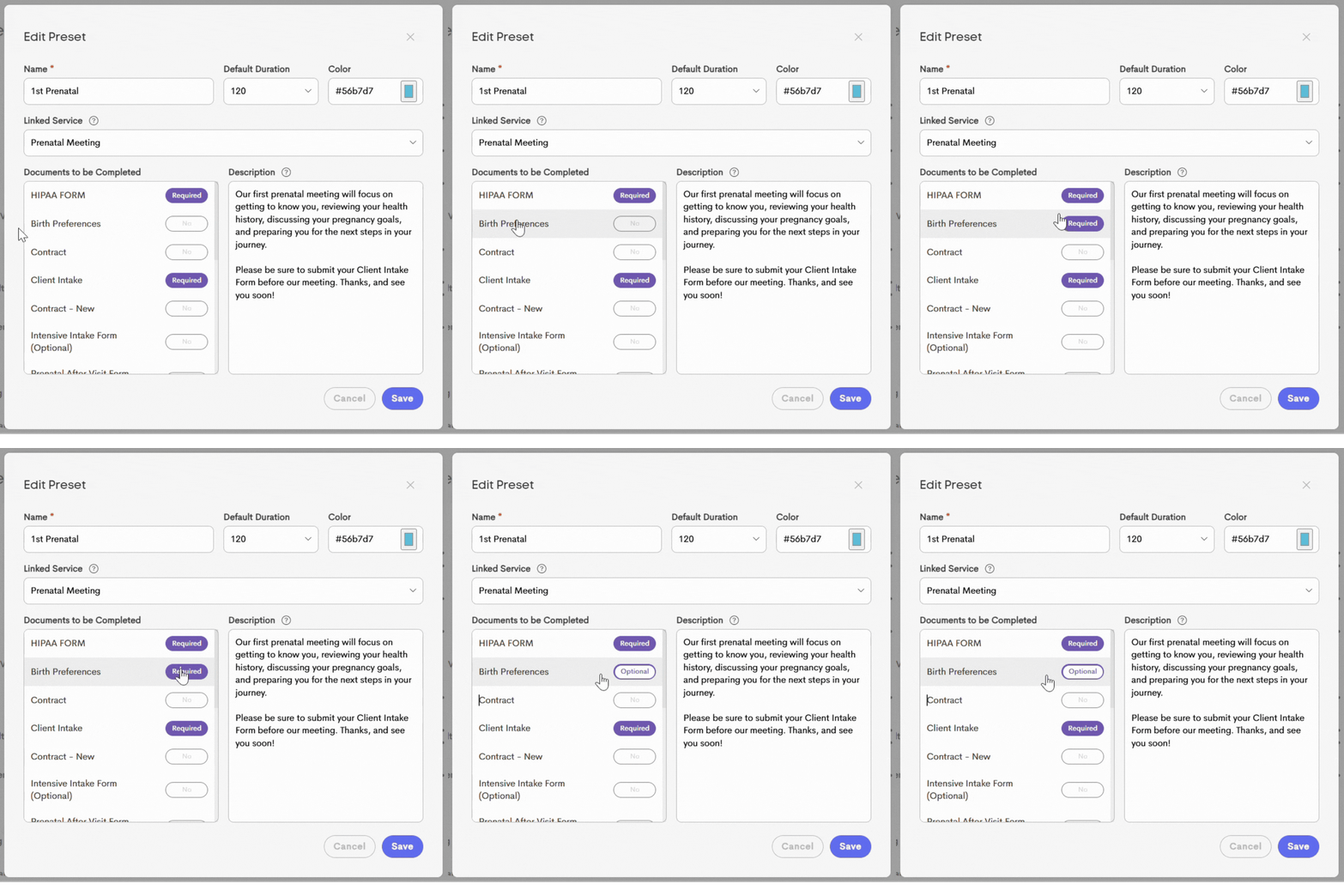
- Once you click a document, it's automatically marked as Required.
- If it's not a required paperwork for this appointment preset, click on the Required button to turn it into Optional.
- If you mistakenly clicked on a document, just click it again to remove it.
-
- Click Save to finalize your changes.
