
Managing Templates
You can manage your text templates in two convenient ways, depending on how you prefer to work:
-
Quick Access (Top Bar)

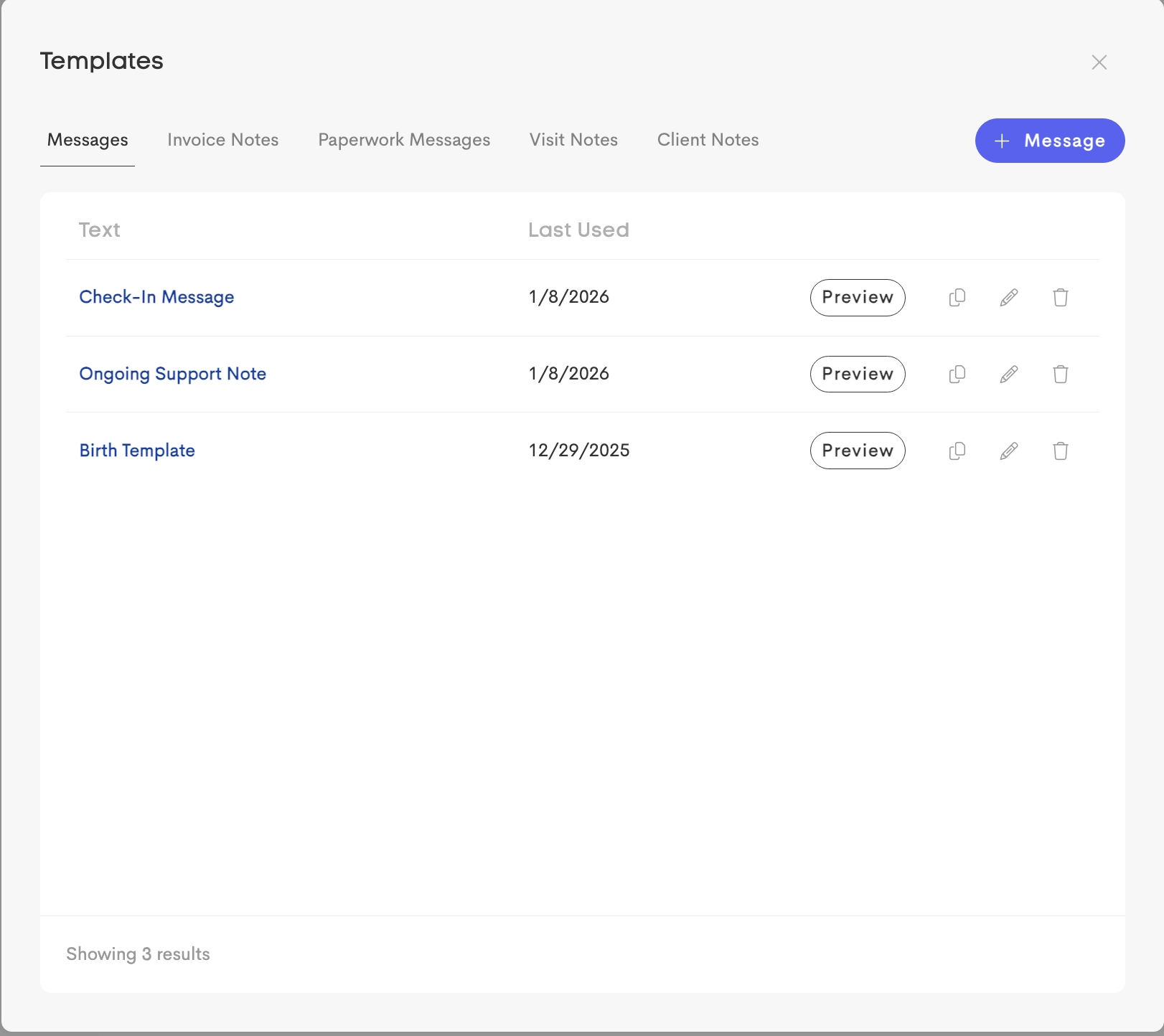
Access your full template library from the top bar. Here, you can browse templates by type, preview them, and make changes such as editing, duplicating, or deleting templates.
-
While Using Templates (Contextual Access)
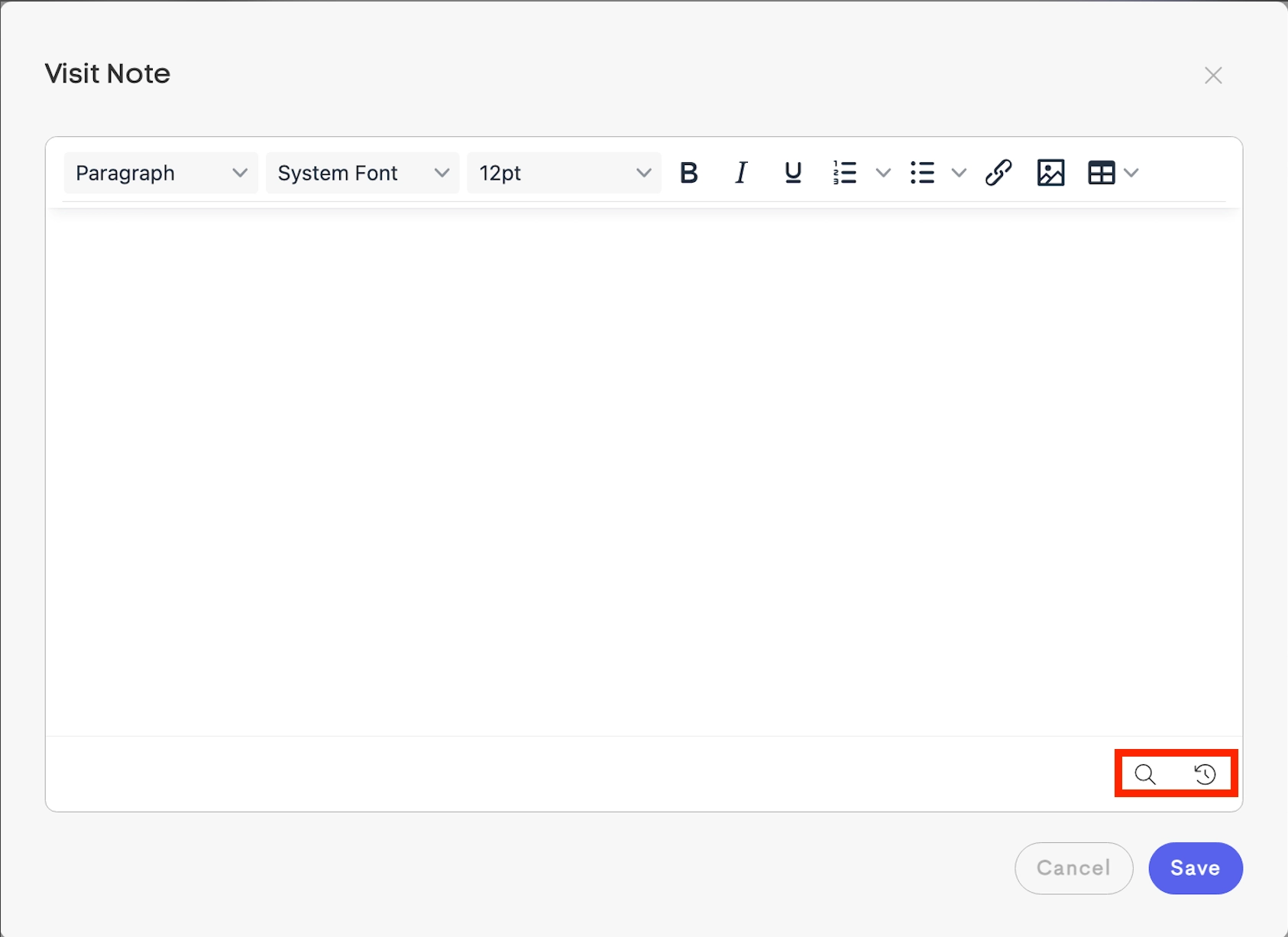
You can also manage templates while you’re using them. When browsing templates in a specific area (like messages or notes), you can quickly edit or update them without leaving your current workflow.
Team Sharing
For teams, templates can be created and shared so everyone can use the same messaging.
-
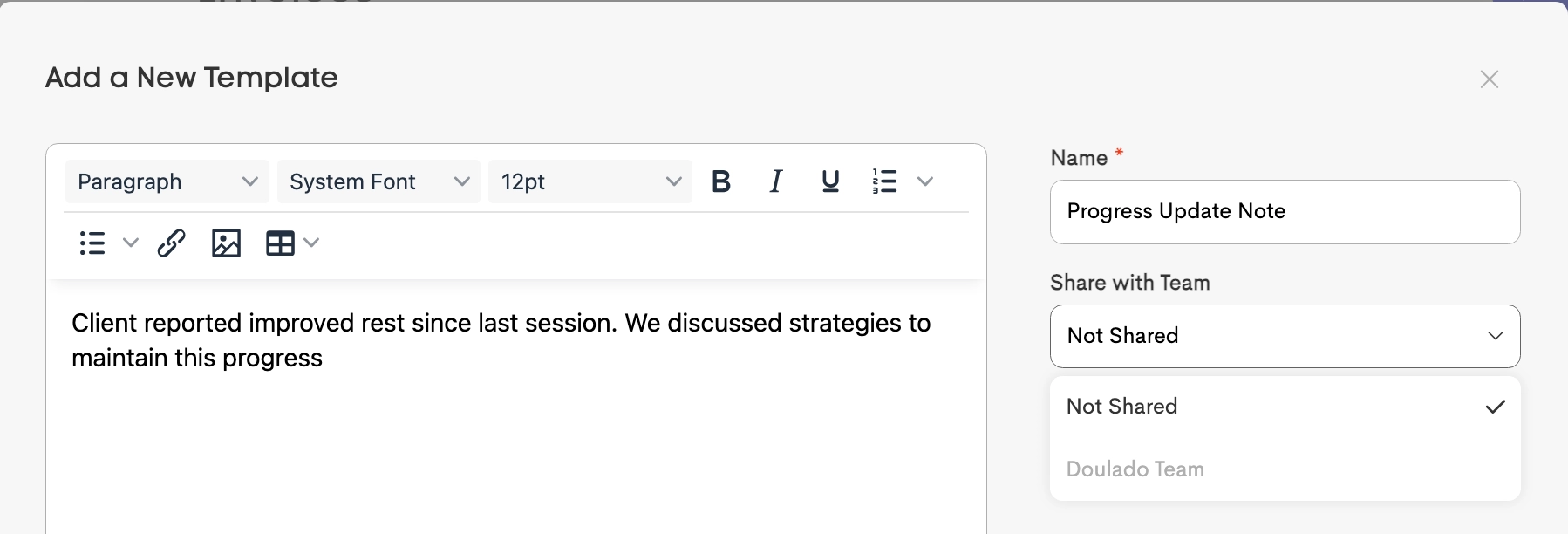
Open a template and select an option under the Share with Team dropdown to make it available to the designated team.
-
Once shared, the template will be labeled accordingly and can be accessed by your team.
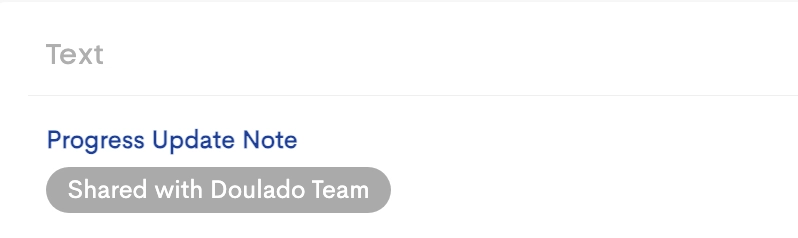
A template made available (shared) to a team is labeled
Sharing templates helps keep communication consistent and makes it easier for your team to reuse commonly used messages.