Managing Client Relationships
This section helps you manage how contacts are connected to a client.
You can set a primary contact and define relationships, making it easier to understand roles and keep communication organized.
Setting Primary Contact
If there are multiple contacts on a client profile, the primary contact can be designated by selecting Make Primary on the contact intended to be set as the primary.
-
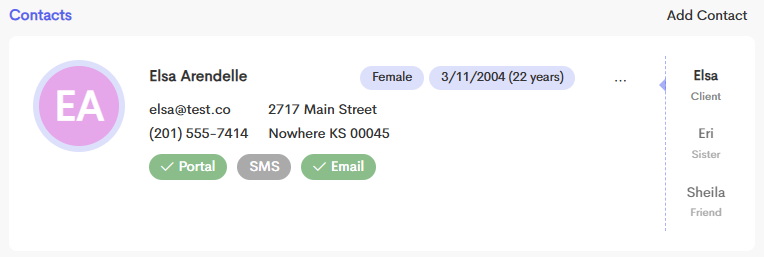
Go to a Client Profile with multiple contacts.
-
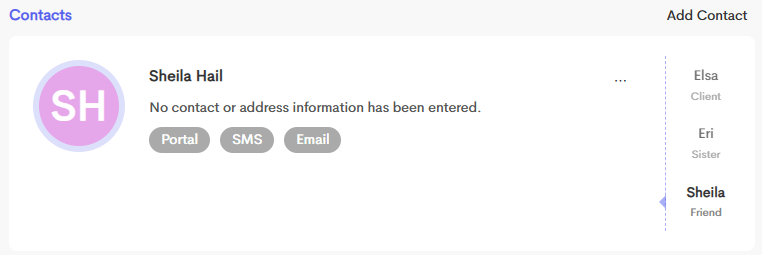
On the right panel of the Contact Card, click on the other Contact you want to modify. The section should reflect the name of the Contact you selected.
-
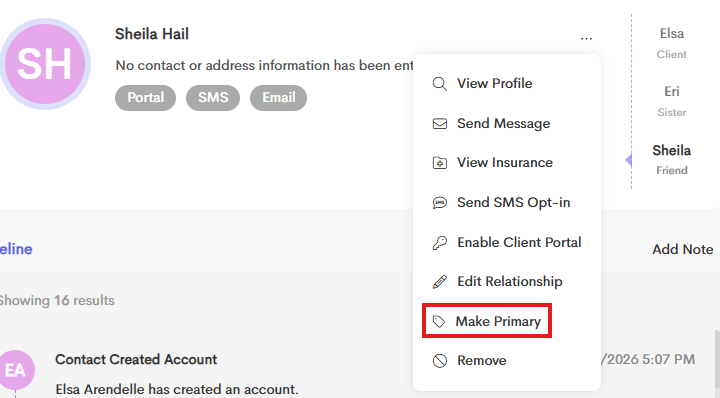
Click on Make Primary to set this account as a Primary Contact.
Editing Relationships
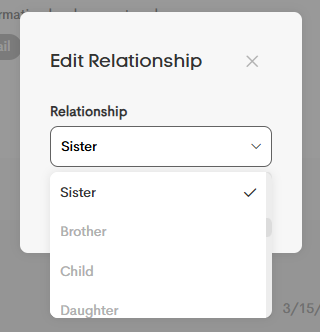
The relationship of each contact to the Primary Client can be specified (e.g., Partner, Parent, Spouse, Child, Friend, etc.). This provides context for who has access to the client's information.

-
To edit a Contact Relationship for a Primary Client, go to the Contact Card of the contact and click on the Overflow menu.
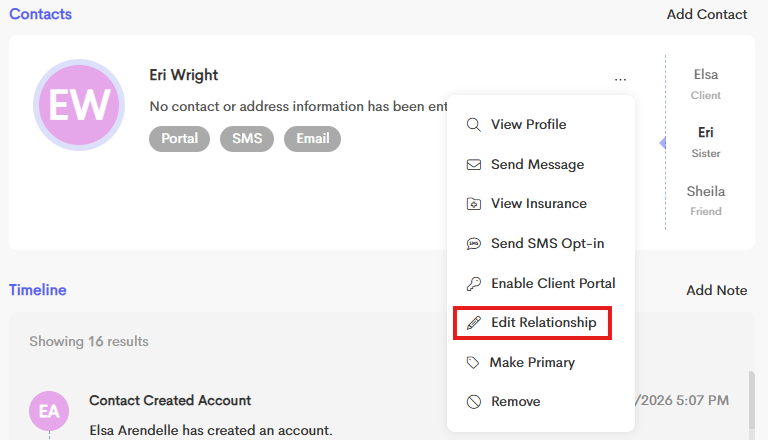
- Choose Edit Relationship from the menu.
-
Select the Relationship setting from the dropdown and click Save.