
Claims: Claim Fields
Once a claim draft is created, it is presented in an interactive CMS-1500 Grid. This is a digital representation of the standard professional claim form.
Claim Fields & Editing
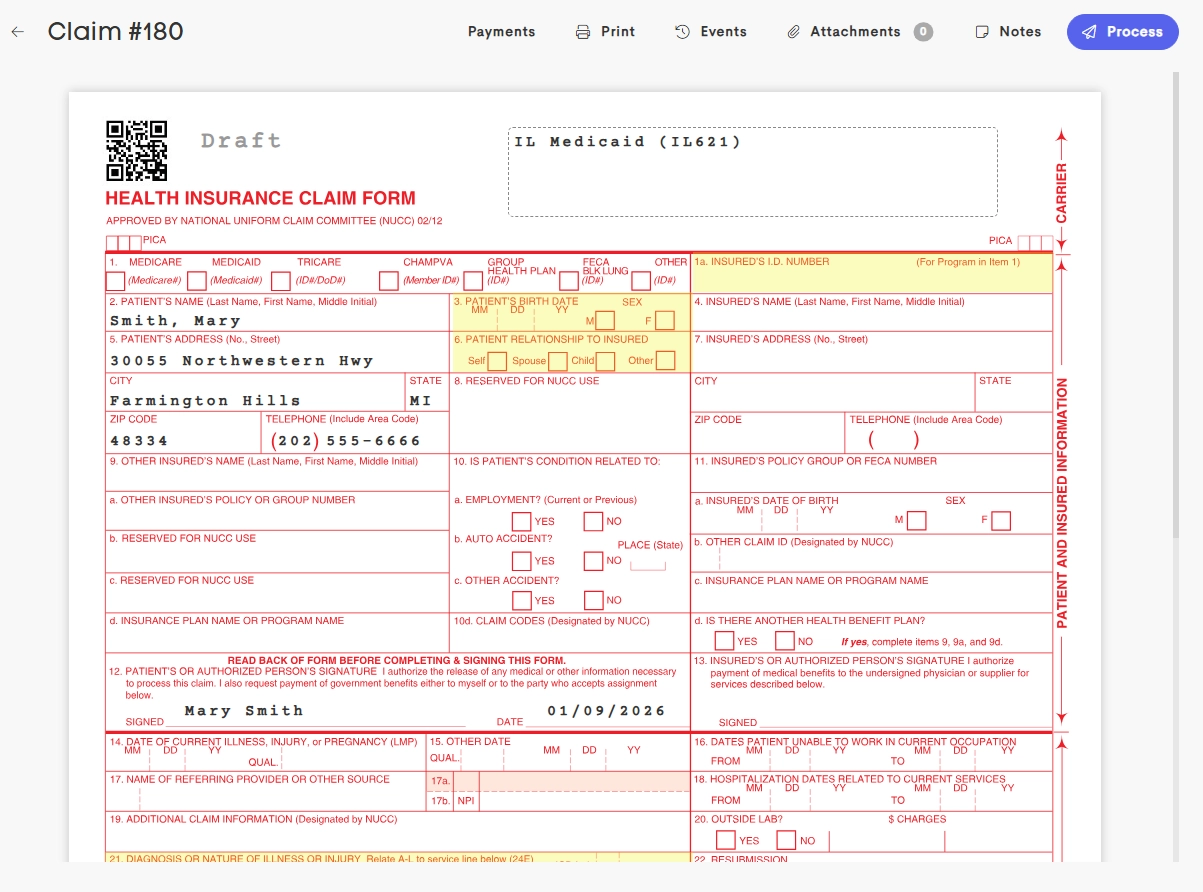
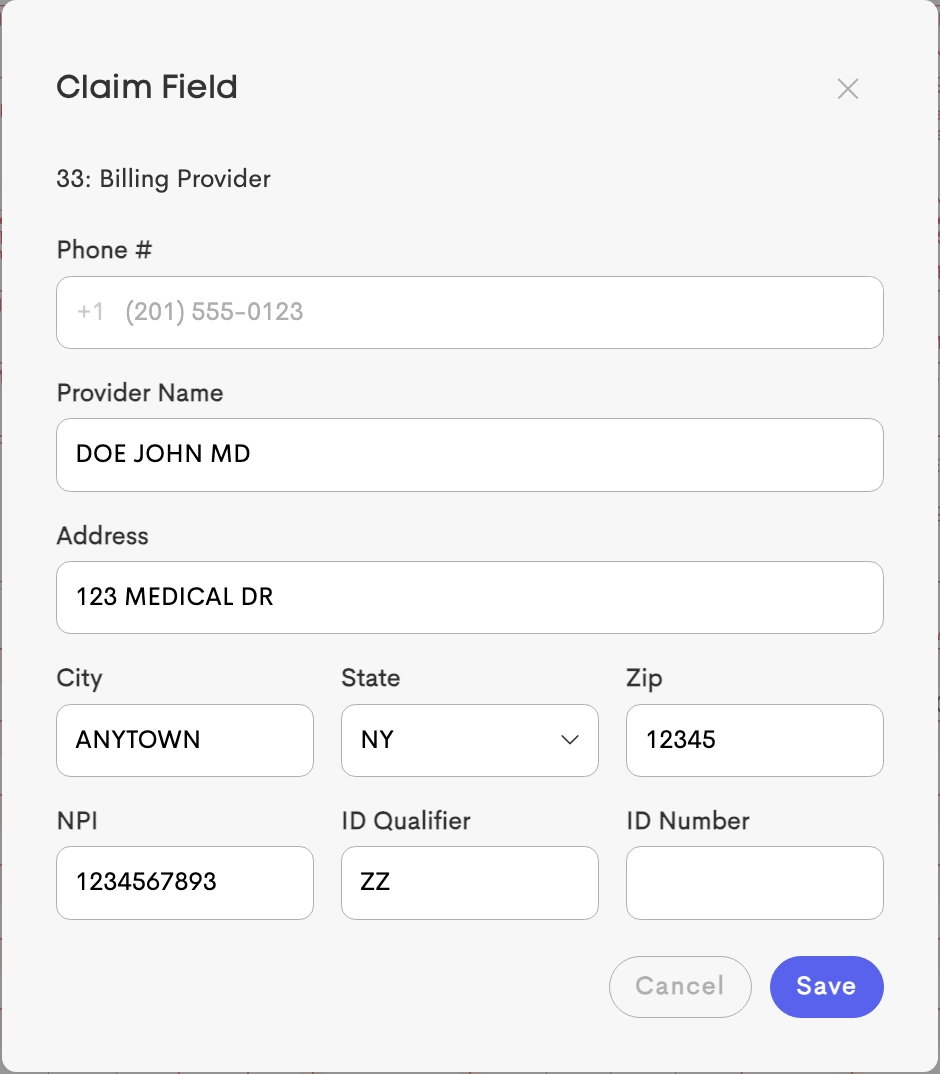
Every box on the form is a clickable field. Clicking a box opens a new form to enter information matching the data for that claim field.
Fields can only be edited while the claim is in Draft status. Once submitted or manually processed, the grid becomes read-only.
Visual Cues (Recommended Fields)
Fields essential for successful claim submission are highlighted in yellow.
While it’s allowed to save a draft with these fields empty, it will trigger a warning during the submission process to prevent avoidable rejections.
Field Auto-Population
When creating a claim, certain fields are automatically populated:
From Patient/Client Record (Fields 2-13):
- Patient name, address, demographics
- Patient phone number
- Date of birth and gender
From Insurance Verification (Fields 1a, 4-13): If a payer is selected and active insurance exists, the Member ID, Group Number, and Subscriber details are populated.
See Insurance Field Mapping for full details.
From Visit Information (Fields 24A-24J, Lines 1-6): Each passed service line from the claim form will be applied to Field 24 in the CMS 1500 form.
From Business Settings (Fields 25-33):
- Billing provider information (name, address, NPI, taxonomy)
- Federal Tax ID