
Covered Services
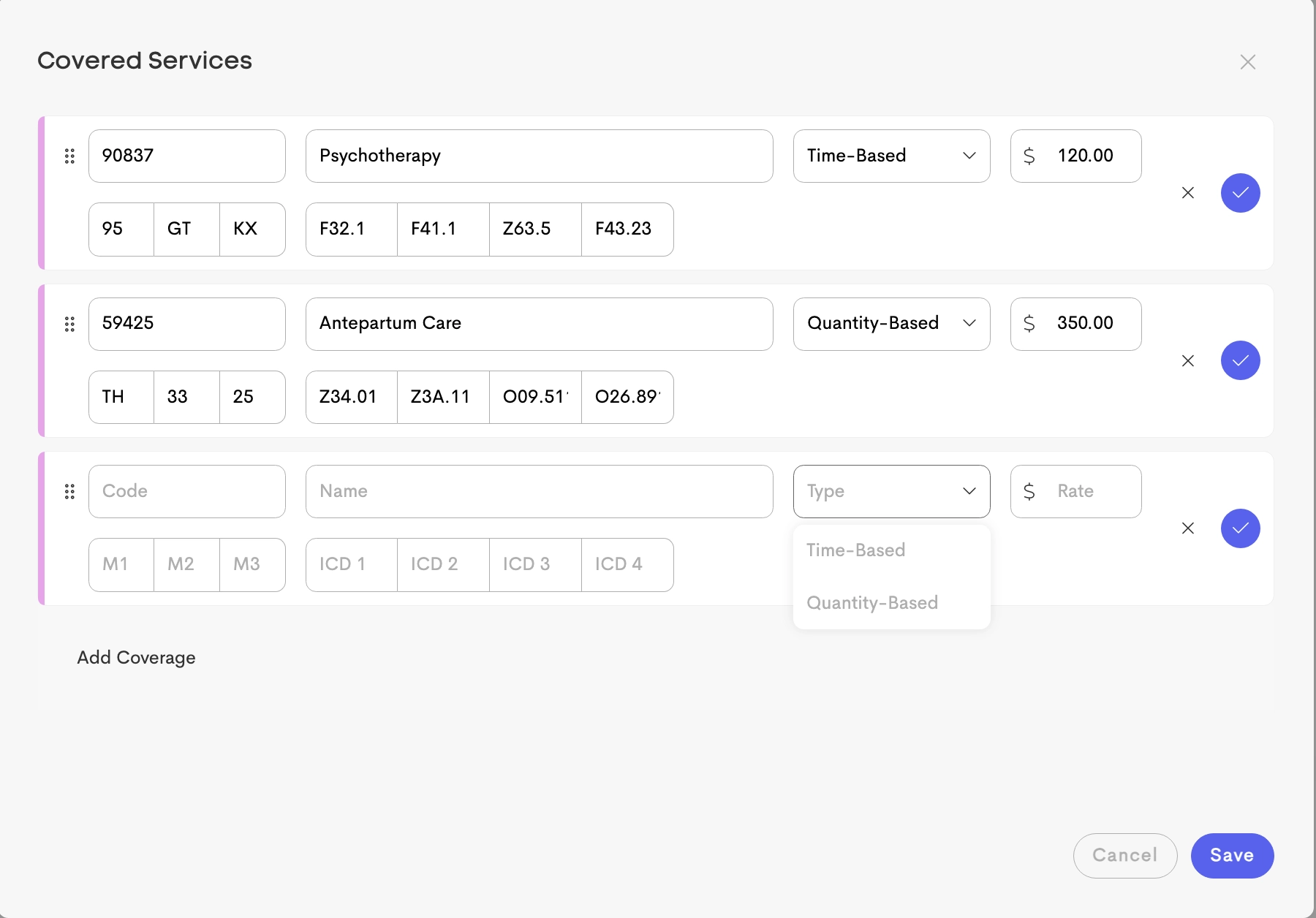
Covered Services allow businesses to pre-configure billing (CPT) codes and reimbursement rates for each payer.
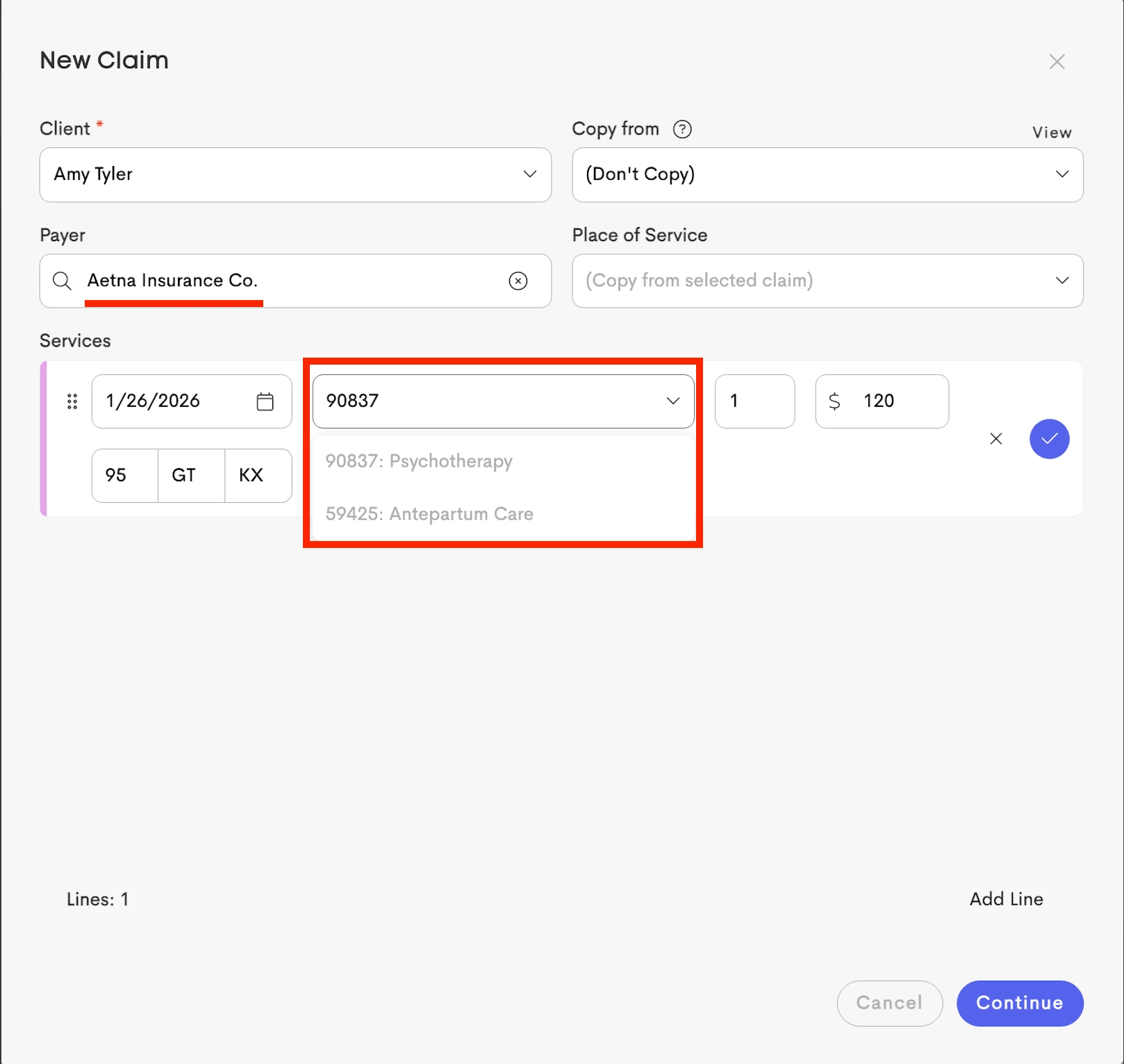
When a new claim is created for a client, these settings can be used to auto-fill service lines, modifiers, and diagnosis codes.
Related Article: Saving Covered Services

Each covered service includes the following fields:
- Code: The 5-character service or procedure code (CPT or HCPCS code).
- Name
- Type: Whether the service is:
- Time-Based
- Quantity-Based
- Rate: Reimbursement rate for the service.
- Modifiers: Up to 3 two-character modifiers.
- Diagnosis: Up to 4 ICD-10 diagnosis codes.
|
|
|
Coverage Types
The Type setting determines the calculation logic for the Units field on a claim based on appointment data.
Time-Based
Time-based services bill for time in 15-minute increments as 1 unit, following the Medicaid 8-minute rule. This is commonly used for services where reimbursement depends on the amount of time spent with a client.
For more information, see: Time-Based Services
Quantity-Based
Quantity-based services do not depend on visit duration; instead, the service defaults to a fixed unit amount, regardless of how long the appointment lasted.
This type is typically used for services that are billed per visit, per item, or per occurrence.
The appropriate calculation is automatically applied when the service is added to a claim created from a visit.
Claim Form Mapping From Coverage Service
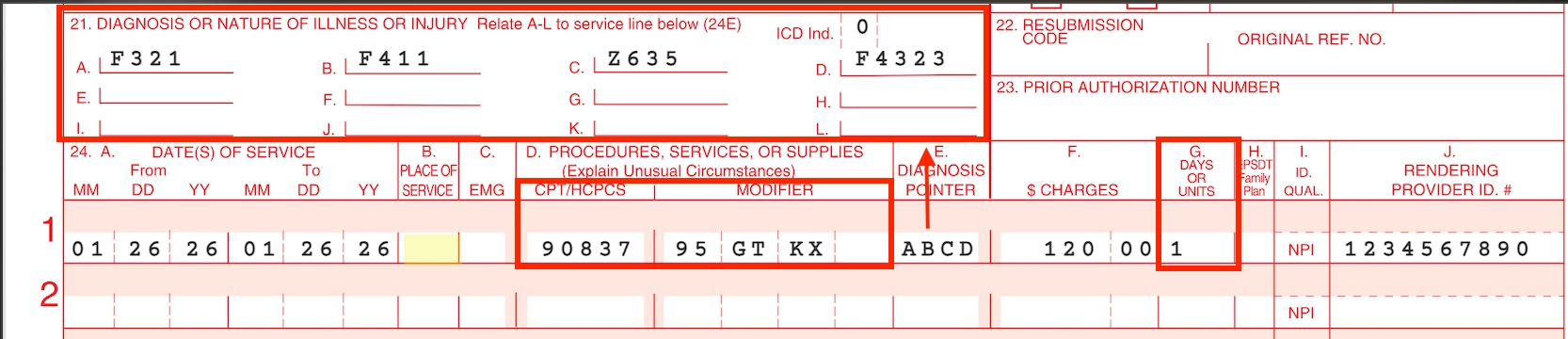
When a claim is generated using these pre-configured coverage services, the data is automatically mapped to the standard professional claim form:
|
Diagnosis Codes (Field 21) |
Service Details (Field 24) |
|---|---|
| All unique ICD-10 codes attached to the selected services are collected and populated in Field 21 (A-L). |
The configured coverage data is populated into the claim’s service lines as follows:
|