
February 2026
We’ve been hard at work behind the scenes improving our systems, documentation, and tools to better support you and your clients. Now, we're excited to share our first round of updates for 2026, focused on making client facing tools more accessible, billing, and day-to-day workflows more efficient, accessible, and reliable. From improved documentation and payment options to enhanced timelines and time zone tools, these updates are designed to help you spend less time managing logistics and more time supporting families.
Check out the update details below:
#1: Appointments Logs
-
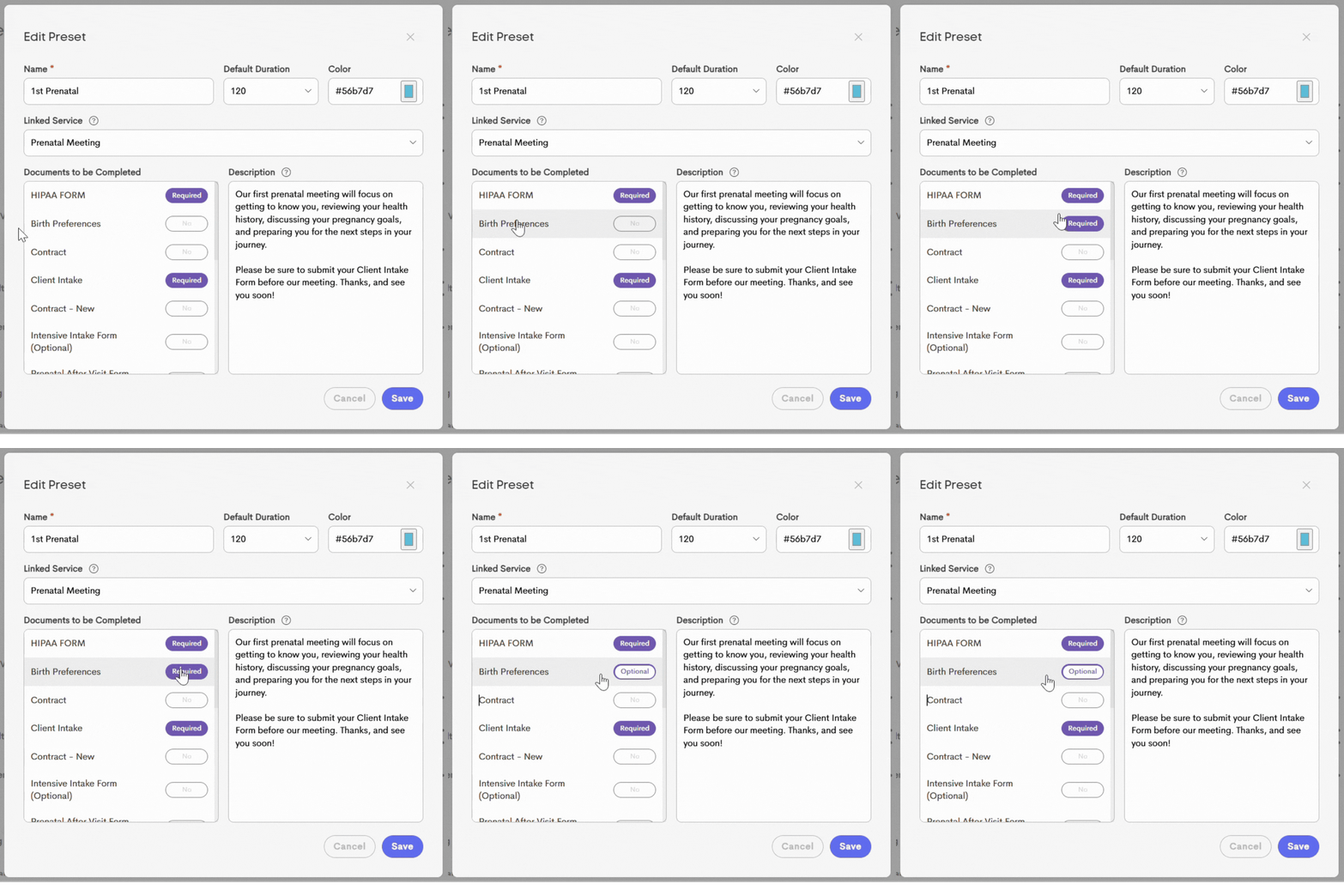
'Optional' Attached Documents: Visits using a preset can now be marked as Completed even if some documents are unfinished. Documents or forms attached to appointment templates can now be set as Optional within the Appointment Presets. By default, they are Required, but a single click allows you to make them optional for a specific appointment type.
Optional documents will still appear on the visit for easy access and sending, but they will not block the visit from being completed if left unfinished.
-
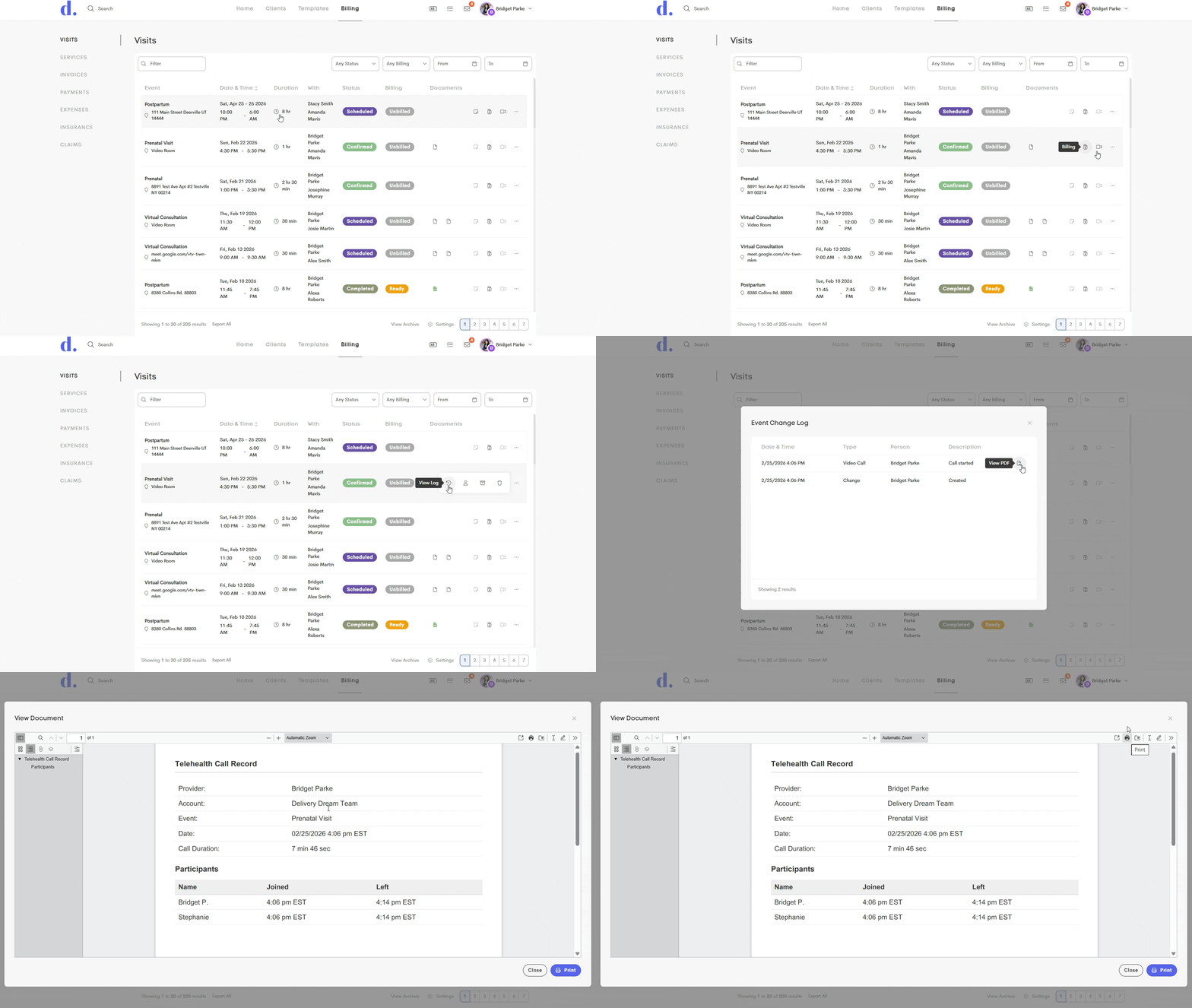
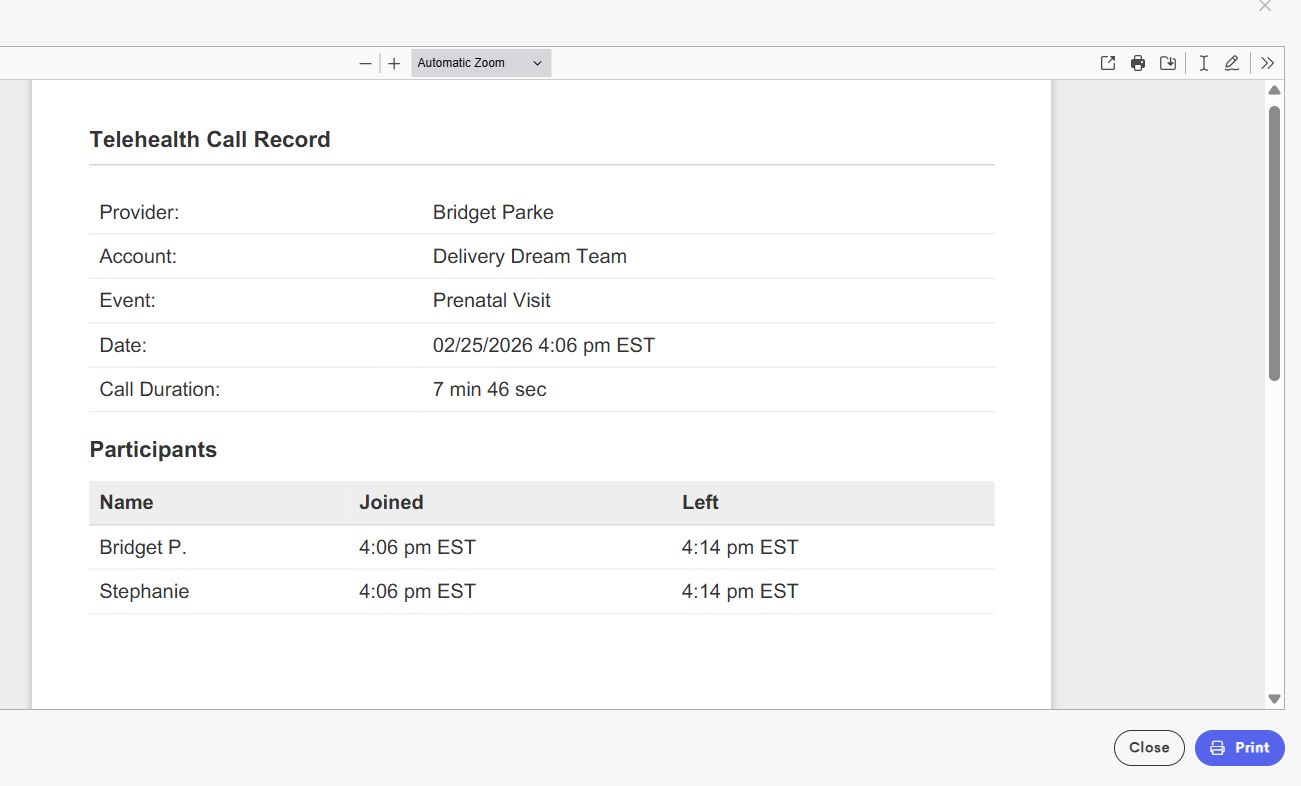
Telehealth Visits Log: Telehealth appointments now automatically record call details such as the date, time, and duration of the session.
The log can be found via Visits > View Log and can be downloaded as a PDF file for documentation and reimbursement purposes.
-
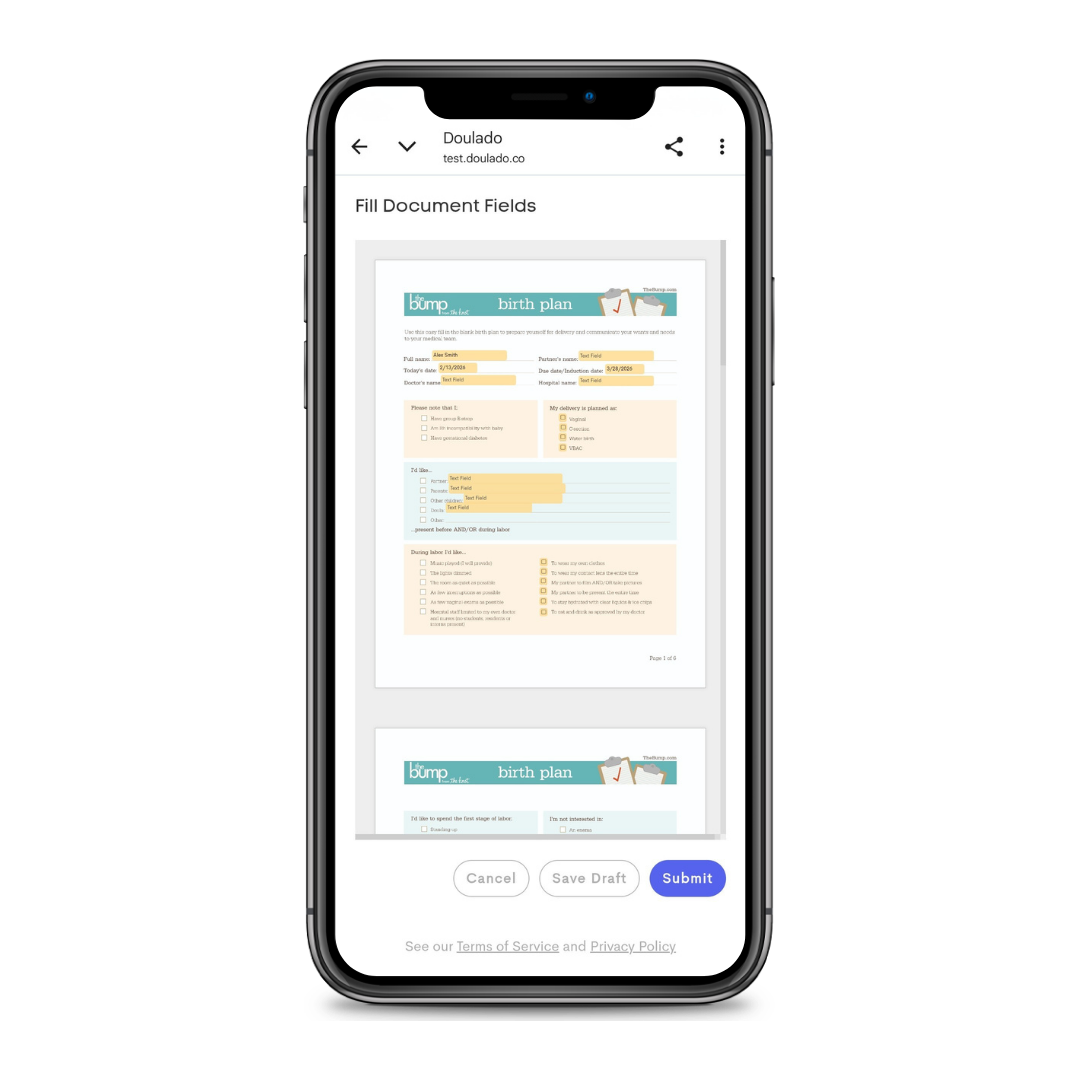
Mobile View of Documents: Fillable documents viewed on mobile now open in a zoomed-out view by default, allowing you to easily zoom and pan as needed. This makes reviewing and completing documents on mobile devices clearer and more user-friendly.
#2: Billing and Payments
-
HSA and FSA Card Usage: Doulado invoicing now supports a wider range of HSA and FSA cards, including those that must be directly linked to the merchant. Previously, some cards couldn’t be saved because Doulado’s MCC codes were recognized before the individual doula’s MCC codes. We’ve also found that some HSA/FSA cards are more sensitive to merchant codes during setup, even if they process normally during payment.
With this update, when adding a new HSA/FSA card as a payment method or paying an invoice, clients can select a new option to link the card directly to the doula’s or business’s Stripe account with the correct codes. This helps ensure successful processing for eligible HSA/FSA payments.

When a client links an HSA/FSA card using this option, the payment method is saved directly to their journey with your business. If they’d like to use the same card to pay another business’s invoice, they’ll need to add it again separately.
-
Easier Bank Verification: Bank verification can now be completed without the client having to log in, or have access to their portal! Previously, clients without Doulado portal access couldn't complete a bank verification when paying an invoice.
Now, verification emails include a direct link that allow them to verify their bank account without the need to log in. This change makes the payment process, while using a bank account, more seamless and accessible.

- Earnings Totals: Invoice earnings and claim payment totals are defaulted to show the current year in the dashboard tiles, but previous earnings can also be viewed now! You can click on the date in the invoice earnings, or claims payments tile in your dashboard to create a new custom date range to view previous years' totals.

#3 Assorted Updates
- Darken Text: We’ve updated our placeholder text to a slightly darker color to improve visibility and accessibility. This includes the guidance text inside fillable fields, as well as labels like “Settings” and “View Archive.” These updates make key interface elements easier to see and navigate for both doulas, and clients!

- Improved Journey Timeline Tracking: We’ve enhanced journey timelines to give you better visibility into important updates. In addition to existing activity (like creation, provider assignments, and paperwork), timelines will now also record:
- When a journey’s status changes (showing both the old and new status)
- When a journey is archived
Each entry includes the date, time, and the user who made the change; making it easier to track progress, and updates within client journeys.

-
Time Zone Impersonation: You can now temporarily switch your account’s time zone from the user menu under Change Timezone. This feature makes it easier to work across multiple time zones, especially helpful for assistants supporting doulas in different locations, without having to mentally convert appointment times.
When browsing time zones, you’ll see both your current time and the local time in each available zone. Simply click a row to select it, and all times in your account will update accordingly. To return to your default time zone, repeat the process and select the default option.

Tasks in the Works:
- A new more mobile friendly document type!
- Client notification preferences
- Non-client facing invoicing
- and more!!