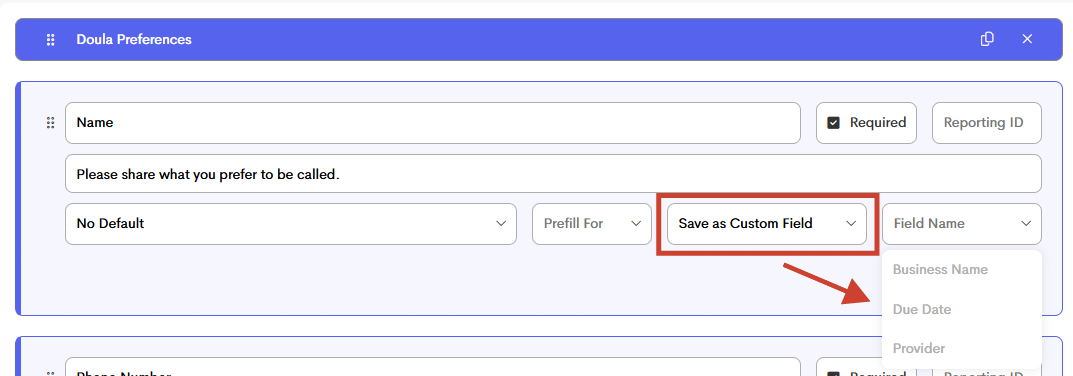
Map a Form Template Question
Similar to a Lead Form, and how the information submitting in that form "maps" automatically into a client profile, we now have form template response mapping!

This feature allows you to map information that clients enter into a form, to automatically collect and display data within your clients' profile as a custom field in the profile info section.
To utilize this functionality, ensure that field presets are configured in Templates > Labels > Group Fields.
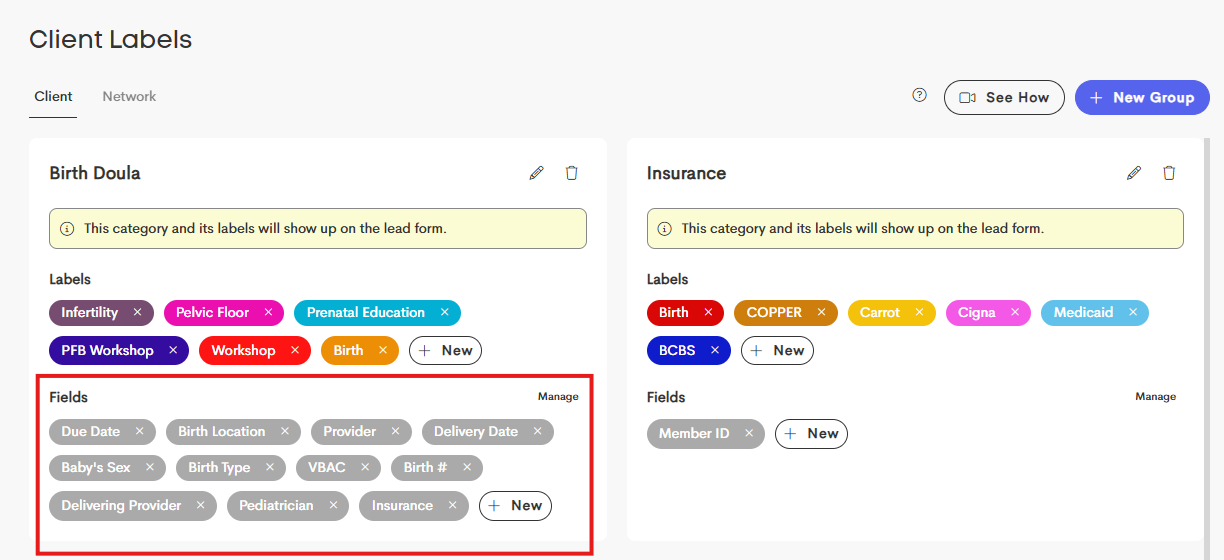
When a client submits a completed form with mapped fields, their answers will automatically populate into the designated fields in their Client Profile.
Mapped To:
- A designated space related to the answer
- Eg. Mapping a client's email address to client email
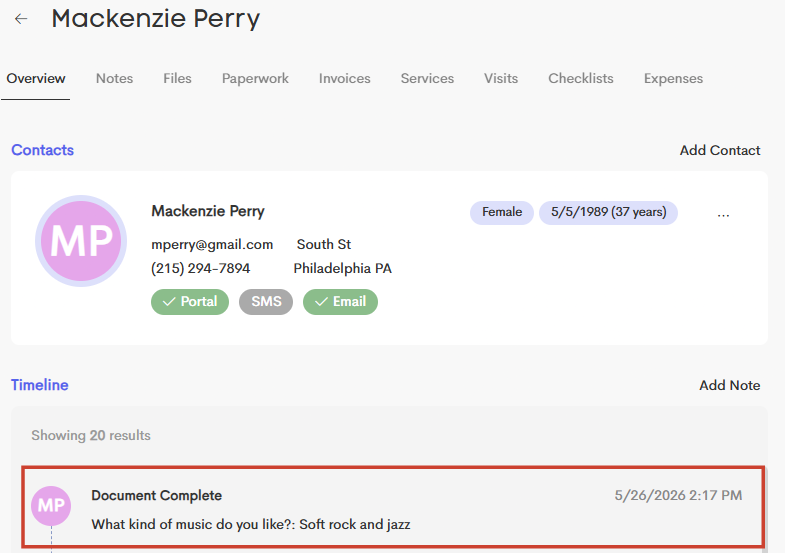
- A note
- Which will save the question and answer to the journey's timeline
- A custom field
- Which will populate an additional dropdown to select which custom field to map to
-
Mapping to a custom field is helpful when you want to be able to see that information quickly in the client's "Profile Info section